7 principů efektivního UX designu – Vytváření plynulých uživatelských cest

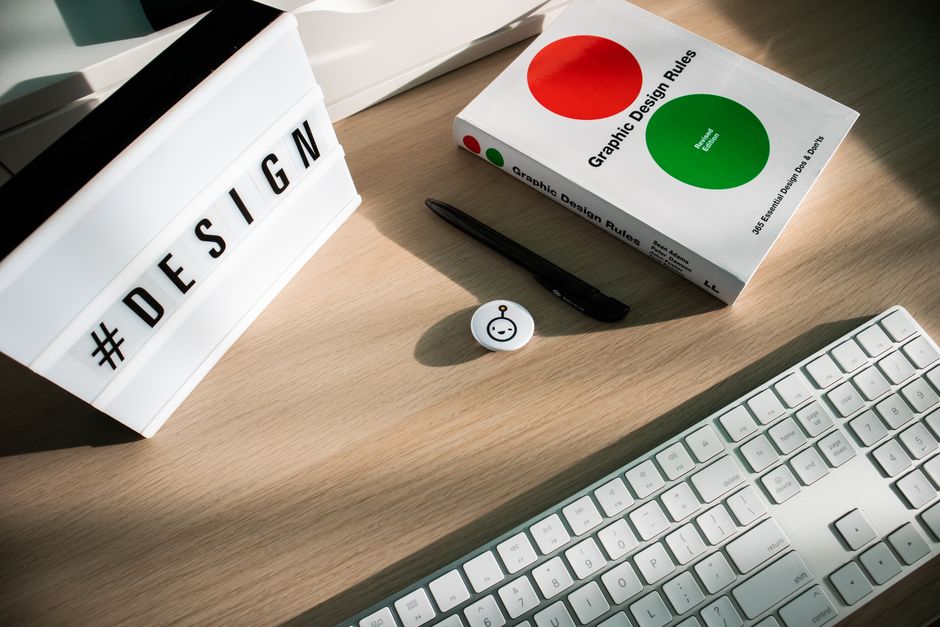
Optimalizace cesty registrace: omezte pole na 3–4, umístěte nezbytný vstup na první místo a zobrazte jasný pruh postupu. V pilotních projektech tento zaměřený přístup zvýšil míru dokončení o 22–35 % a snížil čas tření na mobilu o přibližně 15 sekund; můžete očekávat podobné zisky před širokým nasazením.
Přijměte čisté rozhraní s konzistentním rytmem napříč obrazovkami. Používejte rozložení, která jsou přizpůsobivá pro mobil a desktop, takže ovládací prvky se zarovnají do jediného směru a akce působí předvídatelně. Designer by měl vedít s minimálním digitálním povrchem, který zdůrazňuje nezbytné úkoly, ne chrom, aby uhladil interakce a snížil kognitivní zátěž.
Integrujte rychlé, lehké formuláře pro zpětnou vazbu a sbírání poznatků v klíčových momentech. Spojte je s momenty, kdy návštěvníci interagují s obsahem sebevědomě a cítí se v kontroli, takže každá akce plynule přechází do další a více akcí je viditelných. Tento přístup poskytuje data, která pomáhají určit směr budoucích aktualizací.
Vytvořte interaktivní vrstvu na vrcholu jádra cesty: mikrointerakce reagují na akce a poskytují okamžitou zpětnou vazbu bez hluku. Používejte telemetrii k identifikaci bodů vypadnutí a traktujte je jako klíčové signály. Udržujte rozhraní čisté a cestu konzistentní, takže týmy mohou postupovat rychle a stále nadchávat návštěvníky v průběhu času.
Pro škálovatelnost vložte krátký, opakovatelný workflow pro sbírání zpětné vazby do každého cyklu vydání. Klíčové metriky a týdenní recenze udržují cestu konzistentní s očekáváními. V průběhu času upravujte rozložení a rozhraní, aby se udržela digitální, interaktivní zkušenost bez regrese toho, co návštěvníci očekávají. Proto by týmy měly měřit dopad, iterovat rychle a sladit se se sedmi vůdčími myšlenkami.
7 Principů UX designu: Vytváření plynulých uživatelských cest; Jak implementovat UX praktiky v SaaS projektech
Zde je praktický kontrolní seznam k implementaci těchto pilířů v SaaS projektech. Zde jsou konkrétní kroky, které můžete dnes aplikovat se svým týmem k posílení spokojenosti zákazníků napříč dashboardy a produkty.
- Jasnost v tokoch úkolů
Namapujte hlavní úkoly pro zákazníky, definujte metriky úspěchu a ověřte je wireframy. Používejte specifické kroky k vedení aktivace a použití. V dashboardech prezentujte stručný, akční text a zajistěte, aby každé tlačítko jasně signalizovalo další akci. Typografie by měla podporovat rychlé procházení a čitelnost k snížení dlouhých časů čtení.
- Konzistence napříč rozhraními
Přijměte jedinou knihovnu komponent; zajistěte, aby měřítka typografie byla stejná napříč produkty a desktopem; definujte stavy pro tlačítka a vstupy; to pomáhá vývojářům dodržovat jednotnou zkušenost a urychlit onboarding. Poskytujte průvodce, které týmy mohou znovu použít; vyhněte se ad-hoc variacím; měřte úspěch sníženou kognitivní zátěží a vyšší spokojeností.
- Přístupnost a inkluzivní rozhraní
Zajistěte navigaci klávesnicí, správu zaměření a štítky pro čtečky obrazovky; poskytujte možnosti vysokého kontrastu; testujte s reálnými zákazníky; nahrávky odhalují body tření; pokyny pro ARIA štítky a sémantické značky; cílte na přístupnost od začátku.
- Výkon a efektivita načítání
Nastavte rozpočty pro velikosti aktiv; lazy-load dlouhých seznamů; komprimujte aktiva; monitorujte responzivitu a časy načítání napříč desktopem a mobilem; rychlejší odpovědi zvyšují spokojenost; sledujte metriky jako TTFB a čas do interakce; držte načítací přerušení dál.
- Informační architektura a typografie
Strukturovaný obsah s jasnými nadpisy a prohledatelnými seznamy; volby typografie zlepšují čitelnost; segmentujte dashboardy logickými skupinami; wireframy pomáhají ověřit rozložení před stavbou; příklad dashboardů zahrnuje grafy s čitelnými štítky a konzistentním kódováním barev.
- Interakce a mechanismy zpětné vazby
Definujte interakční vzory pro běžné ovládací prvky; poskytujte okamžitou zpětnou vazbu na akce; udržujte viditelné obrysy zaměření a konzistentní chování tlačítek; podporujte klávesové zkratky, kde je to užitečné; používejte tutoriály a příklady procházení k vedení nových uživatelů; posilujte zákazníky jasnými výsledky.
- Měření, iterace a řízení
Používejte nahrávky a analýzy k identifikaci bodů tření; spusťte řízené experimenty; integrujte průvodce a tutoriály; nastavte specifické cíle pro adopci, míru dokončení a čas do hodnoty; veďte týmy k iteracím směrem k vylepšením, která se shodují s obchodními cíli; příklad běhů ukazuje dopad na spokojenost a retenci.
Praktická aplikace pro SaaS: Implementace principů UX

Začněte s konkrétním cílem onboardingu: nechte nové uživatele dokončit první událost hodnoty do pěti minut. Namapujte celý počáteční tok k tomuto výsledku, odstraňte volitelné kroky a zajistěte, aby se to stalo. Také nastavte analýzy k monitorování míry dokončení a času do hodnoty, abyste mohli přímo měřit dopad.
Přijměte přístup zaměřený na uživatele napříč aplikacemi; vytvořte designový systém s opakovaně použitelnými komponentami a konvencemi. Tyto konvence by měly platit pro desktop a webové aplikace, zajišťujíce konzistentní typografii, mezery a interakční vzory.
K zvýšení zapojení poskytujte kontextovou pomoc a inline vysvětlovače, které objasňují, proč každý krok záleží. Taková zpráva zlepšuje pocit z produktu a celkovou zkušenost, podporuje retenci a snižuje vypadnutí. Také zahrňte stručné bloky vysvětlení k pomoci uživatelům.
Identifikujte chybné toky brzy spuštěním časově omezených testů; iterujte na datech spíše než na názorech. Mějte jasné hypotézy a spusťte testy, kde je to možné. Pokud cesta podvádí, revidujte sekvenci a znovu použijte stejné konvence, aby se vyhnuli neshodám napříč povrchy.
Zajistěte konzistenci napříč platformami: desktop a mobil sdílejí stejné konvence a můžete očekávat stejné chování napříč kontexty. To pomáhá uživateli cítit se sebevědomě, že produkt se chová předvídatelně, ať už chtějí cokoli dosáhnout.
Udržujte digitální-first postoj: celý povrch produktu by měl být sladěn s jedním mentálním modelem, i když se funkce vyvíjejí. Pamatujte na vysvětlení, jak nové prvky souvisí s jádrovými cíli, aby zkušenost zůstala koherentní pro vaše uživatele.
Veďte s roadmapou aplikací zakotvenou v design-system backbone: používejte knihovny případů použití, opakovaně použitelné komponenty a konzistentní konvence, které škálují. Tento přístup umožňuje týmům dodávat rychleji a udržovat kvalitu napříč produkty a týmy.
Koncem koncem je cílem pamatovat, proč se uživatelé vracejí: plynulá, předvídatelná zkušenost, která působí kurátovaná pro jejich úkoly. Vysvětlením výhod v každém kroku, modelováním opakovatelných vzorů a měřením retence položíte základnu, na které aplikace mohou růst bez rozbití povrchu.
Definujte jasné uživatelské výsledky a namapujte je na měřitelné metriky
Začněte pojmenováním 4–6 výsledků, které lidé usilují dosáhnout při interakci s produktem. Každý výsledek by měl být pozorovatelný, časově omezený a akční. Příklady: dokončete nákup do 5 minut, najděte kritickou odpověď za méně než 15 sekund, vytvořte účet s minimálními kroky nebo uložte produkt pro později bez opuštění relace. Tyto výsledky kotví designové rozhodnutí a zabraňují scope creepu.
Pro každý výsledek vyberte 2–4 metriky, které ověřují úspěch. Používejte směs rychlosti, přesnosti a spokojenosti. Vysvětlete, proč lidé jednají tak, jak jednají, kombinováním kvantitativních dat s kvalitativními poznatky k zachycení motivací, které pohánějí volby v tomto světě. Metriky by měly cílit na porozumění skutečným chováním a funkcím, které je podporují, spíše než pouhé sbírání čísel.
- Míra dokončení úkolu: procento uživatelů, kteří dokončí cílovou akci.
- Průměrný čas úkolu: metrika rychlosti, která odhaluje, kde tření zpomaluje pokrok.
- Míra chyb a požadavky na podporu: indikátory k prevenci blokujících momentů.
- Indikátory spokojenosti: CSAT nebo zpětná vazba po úkolu k hodnocení zkušeností.
- Efektivita výzvy k akci: procento uživatelů, kteří se zapojí do CTA a pokračují do dalšího kroku.
- Míra konverze nebo aktivace: měří aktivaci zamýšleného výsledku po smysluplných interakcích.
- Signály retence: opakované návštěvy nebo opakované akce v definovaném okně.
Namapujte výsledky na cesty označením dotykových bodů napříč zařízeními a kontexty. Udržujte jednotnost v tom, jak se metriky počítají, a zajistěte, aby stejné definice platily pro všechny zkušenosti. Cílem je následovat čistou, konzistentní cestu, kterou uživatelé mohou opakovat bez zmatku, čímž poskytnete plynulé interakce napříč produktem.
Sbírání dat a validace: používejte analýzy, testy použitelnosti a krátké průzkumy k ověření hypotéz. Sledujte změny ve výsledcích, ne pouze to, co vypadá dobře na dashboardech. Analýza by měla vysvětlit, proč došlo ke změně, nejen co se stalo, a měla by cílit na vylepšení strategie produktu. Začněte s různými kohortami k odhalení rozdílů v motivacích, které ovlivňují, jak lidé interagují s designy.
- Definujte cíle: nastavte číselné cíle pro každou metriku (např. dokončení úkolu ≥ 90 %, průměrný čas úkolu ≤ 2 minuty, CSAT ≥ 85).
- Založte dashboardy: vytvořte kompaktní, živý pohled, který zdůrazňuje výjimky a příležitosti.
- Spusťte experimenty: testujte změny, které slibují zlepšení výsledků; posuďte dopad rychle k urychlení iterace.
Operační tipy k udržení výsledků akčních: vysvětlete racionalitu s konkrétními daty, cílte na jednoduchost a vyhněte se přetížení irelevantními metrikami. Pouhé sbírání dat bez jednání neudrží hybnost; používejte nálezy k vedení úprav produktu, které zabraňují tření a udržují vysokou spokojenost. Zaměřte se na jádrové funkce produktu a zkušenost výzvy k akci k vedení uživatelů podél zamýšlených cest, pak ověřte pokrok stejnými metrikami, které jste definovali na začátku.
Namapujte end-to-end cesty k identifikaci tření a vypadnutí
Doporučení: Začněte s mapou napříč kanály, která spojuje interakce na dotykové obrazovce na smartphonech a webu, pak použijte nahrávky k lokalizaci prvního těžkého bodu tření a vypadnutí. Tento jediný pohled pomáhá publiku pochopit, kde uživatelé váhají a jaké signály jim chybí před odchodem.
Definujte čtyřstupňový lievik: vstup, prozkoumávání, interakce s funkcí a dokončení. Mezi stádii spočítejte míru vypadnutí a čas do úkolu; pravděpodobné tření vzniká u dlouhých formulářů, nejasných informací nebo chybějících signálů. Používejte nahrávky a analýzy k ověření každého podezřelého bodu; označte chybné oblasti jako možnosti zlepšení.
Zajistěte, aby rozhraní zůstala konzistentní napříč zařízeními k snížení kognitivní zátěže. Pro mobil udržujte nezbytné akce v dosahu na obrazovkách smartphonů; zajistěte, aby tok zůstal vzdálený od cíle a poskytněte krátké, informativní informace s viditelnými signály k vedení uživatelů vpřed; přidejte tutoriály k pomoci onboardingu a odstranění raného tření.
V vývojových cyklech přijměte iterační mentalitu. Sbírejte zpětnou vazbu publika prostřednictvím slovního ústního podání a podpůrných kanálů; prioritizujte změny, které snižují těžké blokátory a zlepšují chování. Způsoby měření by měly zahrnovat míru dokončení, čas na úkol a kvalitativní poznámky z tutorálů.
Používejte praktické nástroje: analýzy, nahrávky relací, heatmapy a analýzu úkolů k odhalení chybných toků. Vyhněte se spoléhání na instinkt; buďte opatrní při přílišné optimalizaci pro jedno zařízení nebo publikum. Po implementaci zlepšení monitorujte metriky zlepšení a upravte. Zajistěte podporu zdroje pro uživatele, kteří se zasekávají vzdáleně od hlavní cesty, a dokumentujte nálezy pro budoucí vývoj.
Designujte pro jasnost: snižte kognitivní zátěž na každé obrazovce
Omezte primární volby na čtyři na stránku a odhalte sekundární možnosti prostřednictvím progresivního odhalení k snížení kognitivní zátěže na každé obrazovce.
Seskupte informace do kompaktních bloků; udržujte dlouhé odstavce pod čtyři věty a zarovnejte ovládací prvky s konzistentními velikostmi k urychlení procházení a zvýšení porozumění.
Seskupte související akce do zjevných shluků; prezentujte FAQ v sklápěcích panelech k prevenci přetížení a povzbuzení rozhodnutí směrem k jasným cílům.
Spoléhejte na výzkum a analýzy k ladění směrem k cílům uživatelů: testováním 2-3 variant rozložení na obrazovku, měřením porozumění, dojmu a dokončení a iterací.
Tento přístup slouží kompaktní zkušenosti služby: rychlé načítání stránek, jasný, přesvědčivý dojem a stabilní pokrok; analýzy odhalují body tření, poskytují měřitelnou hodnotu a vedou pokračující zlepšení.
použití střídmé palety barev, škálovatelných komponent a stručného copy pomáhá udržet tempo a porozumění napříč velikostmi při udržení rychlých načítání.
Vytvořte a prosazujte škálovatelný designový systém napříč produkty
Přijměte jedinou, sdílenou knihovnu UI vzorů napříč všemi projekty a prosazujte ji řízením a automatizací. Tento krok minimalizuje duplikaci, udržuje vzhled konzistentní a zvyšuje rychlost dodávky o 25–40 % v prvním roce, lépe sladí výstupy s potřebami stakeholderů.
Udržujte tokeny a komponenty v verzovaném, centralizovaném repozitáři; označte tokeny pro účel (barva, typografie, mezery) a vystavte jasnou taxonomii pojmenování. Tato jasnost umožňuje týmům rychle vyhledávat aktiva, usnadňuje spolupráci a zajišťuje, že mohou aplikovat aktualizace bez rozbití existující práce, poskytujíce předvídatelnou cestu místo ad-hoc oprav.
Založte kompaktní krosproduktovní gild s pevným kadencí: čtvrtletní vydání, měsíční audity a automatizované kontroly, které zachytí drift před šířením. To znamená, že většina změn je recenzována, ale zůstávají daleko od přílišné kustomizace, dodávajíce harmonii napříč projekty při stále umožňující iteraci tam, kde je potřeba.
Dokumentujte vzory použití pečlivě, včetně kritérií přístupnosti, stavů a smyček zpětné vazby. Omezte vyskakovací okna na nezbytné momenty a vystavte inline štítky k snížení nejasných signálů; zaměřte se na jasnost, rezonanci a esenci spíše než na chytrost. Cílem je usnadnit udržování kohezního jádra při podporování potenciálních experimentů, které nezlomí páteř systému.
Sledujte metriky, které ukazují dopad: míra adopce, čas ušetřený na funkci, drift defektů a shoda s přístupností. Používejte tyto signály k optimalizaci řízení a udržování systému živého a relevantního, ne pouze udržovaného naživu, zajišťující lepší zkušenost napříč týmy a projekty prostřednictvím inkrementální optimalizace.
| Artefakt | Účel | Kadence | Vlastník |
|---|---|---|---|
| Knihovna UI vzorů | Jediný zdroj pravdy pro komponenty, tokeny a vzory | Verzované vydání čtvrtletně | Tým řízení |
| Taxonomie tokenů | Štítky a hierarchie pro barvy, typografii, mezery | Průběžná údržba s čtvrtletní revizí | Vedoucí platformy |
| Pravidla automatizace | Automatické kontroly k minimalizaci driftu a prosazení standardů | Integrace CI, noční běhy | Tým QA/Automatizace |
| Dokumentace pokynů | Jasnost pro týmy: kdy a jak aplikovat vzory | Živý dokument s měsíčními aktualizacemi | Vlastník dokumentace |
Odeslat stručný dotaz
Popište web, cíle, publikum a rozpočet pro projednání nabídky.


