Jak vytvořit online prezentaci s využitím neurálních sítí
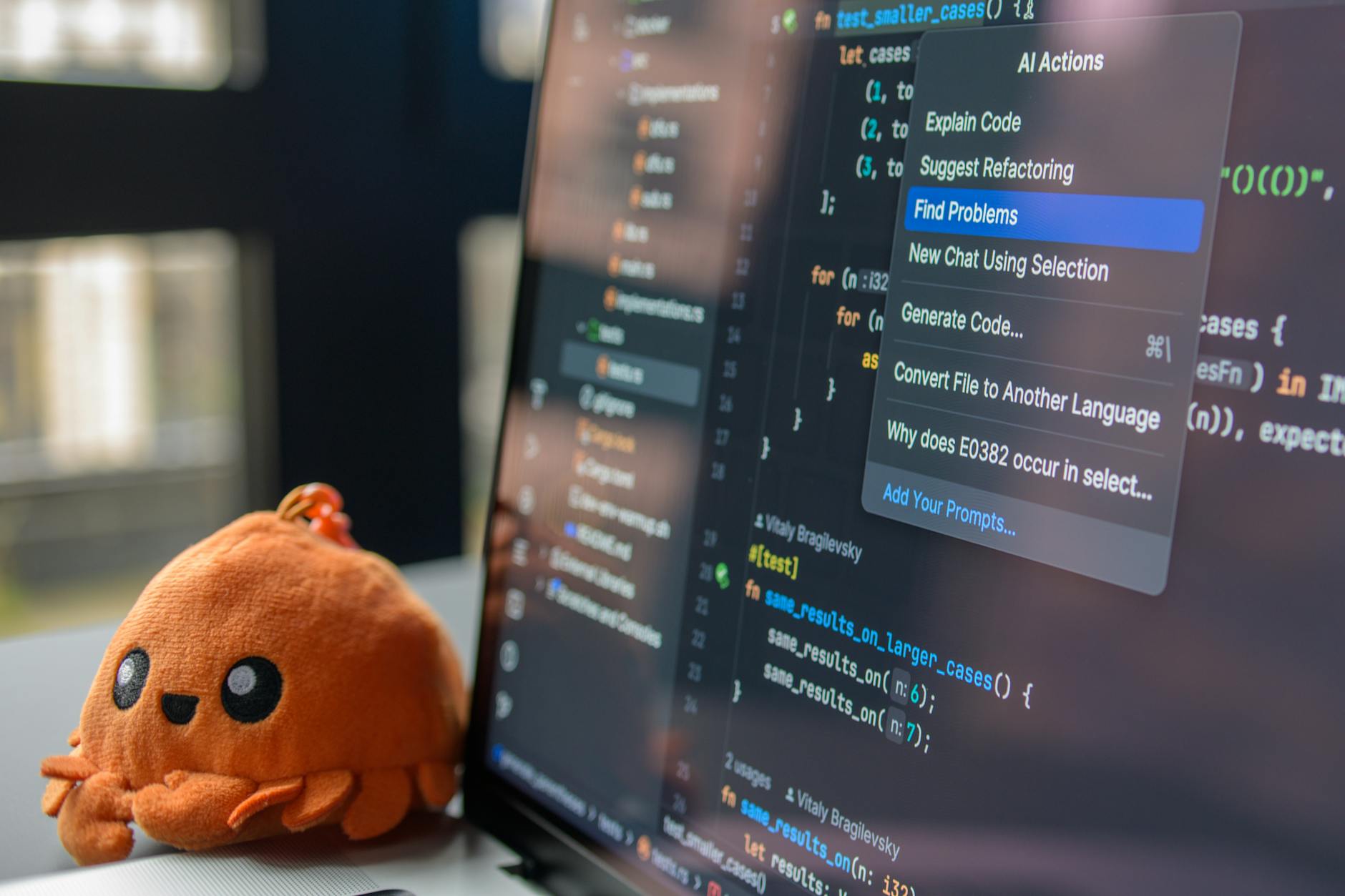

Vyberte hotového tvůrce prezentací s umělou inteligencí, který převede vaši osnovu do leštěné online sady snímků během minut, a použijte ho k vytvoření jasného rámu pro váš příběh, aby se přidala konzistence napříč slidy. Začněte s stručným titulem, silnou háčkovou větou a vizuálním pozadím, které podporuje vaši zprávu. Proveďte zkušební test na desktopu a mobilu, aby se ověřila čitelnost a tempo.
Neuronové sítě generují vizuály tím, že generují ilustrace, ikony a grafy z jednoduchých příkazů. Používejte parametry jako barevnou paletu, styl a poměr stran k ovládání výstupu a čerpajte reference nálady z pixiv místo kopírování aktiv. Pokud nástroj nabízí přednastavené rozložení, aktivujte je, aby se udržela kohezní struktura rámu napříč sekcemi.
Definujte své vstupy: klíčová slova, cílové publikum a tón. Nastavte parametry pro délku slidu, typ animace a snímkovou frekvenci, poté vyzkoušejte bezplatný zkušební plán k porovnání možností. Umělá inteligence vygeneruje několik variant a vy můžete vybrat nejlepší pro finální sadu snímků.
Struktura a distribuce: mapujte obsah na odlišné rámy pro dlouhé sekce s čistými přechody. Uložte aktiva do bezplatné knihovny a exportujte sadu snímků jako URL pro hostování na sociálních sítích nebo vkládání do systému pro správu vzdělávání. Zkontrolujte funkce přístupnosti, včetně alt textu a barev s vysokým kontrastem.
Přijměte styl, který mísí filmové prvky s inspirací z Miyazakiho a současného digitálního umění. Používejte příkazy, které evokují textury pozadí a siluety postav bez porušování licencí. Několik AI-generovaných vizuálů může vygenerovat silnou náladu, když se spojí s leštěnou typografií a konzistentními barevnými paletami.
Na závěr proveďte test s reálnými uživateli a iterujte. Sledujte metriky zapojení, jako je čas na čtení, hloubka posunu a počty sdílení na sociálních sítích, aby se posoudil dopad. Používejte generované vizuály k ilustraci složitých nápadů, přičemž udržujte intuitivní a přístupnou navigaci.
Vyberte nástroje poháněné NN k automatické generaci slidy a vizuálů
K urychlení vaší sady snímků uveďte svou osnovu v 5–7 bodech a vyberte nástroj poháněný NN, který vygeneruje slidy a vizuály z ní. Hledejte platformu, která exportuje do PPTX nebo Google Slides, zachovává značkové písma a umožňuje upravovat vizuály po generování. V tomto případě ušetříte hodiny, udržíte kohezní styl a doručíte ostrý narativ. Pro plynulý pracovní postup vyberte nástroj, který kombinuje generování z osnovy do slidy s vestavěným tvorbou obrázků, takže můžete vytvářet vizuály, aniž byste opouštěli aplikaci.
Co hledat

- Automatizace z osnovy do slidy, která doručí jednu jasnou myšlenku na slid a automaticky upraví typografii, mezery a zarovnání
- Integrovaná generace obrázků pro vizuály: generujte obrázky pomocí příkazů, které produkují foto-připravené vizuály, s možnostmi pro surreální a živé styly
- Kontrola značky: vynucujte zelenou barevnou paletu, konzistentní styl a znovupoužitelné šablony napříč tématy
- Možnosti exportu: PPTX, PDF nebo přímá kompatibilita s Google Slides, s jednoduchým předáním k úpravám
- Jasnost licence: zajistěte, že generované vizuály jsou bez autorských poplatků nebo mají práva pro obchodní použití v prezentacích
Tipy pro příkazy a vzorové příkazy
- Příkaz pro vizuály: Vygenerujte obrázek ve stylu fotografie surreální fresky v zelené mongolské místnosti s zářícími akcenty; požádejte o živé barvy a rozlišení 1920x1080
- Příkaz pro umění slidy: Vytvořte čistý, minimalistický diagram ukazující hlavní pracovní postup, s tučnými čarami a jednou zvýrazněnou barvou, která odpovídá zelené paletě sady snímků
- Příkaz pro rozmanitost: Vytvořte tři varianty jednoho pozadí slidy, abyste mohli vybrat nejlepší shodu pro náladu a publikum
- Příkaz pro stabilitu jedné sady snímků: Používejte jednu hlavní šablonu napříč všemi slidy, aby se udržel konzistentní tok očí; řekněte neuronovému nástroji, aby udržoval nadpisy stručné a odrážky kompaktní
- Příkaz pro důraz: Umístěte zářící fokální prvek, aby přitáhl oko k klíčovému závěru, přičemž udržujte podpůrné vizuály subtilní na pozadí
Vytvářejte příkazy a zdroje dat pro konzistentní značkování
Uzamkněte příkazy k jedné tabulce značky a poli konstant pro udržení každé prezentace vizuálně sladěné napříč filmy, záběry a snímky. Vytvořte konstruktér, který výstupuje konzistentní vizuály tím, že čerpá barevné tokeny, vodítka typografie, loga a slova nálady z jednoho zdroje. Zahrňte možnosti pro kyberpunk nebo pixar-inspirované styly, ale vždy mapujte na stejné aktiva a pravidla. Uložte aktiva do tabulky přístupné generovacímu nástroji a označte použití jako povinné. Nyní vytvořte příkaz, který zobrazí vysoce detailní snímek v místnosti s ovládaným osvětlením a pevným úhlem kamery, náladu lze naladit jednoduše výměnou řádků tabulky.
Zdroje dat tvoří páteř. Používejte licencované záběry, knihovny stock filmů a značkou schválené grafiky; připojte metadata k aktivům s polem pro náladu, barvu, typografii, úhel kamery a umístění loga. Pokud je scéna natočena pro projekt, označte aktiv s stejnými metadaty, aby se zajistila konzistence. Udržujte vše v tabulce, takže jeden příkaz může vytáhnout nový aktiv výměnou řádku místo přepisování instrukce. Zahrňte poznámky o licencích a příklady snímků použitých ve filmech a prezentacích k vedení budoucích natáčení. Existuje preference pro konzistentní osvětlení a kadenci snímků napříč výstupy.
Příkazy a pracovní postup
Základní příklady příkazů: „V místnosti s kyberpunk estetikou a pixar teplo, zobrazte velký snímek našeho produktu na jednoduchém pozadí, osvětlení nastaveno na 3-bodové, barevné tokeny #HEX, písma jako Brand Sans, logo v pravém dolním rohu.“ Spojte každý příkaz s konkrétním řádkem tabulky pro hodnoty polí, takže generované vizuály zůstanou konzistentní napříč prezentacemi a filmy. Používejte buď konzervativní variantu a excentrický úpravu (např. přidat záři), aby se otestoval styl bez porušení sladění. Pokud chcete rychlou výměnu, stiskněte tlačítko k posunu řádku tabulky a regenerujte vizuály bez dotyku textu příkazu. Tento přístup udržuje záběry kohezní a usnadňuje natáčení pro cílové publikum.
Generujte grafy, diagramy a animace s neuronovými sítěmi
Doporučení: Začněte s generátorem, který výstupuje strukturovaná data pro grafy a diagramy, poté renderujte v zobrazení uvnitř prohlížeče pomocí SVG cest nebo primitiv WebGL. Trénujte na kompaktním datovém souboru vzorových vizuálů (vzor) a hotových šablon a proveďte zkušební cyklus k ověření metriky hodnocení, která měří sladění os, štítků a konektorů. Používejte automatické štítkování k dohledu na model a udělejte pipeline povinně modulární, takže můžete vyměnit modely bez přepracování celého zásobníku. Zahrňte vložky pro legendy a anotace a zapéctě růžovou akcentovou paletu do barevného schématu. Spusťte test v online režimu a iterujte rychle v produkční místnosti pro rychlejší zpětnou vazbu. Čerpajte inspiraci z filmů a z rámování inspirovaného Kurosawou, aby vizuály zůstaly přesvědčivé, přičemž oblečte grafy s motivem sushi pro rozmanitost. Tento přístup vám poskytne solidní základ pro to, jak generovat a zdokonalovat grafy přímo v prohlížeči. Jaké výsledky cílíte, budou řídit přípravu dat a volbu modelu.
Generování a renderování v prohlížeči
Navrhněte lehký enkodér–dekodér, který mapuje příkazy nebo seed vektory na sekvenci SVG příkazů: vzor, pohyb, čára, oblouk a text. Představte grafy jako prohlížetelnou sekvenci kreslicích příkazů a renderujte s SVG v zobrazení; to vyhýbá se Canvas a zachovává přístupnost. Používejte kompaktní latentský vektor k dekódování souřadnic (vzor) a štítků, poté aplikujte malou hodnocení smyčku, aby se zajistilo, že měřítka os a mřížkové čáry zůstanou konzistentní. Pro animaci vytvořte časovou osu založenou na záběru, která odhaluje prvky krok za krokem, spárovanou s CSS přechody pro filmový pocit a startovací efekt ohně. Zahrňte vložky pro legendy (vložky) a anotace a umožněte uživatelům přepínat mezi sdílenými a hotovými (hotovými) šablonami. Pokud chcete rychlou zkoušku, aktivujte zkušební režim, který automaticky generuje tucet vzorových grafů za minutu a exportuje výsledky jako JSON a SVG úryvky pro znovupoužití.
Pracovní postup a praktické tipy
Definujte jasný způsob hodnocení výsledků: čitelnost, sladění os, barevná konzistence a jasnost štítků. Začněte s online datovými sadami a používejte povinné štítkování k dohledu na model, poté iterujte s malými úpravami hyperparametrů. Udržujte editor (editor) lehký, takže designéři mohou upravovat barvy nebo anotace bez přetrénování. Používejte hotové šablony jako základy a exportujte výstupy jako znovupoužitelné JSON a SVG úryvky pro zobrazení. Zahrňte nošení různých témat k testu robustnosti a zvažte inspiraci z Pottera jako volitelné stylové tokeny k diverzifikaci výstupů. Pro rychlé iterace spusťte celý pipeline v online režimu, aby se ověřilo, že end-to-end tok – od vstupního příkazu k diagramu připravenému pro zobrazení – zůstává responzivní i na skromném hardwaru.
Vložit dynamické výstupy NN do online prezentace
Svázat živou vrstvu výstupu NN k vašemu editoru (editoru), takže aktuální slid renderuje čerstvý výsledek bez přenačítání. Udržujte hotová aktiva v malé mezipaměti a přednačtěte další dva snímky, aby se zajistila plynulá prezentace. Používejte zářící záři k zvýraznění aktualizací, přičemž udržujte základní vzor nedotčený pro čitelnost. Tento přístup podporuje realistické vizuály a mnoho designérů řeklo, že výsledek se líbí; můžete oblečete překryvy k zdůraznění změn bez převládání obsahu. Toto nastavení funguje dobře v prvních fázích sady snímků a udržuje diváky zapojené bez přerušení toku.
Model dat a generování: NN vygeneruje výstup na slid a vy ukládáte výsledky jako JSON. Schéma by mělo zahrnovat: id, slideId, imageUrl, depth (hloubka), glow, duration, style. Pro toto přidejte termíny depth a glow, aby se jasně komunikovaly vizuální parametry. Při aplikování barvy používejte tóny fuji nebo letní palety k dosažení filmové hodnoty. V prvním přístupu lze ukázat překryv vzoru, zobrazit ho s měkkým, ručně vyrobeným pocitem. Někdy (někdy) systém nabízí několik variant pro stejný slid a vy můžete vybrat tu, která nejlépe odpovídá prezentaci.
Detaily implementace: Vytvořte koncový bod API, který vrací aktuální data snímku pro aktivní slid, renderujte ho na dedikované dynamické vrstvě a poskytněte ovládací prvky UI v editoru k úpravě intenzity (0–100) a přepínání mezi styly (hayao-inspirovaný nebo realistický). Zajistěte, že můžete načíst při vstupu na slid a mezipaměť výsledku pro plynulé přechody; pokud je API pomalé, vraťte se k statickému vzoru, zatímco opakujete na pozadí. Tato rovnováha udržuje publikum orientované a podporuje kohezní vzhled, když se vizuální prvky aktualizují v reálném čase.
| Aspekt | Doporučení |
|---|---|
| Formát dat | JSON s id, slideId, imageUrl, depth (hloubka), glow, duration, style |
| Výkon | Přednačtěte 2–3 slidy; mezipaměť snímků na klientovi; návrat k statickému obrázku, pokud latence překročí práh |
| Integrace editoru | Vložte dynamický blok (NN Live) svázaný s /nn-output; označte v úpravě pro jasnost |
| Vedoucí styl | Udržujte realistické vizuály; aplikujte zářící pouze na změny; nabídněte palety Fuji (fuji) nebo Hayao-inspirované k podpoře emocionálního tónu |
| Kontroly kvality | Ověřte sladění s vzorem; zajistěte, že hloubkové vodítka (hloubka) se čtou správně; sbírejte zpětnou vazbu (líbí se) a upravte parametry |
Testujte přístupnost, lokalizaci a výkon napříč zařízeními
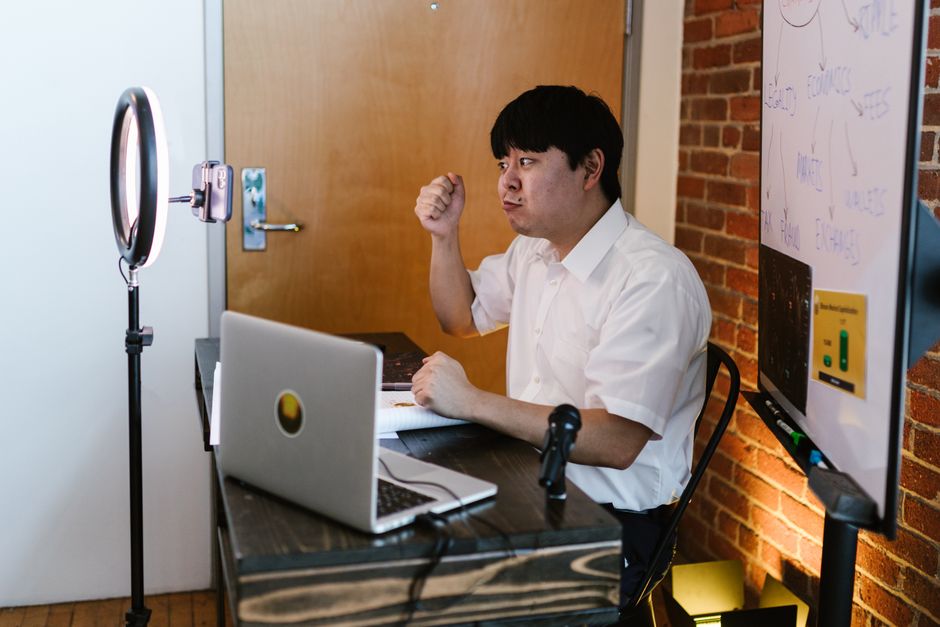
Doporučení: Začněte s auditem napříč zařízeními zaměřeným na přístupnost, lokalizaci a výkon. V prohlížeči budete moci sami zkontrolovat prezentaci vytvořenou neuronovou sítí na mobilní, tabletové a stolní sestavě. Používejte Lighthouse a axe-core k měření LCP, CLS a TTI; cíle: LCP ≤ 2,5 s na mobilu, CLS ≤ 0,1, TTI ≤ 5 s; kontrastní poměr ≥ 4,5:1. Zajistěte, že pořadí navigace klávesnicí je logické a všechny interaktivní ovládací prvky mají popisné aria-labels. Tento základ zlepšuje kvalitu a činí prezentaci fungující plynule napříč zařízeními a kontexty.
Přístupnost a UX napříč zařízeními
Učinite ovládací prvky přístupné: poskytněte alt text pro vizuály vytvořené generátorem neuronové sítě; používejte ARIA role, odkazy skip-to-content a logické pořadí fokusu; testujte s VoiceOver nebo NVDA v prohlížeči; zajistěte, že všechny slidy jsou navigovatelné klávesnicí. Pro vizuály popište scény alt textem jako „ulice záběr s bokeh a pixar-style osvětlením“ a zahrňte titulky. Pokud vložíte vložky diagramů nebo fotek, poskytněte stručné, jazykově konzistentní titulky. Posilte čitelnost aplikací konzistentních výšek řádků a přístupných velikostí písem, zajistěte, že prvky nejsou přetíženy.
Lokalizace a příkazy neuronových sítí pro vizuály
Přístup lokalizace: udržujte jediný zdroj pravdy pro řetězce a načítějte balíčky podle jazyka; testujte formáty data/času a čísel, podporu RTL a pokrytí glyfů písem. Zajistěte, že UI pojme delší překlady v šířkách polí a přizpůsobte vizuály k lokálním vodítkům pomocí generátoru k produkci unikátních vizuálů pro každou lokalitu. Vytvářejte příkazy (příkazy) jako „ulice záběr, bokeh, pixar-style osvětlení, vibe fotografie“ nebo „městská digitální foto estetika“ k generování vizuálů, které se hodí k lokálnímu kontextu. Používejte vložky lokalizovaných bannerů a, pokud možno, nabídněte bezplatné vzorky pro QA. Na závěr exportujte prezentaci jako lokalizovaný balík při zachování kontrastu a integrity rozložení.
Plánujte živé demo NN a sbírejte zpětnou vazbu od publika v reálném čase
Začněte s 60sekundovým živým demem poháněným jedním příkazem k generování čistého snímku s bokeh a zrnem 16mm, poté odhalte vstup a generovaný výsledek. Ukažte, jak funkce uvnitř modelu mapují text na vizuály, a udržujte příkaz jednoduchý: vyměňte přídavná jména, změňte scénu a porovnejte výstupy vedle sebe. Používejte snímky, které se mění z ulice do místnosti k mongolskému motivu, zdůrazňujíc, jak generují výstupy z různých kontextů pomocí stejného základu.
Navrhněte opakovaný demo smyčku: 1) zobrazte zdrojový záběr nebo stock footage (footage), 2) aplikujte transformaci s NN, 3) prezentujte výsledný snímek v reálném čase. Udržujte stabilní snímkovou frekvenci a vizuál jako směs rozmazání 16mm a ostrých hran, kde editor (editor) upravuje parametry živě. Používejte fresku nebo službu na obrazovce k dokumentaci reakcí publika jako živý průzkum, stejně jako rychlé poznámky v ruštině jako komentáře editoru, aby účastníci viděli dopad na snímky a obrázky.
Design živé smyčky a příkazy
Předdefinujte 3–5 příkazů, které prozkoumávají různé styly: filmové epické, dokumentární realismus, malířská textura. Pro každý ukažte generované výsledky vedle původního snímku k ilustraci změn v osvětlení, barvě a hloubce. Zahrňte příklady, které mísí lidské subjekty (žena, ženy) s abstraktními prvky; demonstrujte, jak roboti reagují na příkazy a jak volby úprav v editoru ovlivňují finální snímek. Udržujte několik příkazů, které používají motiv sushi nebo mongolský k testu adaptace domény, poté porovnejte obrázky kavárny s vizuály blogu. Prezentujte divákům konkrétní čísla: rozlišení 1920x1080, 30fps, běžící snímky, úroveň zrnu 16mm 0,6, poloměr rozmazání 2–4, aby publikum vidělo vliv technických parametrů.
Sbírání zpětné vazby a iterace v reálném čase
Pozvěte publikum k hlasování o každém výstupu prostřednictvím nástěnky fresky a chatu. Zachyťte příkazy, parametry a reakce v lehké logu k sladění budoucích demonstrací s očekáváními diváků. Po každém spuštění zobrazte dos and don'ts pro editora: které funkce prioritizovat, které snímky jsou lepší pro subjekty, které zahodit do jiné scény. Používejte referenční snímky (footage, snímky) k vysvětlení rozdílů a udržujte záložní plán: vyměňte vektorové parametry nebo nahraďte scénu (ulice, místnost) v závislosti na odezvěch. Ukončete shrnutím toho, co změnilo generování na základě vstupu publika, a exportujte krátkou sadu obrázků (obrázků) a roli snímků k sdílení s účastníky.
Ready to leverage AI for your business?
Book a free strategy call — no strings attached.


