15 beste KI-Tools zum Starten und Wachsen deines Podcasts

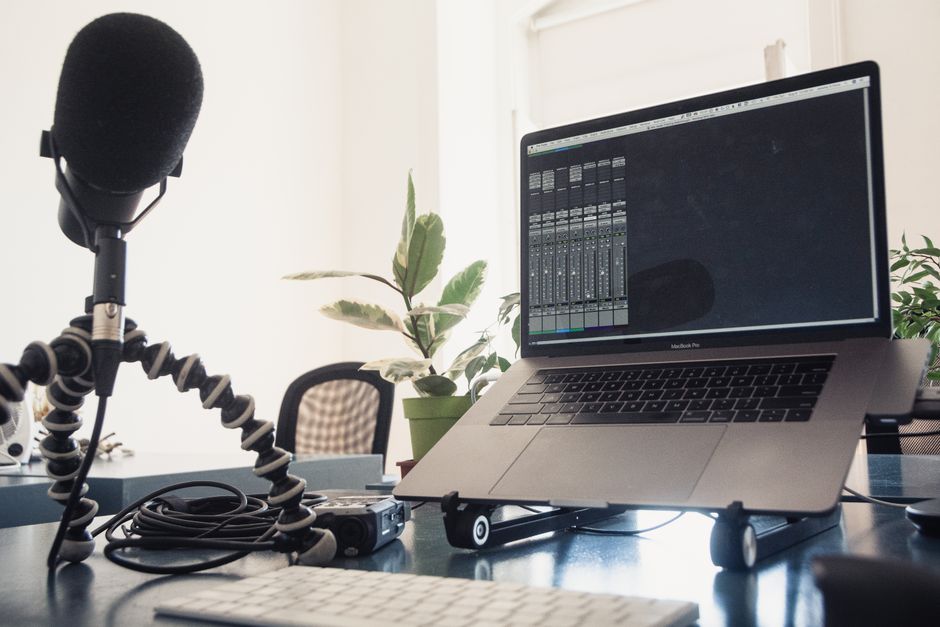
Beginnen Sie mit einem professionellen KI-Workflow, der die Konvertierung von Audio zu Text handhabt, Show-Notes generiert und Social-Media-Posts auf Englisch entwirft; dieser Ansatz ermöglicht es Ihnen, saubere, veröffentlichungsbereite Episoden in Minuten zu erstellen. Er verkürzt Produktionszyklen und hält Ihre Stimme konsistent über Plattformen hinweg.
Definieren Sie frühzeitig Ihre Bedürfnisse und ordnen Sie sie Merkmalen wie schneller Verarbeitung, zuverlässiger Bearbeitung und mehrsprachigen Ausgaben zu. Liefern Sie Transkripte und Untertitel in verschiedenen Sprachen, um Zuhörer in verschiedenen Regionen zu erreichen, während Sie Ihre Persönlichkeit in jeder Version und auf Englisch konsistent halten. Dieser Ansatz lohnt sich für Teams, die Geschwindigkeit und Konsistenz priorisieren.
In jüngsten Benchmarks haben Teams, die einen kombinierten KI-Workflow nutzen, die Nachproduktionszeit um etwa 30–40 % gekürzt und die Transkriptgenauigkeit verbessert, wenn die Rauschunterdrückung aktiviert ist. Verwenden Sie eine einfache Tabelle, um Tools anhand der für Sie relevanten Metriken zu vergleichen: Genauigkeit, Bearbeitungszeit und Leichtigkeit der Erstellung von Show-Notes.
Tipp: Bauen Sie eine wiederholbare Routine auf: Gliederung, Entwurf, Bearbeitung und Veröffentlichung mit einem Klick. Das hält Ihren Workflow straff über Episoden hinweg und hilft Ihnen, schneller zu monetarisieren, indem Sie verbesserte Hörerlebnisse liefern.
In den 15 Tools vor Ihnen entdecken Sie praktische Funktionen, Preise und beste Anwendungsszenarien, um einen skalierbaren Podcast vom Start bis zum Wachstum zu erstellen.
Praktischer Rahmen für den Start und das Wachstum Ihres Podcasts mit KI, einschließlich der Vorteile von Audo Studio
Beginnen Sie einen 90-Tage-Sprint, der KI-Planung mit der Bearbeitung in Audo Studio kombiniert, um wöchentlich eine Hauptfolge plus zwei Social-Cuts zu liefern, und repurposen Sie Inhalte in Shorts und Reels.
Verwenden Sie ChatGPT, um Gliederungen, Show-Notes und Blog-Briefs zu entwerfen; überprüfen Sie, was ankommt, anhand wöchentlicher Metriken und passen Sie Themen entsprechend an, insbesondere für Anfänger- und Kinderpublikum, wenn relevant.
- Vorproduktion: Definieren Sie Ihr Publikum, setzen Sie 3–5 KPIs und gliedern Sie 8 Episoden mit KI-Planung. Verwenden Sie ChatGPT, um ansprechende Titel und Show-Notes zu entwerfen; scannen Sie aktuelle Themen und identifizieren Sie Lücken; überprüfen Sie Urheberrechtsbeschränkungen und richten Sie sich nach Richtlinien für Kinderinhalte, wenn nötig.
- Produktion: Die KI-gestützte Bearbeitung von Audo Studio passt Pegel an, reduziert Rauschen und verwendet den Enhancer für Stimmklarheit; sie generiert auch Untertitel automatisch; prüft auf Fehler und hält eine konsistente Stimme; passen Sie das Tempo an, um Langform- und kürzere Cuts zu passen.
- Nachproduktion: Erstellen Sie eine Langform-Datei plus repurposete Shorts und Reels; gestalten Sie thumbnails, die abdeckungsbereit sind; exportieren Sie mit plattformgerechten Einstellungen; stellen Sie Urheberrechtskonformität sicher; fügen Sie Show-Notes und Blogs hinzu; alle Assets sollten lizenziert oder in-house produziert sein.
- Verteilung: Planen Sie Veröffentlichungen über Plattformen; veröffentlichen Sie Shorts und Reels mit Untertiteln; halten Sie Inhalte zugänglich; verwenden Sie Vorlagen, um das Veröffentlichen zu beschleunigen; testen Sie, was funktioniert, und passen Sie die Vertriebszeit schnell an.
- Auswertung und Optimierung: Verfolgen Sie Bewertungen, sammeln Sie Hörerfeedback und passen Sie Themen, Gäste und Formate an; führen Sie ein laufendes Protokoll darüber, was funktioniert hat, was nicht und warum; lehnen Sie sich an anfängerfreundliche Formate und zugängliche Untertitel; wenn etwas falsch scheint, führen Sie eine schnelle Überprüfung durch.
Vorteile von Audo Studio
- KI-gestützte Bearbeitung und Rauschunterdrückung
- Transkripte und Untertitel
- Enhancer für Stimmklarheit und Dynamikbereich
- Schnelle Vorlagen für Shorts und Reels, um die Reichweite zu erweitern
- Integrationen mit ChatGPT für Show-Notes und Blogs
- Unterstützt Zusammenarbeiten durch Teilen von Projekten unter Editoren und Hosts
- Fehler erkannt durch automatisierte Überprüfungen mit handlungsrelevanten Anleitungen
- Urheberrechts-sichere Verarbeitung mit Lizenzüberprüfungen
- Anfänger können mit minimaler Ausrüstung starten dank Auto-Routinen
- Jüngste Updates verbessern die Plattformkompatibilität
KI-gestützte Themenforschung und Publikumsvalidierung
Verwenden Sie eine strukturierte, KI-unterstützte Themenkarte, um Ideen vor der Erstellung von Episoden zu validieren. Hier ist ein praktischer Workflow, den Podcaster in Minuten anwenden können:
- Publikumsmapping: Bauen Sie drei Publikumsarchetypen auf und extrahieren Sie Publikumsgeschichten aus Umfragen, Kommentaren und frühem Feedback. Verwenden Sie ChatGPT, um Signale in eine strukturierte Matrix umzuwandeln, die Sie auf einen Blick scannen können.
- Ideengenerierung und Formate: Fordern Sie ChatGPT auf, 20 Themenideen über Formate hinweg zu produzieren (Solo-Erklärer, Interviews, Geschichten von Creatorn). Taggen Sie jede mit einem Designtyp (Designs) und Gastmöglichkeiten; speichern Sie Ergebnisse als wiederverwendbare Bibliothek.
- Validierungsscoring: Erstellen Sie einen Capsho-Score, indem Sie SEO-Relevanz, Hörerintention und frühe Download-Signale kombinieren. Bewerten Sie jedes Thema auf einer Skala von 1-5 und behalten Sie nur Themen, die 4 oder höher erreichen. Nur Themen, die Capsho bestehen.
- Priorisierung: Wählen Sie die 3-5 Themen mit der stärksten Publikumsanpassung und zeitnaher Relevanz aus. Die meisten Podcaster sehen schnellere Traktion, wenn Themen mit laufenden Gesprächen in ihrer Nische übereinstimmen.
- Episodendesign und Vorlagen: Entwerfen Sie 2-3 Gliederungen pro Thema, mit Fokus auf Hooks, Segmentzeit und Gastprompts. Speichern Sie Vorlagen für die Wiederverwendung; diese Premium-Designs werden von vielen Podcastern genutzt.
- Testen und Feedback: Teilen Sie Überschriften oder kurze Audio-Vorschauen mit einem Segment Ihres Publikums und sammeln Sie Feedback; verwenden Sie Ergebnisse, um Winkel vor der Aufnahme zu verfeinern. Hier können Sie einen Download von Ein-Seiten-Gliederungen für Zuhörer anbieten.
- Iteration und Wachstum: Wenden Sie die Erkenntnisse an, um Ihre Themenkarte zu aktualisieren, den Ideationsrhythmus zu optimieren und Grenzen zu setzen, um Überengagement zu vermeiden. Sie haben ein wiederholbares System, das für Creator und Podder-Teams funktioniert hat.
Mit diesem Ansatz haben Sie ein praktisches Paradigma für die Forschung, das den Aufwand proportional zum Ertrag hält. Verwenden Sie die Methode, um Themen zu entdecken, die sich lohnen, und halten Sie den Prozess schlank, indem Sie sich auf hochsignalisierte Ideen konzentrieren.
Automatisierung von Skripten, Gliederungen und Episodenstruktur
Verwenden Sie einen Drei-Stufen-Workflow: Generieren Sie Konzepte und Intros, entwerfen Sie Gliederungen, dann skripten und finalisieren. Dieser Ansatz gleicht Episoden über Formate hinweg aus und kürzt die Planungszeit um 30–40 %.
In der Konzeptphase führen Sie Generatoren aus, um 5–8 Konzeptoptionen pro Episode zu produzieren, einschließlich 2–3 Intro-Varianten. Erfassen Sie Themen, Zielpublikum und Hooks und exportieren Sie kurze Teaser-Varianten für Social-Clips, während Sie Langform-Formate für zukünftige Repurposing intakt halten.
Gliederung jeder Episode mit einer Drei-Akte-Karte: Intro, drei Segmente und ein Outro. Fügen Sie Zeit-Schätzungen bei (z. B. 60 Sekunden für Intros, 4–6 Minuten pro Segment) und fügen Sie Übergänge, Sprecherhinweise und CTAs hinzu. Generieren Sie durchsuchbare Header und Keywords, um die Entdeckung über Plattformen und Show-Notes zu verbessern, die als SEO-Snippets doppelt wirken.
Die Skriptphase verwendet Modelle, um vollständige Skripte mit Sprecheranweisungen, Szenennotizen für Video und Übergangslinien zu entwerfen. Produzieren Sie sowohl Langform-Skripte als auch kürzere Versionen für Recap-Episoden, jedes Stück in einer konsistenten Stimme geschrieben. Die Ausgaben umfassen Intros, Übergänge und Outro-Linien, während sie an die Gliederung und den Stilrichtlinien der Show ausgerichtet bleiben.
Exportieren Sie Skripte in Ihr Content-System mit klarer Tagging: Episodentitel, Gastname, Themen und Keywords. Fügen Sie eine knappe Zusammenfassung und eine veröffentlichungsbereite Version für Video-Kapitel oder Audio-Kapitel bei. Dieser Ansatz liefert außergewöhnliche Effizienz mit editierbaren Blöcken, die Sie über Episoden und Staffeln wiederverwenden können.
Qualitätskontrolle basiert auf einer schnellen menschlichen Überprüfung: Überprüfen Sie Ton, faktenbasierte Genauigkeit und Zeitabstimmung, dann genehmigen Sie Revisionen. Verfolgen Sie Metriken wie durchschnittliche Lesedauer, Segmentlängenabweichung und den Anteil der Episoden, die die Ziel-Laufzeiten erreichen, mit einem Maximum von 10 % Abweichung pro Episode.
Um global zu skalieren, aktivieren Sie mehrsprachige Ausgaben. Dieselben Gliederungen füttern mehrsprachige Skripte mit lokalisierten Intros und Segmentnotizen. Verwenden Sie Übersetzungspässe, die die Stimme erhalten, und produzieren Sie durchsuchbare Transkripte und Untertitel, um mehrsprachige Publika über Video- und Audio-Plattformen zu unterstützen.
Schnellstart-Plan: Richten Sie innerhalb einer Woche Vorlagen für Konzeptprompts, eine Gliederungsskelett und einen Skriptformatter ein; generieren Sie drei Beispiel-Episoden, um Timing und Stimme zu validieren; führen Sie einen Zwei-Wochen-Pilot durch, um Ausgaben zu verfeinern, bevor Sie voll einsetzen. Sammeln Sie Feedback zu Genauigkeit, Tempo und Gefühl, dann iterieren Sie die Vorlagen für kontinuierliche Verbesserung.
Intelligente Aufnahme, Rauschunterdrückung und Audio-Verbesserung mit KI
Beginnen Sie, indem Sie Wisecut für automatische Cuts und auto-regressive Rauschunterdrückung aktivieren, um sauberes Audio auf stabilen Pegeln zu liefern, dann in Minuten statt Stunden veröffentlichen.
In einem cross-lingual Workflow transkribieren und übersetzen Sie Episoden, um die Reichweite zu erweitern. Verwenden Sie Timing-Marker, um Kapitel über Sprachen hinweg identisch zu halten und sicherzustellen, dass Untertitel mit dem Audio übereinstimmen, damit Ihr Inhalt für mehr Zuhörer zugänglich ist.
Verwenden Sie ChatGPT, um Ideen zu brainstormen, ein Skript zu entwerfen und Formulierungen zu verfeinern. Das auto-regressive Rückgrat hilft Ihnen, Segmente zu finden und zu verfeinern, saubere Intros und Übergänge zu starten und längere Sessions mit weniger Takes aufzunehmen.
Während der Aufnahme überwachen Sie Pegel in Echtzeit und wenden Sie saubere Gain-Staging an, um Clipping zu vermeiden. Nachbearbeitung mit auto-regressiver Denoisierung schafft identische Lautstärke über Segmente hinweg, was längere Formate unterstützt und Ermüdung für Sie und Zuhörer reduziert.
Bessere Starts kommen aus strukturierten Timing-Hinweisen und einer fertigen Gliederung. Verwenden Sie ChatGPT-gestützte Prompts, um Segmentstarts und Übergänge zu setzen, dann weben Sie Ideen in Ihren Aufnahmefluss, um das Tempo natürlich und ansprechend zu halten.
Markenkonsistenz zählt; stellen Sie sicher, dass Ihr Logo und Cover-Art über Episodenseiten und Show-Notes erscheinen, damit Zuhörer Ihre Show sofort auf jeder Plattform erkennen.
| Tool | Use case | AI tech | Impact |
| wisecut | Rauschunterdrückung und automatische Cuts | auto-regressive Denoisierung; inhaltsbewusste Cuts | schnellere Produktion; saubere Pegel |
| cross-lingual Transkripte | Mehrsprachige Untertitel | mehrsprachige ASR + Übersetzung | Zuhörer weltweit erreichen; konsistentes Timing |
| ChatGPT-gestützte Skripting | Skriptideen und Umschreibungen | auto-regressives Sprachmodell | starke Ideen; klarere Starts und Übergänge |
| Audio-Mastering-Kette | Finale Politur und Pegelanpassung | ML-basiertes EQ/Kompression/Limiting | identische Lautstärke über Segmente; veröffentlichungsbereit |
Automatisierte Transkripte, Show-Notes und SEO-freundliche Metadaten
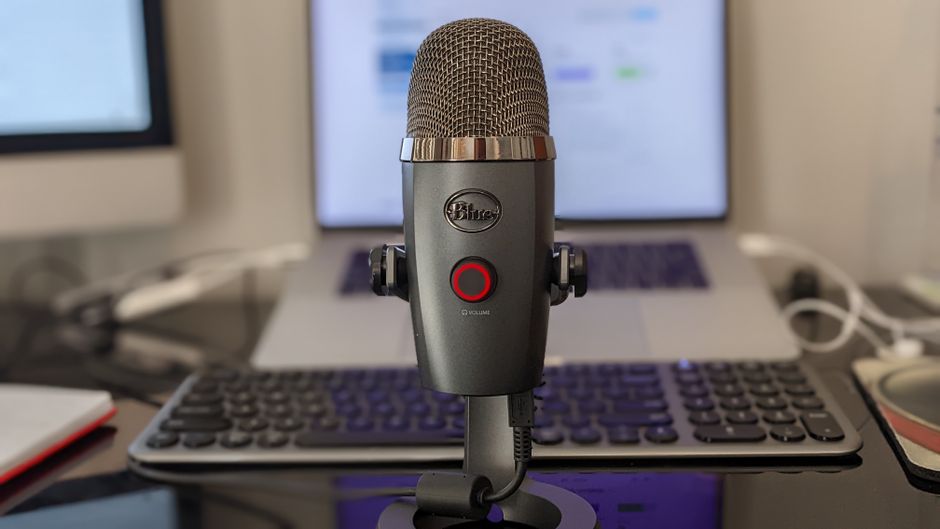
Empfehlung: Verwenden Sie KI-verstärkte automatisierte Transkripte unmittelbar nach der Aufnahme, um Stunden zu sparen, durchsuchbaren Text freizuschalten und Metadaten über Kanäle zu füttern. Dieser Workflow hilft Podcastern, mehr Zuhörer zu erreichen und die Botschaft über Plattformen zu verbessern. Kombinieren Sie Ihr Transkript mit einem detaillierten Show-Notes-Entwurf, um SEO zu starten und den Veröffentlichungsrhythmus stabil zu halten.
Wählen Sie ein Transkriptionsmodell, das für konversationelle Sprache abgestimmt ist, aktivieren Sie Sprecherkennzeichnung für jeden Teilnehmer und taggen Sie Solo-Episoden. Führen Sie eine schnelle Überprüfung des Outputs durch, um Namen, Fachjargon und Markenterme zu korrigieren; genaue Transkripte füttern bessere Suchindexierung und verbesserte Zugänglichkeit. Für Multi-Gast-Episoden kennzeichnen Sie, wer was sagt, und erhalten Sie Betonung, um den Ton widerzuspiegeln.
Gestalten Sie detaillierte Show-Notes, die das Transkript mit Timestamps, Zusammenfassungen und Abschnitten erweitern, was Zuhörer gewinnen. Vorlagen erleichtern die Erstellung von Notes mit Headern wie Was Sie lernen, Wichtige Erkenntnisse und Ressourcen. Fügen Sie Sponsorenangebote und Links bei und hängen Sie Logos an, um die Marke über Kanäle zu verstärken. Binden Sie jede Note an Ihre Demografie und halten Sie eine konsistente Stimme, die Content-Teams wiederverwenden können.
Bauen Sie SEO-freundliche Metadaten auf: Schreiben Sie einen keyword-reichen Titel, eine knappe Beschreibung, die mit dem Keyword beginnt, und einen strukturierten Satz von Tags, der an Ihr Publikum ausgerichtet ist. Integrieren Sie verwandte Begriffe und Synonyme, fügen Sie Alt-Text für Thumbnails hinzu, der Themen und Logos erwähnt, und gestalten Sie die Botschaft, um Klicks über Kanäle zu steigern. Halten Sie die Metadaten ehrlich und hilfreich, um sowohl Entdeckung als auch Engagement zu unterstützen.
Automatisierung treibt den Workflow: Ein Transkription-Enhancer füttert die Show-Notes, während Auphonic die Lautstärkennormalisierung und Kodierung für jeden Kanal handhabt. Dieser Ansatz spart Zeit, reduziert manuelle Edits und unterstützt Wachstum durch konsistente, hochwertige Ausgaben. Die resultierenden Assets stärken die Wahrnehmung des Publikums, steigern das Engagement und öffnen bessere Chancen mit Sponsoren und Partnern.
KI-gestützte Verteilungsplanung, Veröffentlichung und Promotionstexte

Beginnen Sie mit KI-gestützter Verteilung, die Drops automatisch über Kern-Podcast-Verzeichnisse plant, promotionale Snippets postet und veröffentlichungsbereite Show-Notes generiert.
Konsolidieren Sie alle Assets in einem offenen, durchsuchbaren Hub, der nur wenige Klicks für die Veröffentlichung erfordert. Diese Einrichtung verhindert isolierte Uploads, beschleunigt Workflows und stellt Konsistenz sicher, wenn Titel, Artwork oder Show-Notes geändert werden.
Nutzen Sie Repurposeio, um Audio in textbasierte Transkripte, Blog-Posts, Clip-Reels und dynamische Video-Teaser für Social, E-Mail und Ads umzuwandeln.
Gestalten Sie Promo-Texte, die Emotionen ansprechen, mit KI-gestützten Vorlagen, um veröffentlichungsbereite Captions, Überschriften und Langform-Notes zu produzieren. Halten Sie die Sprache zugänglich und an Ihre Markenstimme ausgerichtet.
Generieren Sie Mockups für Thumbnails, Social-Cards und Banner; KI verbessert Bilder, schlägt Layout-Variationen vor und wandelt Stills in kurze Video-Segmente um. Es startet mit einem einzigen Prompt und bietet unbegrenzte Variationen, um Formate über Plattformen zu optimieren.
Verfolgen Sie die Leistung mit einem einheitlichen Dashboard; KI hebt top-performende Überschriften, Captions und Clips hervor, um Ihnen zu helfen, nächste Episoden ohne Raten zu verfeinern. Das System unterstützt offene Datenfeeds und Export-Optionen zu Adobes für die Politur von Assets.
Verwenden Sie Discover-Metadaten, um Rankings in Plattformsuchen und offenen Verzeichnissen zu verbessern und Zugänglichkeit und Entdeckbarkeit über Geräte hinweg zu gewährleisten.
Beginnen Sie heute mit der Integration dieser Schritte, indem Sie KI-gestützte Verteilung mit Repurposeio und Adobes-Workflows kombinieren, um Wachstum zu beschleunigen und manuelle Arbeit über Ihren Prozess zu reduzieren.
Analytics, Hörerinsights und Sponsor-Matching durch KI
Beginnen Sie, indem Sie KI-gestützte Analytics einsetzen, die Hörer-Daten über Plattformen in eine einzige Ansicht vereinen, auf die Podcaster reagieren können. Podcaster, die auf Wachstum hinarbeiten, sollten Abschlussraten, Engagement pro Episode und Plattformmix verfolgen, um konsistent und selbstbewusst zu handeln.
Verbinden Sie Daten von Spotify, Apple Podcasts, YouTube, Blogs und Ihren Hintergrundsystemen mit einem dynamischen Modell, das ein Live-Diagramm von Publikumsretention, Drop-off-Momenten und Hörsessionen generiert. Diese Grundlage ermöglicht es Ihnen, Inhalte und Marketing während Produktionszyklen anzupassen.
Sponsor-Matching verwendet eine KI-Scoring-Matrix, die Hörer-Demografien, Interessen und Engagement analysiert, um eine benutzerdefinierte Liste von Auswahlen an die Oberfläche zu bringen, die mit der Publikumsintention übereinstimmen, einschließlich Signalen aus Instagram-Aktivitäten, Musikaffinitäten und On-Platform-Aktionen, um Relevanz zu gewährleisten.
Konkrete Gewinne kommen aus der Abstimmung von Datenpipelines: YesAI-basierte Insights können die Sponsor-Match-Genauigkeit um 20–40 % steigern und die Retention um 5–15 % heben, nachdem Publikumstags und -botschaften verfeinert wurden. Verwenden Sie originale Visuals und zugängliche Bilder, um Ergebnisse an Teams und Sponsoren zu kommunizieren.
Implementierungsrezept: Sammeln Sie Daten aus Analytics, RSS-Feeds und Social-Aktionen; erstellen Sie eine Notion-freundliche Taxonomie für Themen, Gäste und Genres; bauen Sie eine anpassbare Chart-Bibliothek und Dashboards auf; exportieren Sie zugängliche Bilder für Media-Decks; und halten Sie einen lebenden Protokoll von Tests in Ihren Systemen. Dokumentieren Sie Entscheidungen in Notion.
Tipps für unmittelbare Wirkung: Starten Sie mit zwei Metriken pro Episode (Retention und Sponsor-Relevanz), gehen Sie mit 1–2 Experimenten pro Monat vor und überprüfen Sie Ergebnisse mit erfahrenen Teammitgliedern, um Hypothesen zu validieren. Entdecken Sie Muster über Geräte und Kanäle hinweg und verwenden Sie Auswahlen, um Ihre Outreach und Skripte bei der nächsten Veröffentlichung zu verfeinern.
Halten Sie es zugänglich: Bieten Sie Spreadsheets und Dashboards an, die Nicht-Techniker konsumieren können, und aktualisieren Sie Ihre Strings und Bilder, um aktuelle Publikumsinteressen widerzuspiegeln. Indem Sie Analytics, Hörerinsights und Sponsor-Matching durch KI kombinieren, schaffen Sie eine Feedback-Schleife, die konsistentes Wachstum für erfahrene Podcaster und Marken gleichermaßen unterstützt.
📚 Mehr zu KI-Tools & Bewertungen
- KI-Podcast-Editor vereinfacht – Bearbeitung mit KI-Tools optimieren
- 7 PPC-Budget-Management-Tools mit neuer KI-Software
- Die 12 besten KI-Copywriting-Tools im Jahr 2026 – Umfassender Leitfaden zu KI-Schreibsoftware
- 26 beste KI-Marketing-Tools, die ich im Jahr 2026 nutze, um voraus zu bleiben
- ChatGPT nutzt Google-Suche als Fallback – Was das für KI-Tools bedeutet
Ready to leverage AI for your business?
Book a free strategy call — no strings attached.


