So planen Sie Instagram-Beiträge – 3 beste Wege für 2026


Beginnen Sie mit einem KI-gestützten Planer und planen Sie Ihre Instagram-Beiträge mindestens zwei Wochen im Voraus, um Qualität ab der ersten Veröffentlichung zu sichern. Dieser Ansatz hilft Ihnen, konsistent zu bleiben, Zeit zu sparen und Analysen mit jeder Charge zu verbessern, was Ihnen mehr Kontrolle gibt, und Sie müssen nicht jeden Update mikromanagen.
Für ein knappes Budget liefern die kostenlosen In-App-Optionen in Kombination mit einem manuellen Workflow immer noch solide Ergebnisse. Erstellen Sie einen wöchentlichen Inhaltsplan, nutzen Sie Funktionen, die es erlauben, mehrere Beiträge in die Warteschlange zu stellen, und halten Sie den Rhythmus vorhersehbar. Diese ideale Einrichtung funktioniert gut für Solo-Creator, die Kontrolle wollen, ohne auszulagern.
Option 2 konzentriert sich auf KI-gestützte Planung mit Analysen und Berichten. Planen Sie Chargen, überprüfen Sie dann Bearbeitungsbedürfnisse und Übereinstimmung des Texts. Dieser Weg steigert die Qualität, während er klare Berichte und nächste Schritte liefert, um Ihren Kalender zu verfeinern. Die Automatisierungsschicht übernimmt die Zeitplanung, während Sie sich auf die kreative Richtung konzentrieren.
Nutzen Sie Automatisierung, um die Behandlung von Kommentaren und DMs während Spitzenzeiten zu vereinfachen. Ein robustes System erlaubt es Ihnen, zu optimalen Zeiten zu veröffentlichen, Analysen anzupassen und erfolgreiche Caption-Strukturen wiederzuverwenden. Die Benutzererfahrung bleibt reibungslos, während Sie Entwurfs-Captions und Bearbeitungsvorschläge in finale Beiträge integrieren.
Nächste Schritte: Erstellen Sie Captions in Chargen, planen Sie die nächste Woche an Beiträgen, und testen Sie verschiedene Zeiten. Verfolgen Sie den Fortschritt mit Berichten und verbessern Sie Ihre Qualität durch regelmäßige Bearbeitungs- und Testzyklen. Mit der richtigen Einrichtung wird Ihr idealer Posting-Rhythmus vorhersehbar, und Ihr Publikum erhält konsistenten, ansprechenden Inhalt.
Drei praktische Methoden, um Beiträge 2025 mit einem führenden Planer und Analysetoolkit zu planen
Planen Sie eine volle Woche jetzt in Hootsuite und aktivieren Sie Analysen, um die besten Posting-Zeiten zu sichern. Erstellen Sie einen Kalender im Planungstab und platzieren Sie 2–3 Beiträge pro Tag in Zeitblöcken, die zu Engagement-Spitzen passen, z. B. 9–11 Uhr und 19–21 Uhr. Dieser Schritt minimiert letzte-Minute-Bearbeitungen, reduziert die Behandlung und hält Ihren Feed ansprechend. Bleiben Sie bereit, basierend auf Ergebnissen anzupassen, und halten Sie den Ansatz konsistent über generische Netzwerke hinweg.
Methode 1: Zentrale Planung mit Enterprise-Level-Analysen. Veröffentlichen Sie aus einer einzigen Warteschlange in Hootsuite und ziehen Sie Analysen, die jedes Netzwerk von einem Dashboard abdecken. In den Analysen sehen Sie Engagement pro Netzwerk, Reichweite und Speicherungen sowie Notizen zu Einschränkungen, wenn ein Netzwerk unterperformt. Nutzen Sie Bearbeitungen, um eine alternative Caption oder ein anderes Format zu testen, ohne den Originalbeitrag anzurühren.
Methode 2: API-gestützte Automatisierung und Wechsel zwischen alternativen Kanälen. Nutzen Sie die Scheduler-API, um Beiträge über Instagram, Facebook, LinkedIn und aufstrebende Netzwerke zu pushen, während Sie einen einheitlichen Rhythmus beibehalten. Richten Sie Regeln ein, die zu einer alternativen Caption oder einem anderen Zeitfenster wechseln, wenn frühe Signale Unterperformance zeigen, und ermöglichen Sie die Verfolgung mit Analysen.
Methode 3: Mensch-in-der-Schleife-Planung mit wöchentlicher Überprüfung. Erstellen Sie ein Planungsboard, das einer Person jeden Beitrag zuweist, fertige-zu-posten-Vorlagen verwendet und eine wöchentliche Überprüfung durchführt, um zukünftige Slots anzupassen. Dieser Ansatz hält Inhalte relevant, reduziert generische Beiträge und passt sich dem Verhalten des Publikums an.
Praktische Tipps, um Ergebnisse zu schärfen: Passen Sie Beiträge an Spitzenzeiten an, halten Sie fertige Varianten zum Testen bereit, protokollieren Sie Bearbeitungen, um Ergebnisse zu vergleichen, und übertragen Sie Erkenntnisse effizient in den nächsten Zyklus basierend auf Analysen. Seien Sie sich der Einschränkungen der Reichweite eines einzelnen Netzwerks bewusst; einige Zielgruppen waren unterbelichtet, passen Sie daher mit ansprechenden Formaten wie Karussells und kurzen Videos an.
Diese drei Methoden, basierend auf Daten und für 2025 konzipiert, bringen Sie zu besserer Planung, während sie skalierbar für Enterprise-Level-Ambitionen bleiben. Nutzen Sie Analysen, um informiert zu bleiben, und halten Sie Ihren Inhaltsrhythmus mit dem Verhalten des Publikums abgestimmt.
Identifizieren Sie Spitzen-Posting-Zeiten mit Publikums-Einblicken
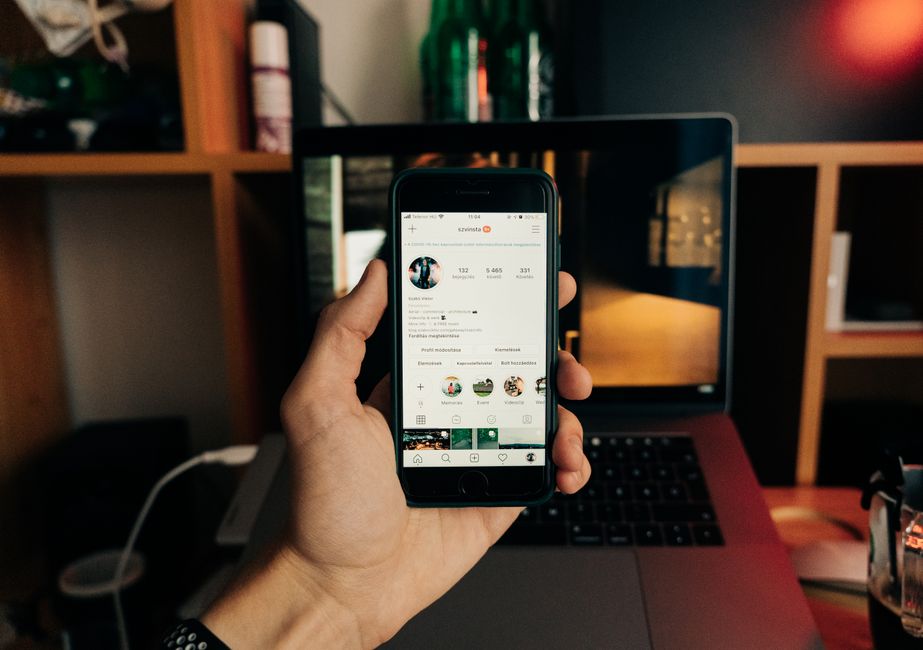
Ziehen Sie Einblicke aus Instagram Analytics, um Ihre Spitzenstunden und -zeiten zu bestimmen. Analysieren Sie das Engagement über Beiträge, Stories und Reels hinweg, um Slots zu identifizieren, die längere Betrachtungsdauern und die meisten Speicherungen erzeugen.
Fakt: Stunden mit der höchsten Aktivität variieren je nach Region des Publikums. Segmentieren Sie nach Zeitzone, dann drillen Sie in städtische Daten für die letzten 14–28 Tage in Audience > Activity. Dies enthüllt, wann Follower online sind, nicht nur wann Inhalte am besten performen. Dieser Fakt leitet Ihre Planungsentscheidungen.
Bevor Sie handeln, erstellen Sie eine einfache Planungskarte: Listen Sie Top-Slots in einem flachen Kalender auf, notieren Sie Tage (Wochentag vs. Wochenende) und markieren Sie Stunden mit der stärksten Reaktion. Nutzen Sie ein Menü von Zeiten zum Testen: 2–3 Slots pro Tag, über Story- und Feed-Formate hinweg, dann messen Sie den Lift durch Downloads und Speicherungen. Das Ergebnis sollte sich großartig und freundlich anfühlen.
Wenden Sie dann erschwingliche Automatisierung an, um zu diesen Spitzenzeiten zu planen. Nutzen Sie die native Planungsfunktion der Plattform oder budgetfreundliche Tools, um Konsistenz über die Woche zu gewährleisten. Dieser Planungsansatz befreit Creator, sich auf qualitativ hochwertigen Inhalt zu konzentrieren, mit Leichtigkeit.
Messen Sie wöchentlich: Engagement-Rate, Reichweite, Speicherungen und Klick-Throughs zu Ihrem Profil oder Landing Page. Exportieren Sie Downloads, um Fakten mit Teammitgliedern zu teilen und den Plan anzupassen. Diese datengetriebene Schleife stärkt Ihre gewünschten Ergebnisse.
Bonus-Tipp: Vergleichen Sie Muster mit anderen Quellen, wie Pinterest-Funktionalität, um Spitzenzeiten zu validieren. Für Nischenpublikum achten Sie auf quälende Signale in Kommentaren und Shares; sie deuten auf Zeitpunkte hin, wenn Begeisterung am höchsten ist. Dieser Ansatz hilft Ihnen, einen stetigen Rhythmus für tolle Beiträge zu schaffen.
Chargen-erstellen und Inhalte in die Warteschlange stellen: Ein wiederholbarer wöchentlicher Workflow
Planen Sie ein festes 2-Stunden-Chargenfenster jede Woche, um zu planen, zu erstellen, zu bearbeiten und Beiträge für die nächsten 7 Tage in die Warteschlange zu stellen. Dieser Fünf-Schritte-Workflow hält die Ausgabe konsistent und reduziert manuelles Hin-und-Her. Er ermöglicht ideale Abstimmung zwischen Inhalt und Geschäftsziehlen und ist ideal für Unternehmen jeder Größe. Er schafft einen längeren, zuverlässigen Rhythmus, der zwischen Planung und Veröffentlichung mit weniger Reibungspunkten wechselt. Dieser Ansatz bleibt wahrscheinlich auf Kurs, sogar in hektischen Wochen.
-
Planen Sie die Charge um einen wöchentlichen Story-Bogen. Wählen Sie 4 Kernbeiträge, 1-2 lange Captions oder Karussells und 2 Stories plus 1 Reel aus, um den Zyklus abzudecken, und ordnen Sie jedem Item einen Veröffentlichungstag und -zeit zu, um eine gleichmäßige Verteilung zwischen Morgen und Abend zu gewährleisten. Bewegen Sie Ideen in konkrete Beiträge und Captions, um Bearbeitungen zu beschleunigen.
- Definieren Sie das Ziel für jedes Stück: Bekanntheit, Engagement oder Konversionen.
- Weisen Sie Eigentümer und grobe Visuelle zu, um Bearbeitungsrunden zu beschleunigen.
-
Erstellen und bearbeiten Sie Assets in einem Durchgang. Erstellen Sie Grafiken, Karussells und Captions in Chargen; bearbeiten Sie Text und Visuelle nach hohen Qualitätsstandards; halten Sie den Ton fokussiert und konsistent mit Ihrer Markenstimme.
-
Stellen Sie in die Warteschlange und planen Sie mit einem leichten Genehmigungsschritt, falls nötig. Bauen Sie eine Inhaltswarteschlange in Ihrem Kalender oder Planungstool auf, setzen Sie Veröffentlichungszeiten und leiten Sie Items für schnelle Genehmigung weiter, um Engpässe zu minimieren. Wenn Sie solo sind, können Sie auf manuelle Überprüfungen setzen; dies vereinfacht den Prozess und hält den Aufwand mühelos. Der Fluss hilft, Übergaben zwischen Planung, Erstellung und Veröffentlichung zu vereinfachen. Halten Sie Kosten niedrig, indem Sie ein Tool wählen, das zu Ihrer Preisklasse passt.
- Teilen Sie Aufgaben in manuelle und automatisierte Teile auf, um Komplexität zu reduzieren.
- Wählen Sie einen Preisansatz, der zu Ihren Bedürfnissen passt, um Überzahlungen zu vermeiden.
-
Überprüfen Sie Ergebnisse und passen Sie die nächste Charge an. Nach der Woche ziehen Sie Leistungsdaten (Reichweite, Speicherungen, Kommentare) und passen Sie Themen oder Timing an. Nutzen Sie Tracking, um Ihre Warteschlange zu verfeinern und zukünftige Ergebnisse zu verbessern; bewegen Sie hoch-impactante Ideen früher und streichen Sie Unterperformer, um den Zyklus besser abzustimmen.
-
Dokumentieren und übergeben Sie für langfristige Kontinuität. Pflegen Sie eine einfache Checkliste und eine geteilte Inhaltskarte, damit neue Teammitglieder schnell einsteigen können, und gewährleisten Sie einen wiederholbaren Workflow über Saisons und Kampagnen hinweg.
Erstellen Sie einen ausgewogenen Rhythmus über Feeds, Stories und Reels

Setzen Sie einen festen wöchentlichen Rhythmus: 3 Feed-Beiträge, 6 Stories und 2 Reels. Planen Sie sie über Mo, Do und So für Feed; veröffentlichen Sie 1 Story an den meisten Tagen; platzieren Sie Reels Di und Fr. Nutzen Sie Postplanify-Vorlagen, um Themen und Formate zuzuordnen, und halten Sie einen konsistenten Rhythmus, der Engagement steigert, und passen Sie den Rhythmus heute an Ihre Zeitbeschränkungen über die Woche an.
Um über Formate auszugleichen, sollten sie zwischen Feed-Beiträgen, Stories und Reels mit einem fokussierten Zweck wechseln. Es gibt viele Wege, Formate zu mischen und das Publikum lernen zu lassen, während ein beliebter Ansatz einen educativen Beitrag, eine Behind-the-Scenes-Story und einen schnellen Tipp-Reel kombiniert. Dieser Ansatz unterstützt auch besseres Engagement. Das ist für Anerkennung und Vertrauen heute wichtig. Halten Sie Vorlagen griffbereit und folgen Sie einem einfachen Workflow, damit Sie Zeit sparen und konsistent bleiben.
Schritte für einen fokussierten Workflow, den Solo-Creator und kleine Teams anwenden können: 1) Entwerfen Sie 3 Themenideen pro Woche, 2) weisen Sie jeder Idee ein Format in Vorlagen zu, 3) stellen Sie Beiträge in Postplanify in die Warteschlange, 4) veröffentlichen Sie über Apps, 5) überprüfen Sie Leistung und passen an. Unternehmen mit einem geteilten Kalender können dieselbe Struktur skalierbar anwenden; greifen Sie täglich auf Daten zu, um die Planung für die nächste Woche zu steuern, und pflegen Sie einen stetigen Rhythmus, den Unterstützer erwarten.
| Tag | Feed | Stories | Reels | Notizen |
|---|---|---|---|---|
| Mo | 1 | 1 | 0 | Thema A |
| Di | 0 | 1 | 1 | Thema B |
| Mi | 0 | 1 | 0 | Thema C |
| Do | 1 | 1 | 0 | Thema D |
| Fr | 0 | 1 | 1 | Thema E |
| Sa | 0 | 1 | 0 | Thema F |
| So | 1 | 0 | 0 | Thema G |
Wählen Sie einen Planer- und Analysenaufbau, der zu Ihren Zielen passt
Wählen Sie einen All-in-One, KI-gestützten Planer mit einem Go-to-Analyse-Dashboard und vereinfachter Veröffentlichung. Definieren Sie sofort drei konkrete Ziele: Wachsen Sie Ihre Follower um 15–20 % in 90 Tagen, heben Sie das durchschnittliche Engagement auf 3–5 % pro Beitrag und ermöglichen Sie nahtlose Zusammenarbeit mit Ihren Creatorn.
Verbinden Sie Instagram, Bearbeitungs-Apps und Analysen an einem Ort. Manchmal passen Sie den Rhythmus nach einem Monat an; beginnen Sie mit vier Beiträgen pro Woche und testen Sie Morgen- versus Abendfenster, um zu sehen, welche Zeiten am besten performen.
Machen Sie die Daten auf einen Blick lesbar, indem Sie ein einziges Analyse-Dashboard verwenden. Definieren Sie eine Metrikenkarte um Reichweite, Impressionen, Speicherungen, Shares, Kommentare pro Beitrag, Profilbesuche, Website-Klicks und Follower-Wachstum. Nutzen Sie Analysen, um Leistung nach Inhaltstyp, Caption-Stil und Creator zu vergleichen. Wenn eine Metrik nach zwei Wochen nicht steigt, rotieren Sie Formate und Themen.
Setzen Sie einen Go-to-Rhythmus und nutzen Sie einen einzelnen Knopf, um Beiträge für die Woche in die Warteschlange zu stellen. Wiederkehrende Slots halten Ihren Feed aktiv und gewährleisten Konsistenz sogar an bearbeitungsintensiven Tagen.
Nutzen Sie Lernen und Zusammenarbeit, indem Sie Dashboards mit Ihrem Team teilen. KI-gestützte Einblicke enthüllen die besten Posting-Fenster, während Kollaborationsfunktionen es Ihnen erlauben, Aufgaben zuzuweisen und Bearbeitungen in Echtzeit zu verfolgen.
Halten Sie die Einrichtung schlank: Verlassen Sie sich auf Analysen, um Entscheidungen zu leiten, automatisieren Sie Genehmigungen und bearbeiten Sie weniger Male, während Sie konsistent bleiben. Dieser Ansatz hilft Ihnen, Ihren Prozess zu vereinfachen, mit weniger Reibung zu wachsen, und Sie haben einen klaren Weg, um Ihre Reichweite zu erweitern.
Überwachen Sie KPIs und iterieren Sie Ihren Zeitplan für stetiges Wachstum
Setzen Sie eine wöchentliche KPI-Überprüfung und passen Sie Ihren Zeitplan basierend auf drei Signalen an: Engagement-Rate, Speicherungen und Follower-Wachstum. Nutzen Sie einen Planer, um einen reibungslosen Rhythmus aufrechtzuerhalten, Ihren Workflow zu vereinfachen und eine kleine Wahl zu treffen, die sich mit der Zeit aufaddiert. Verfolgen Sie langfristige Trends, um eine große Strategie zu informieren, und lassen Sie Lernen die Anpassungen leiten, die Sie umsetzen.
Um Daten zu sammeln, ziehen Sie Einblicke aus Instagram Analytics und der Funktionalität Ihres Planers. Vergleichen Sie 7-Tage-Fenster mit 28-Tage-Fenstern, um Muster über Inhaltsfäden zu enthüllen: Educative Beiträge, schnelle Tipps und visuell beeindruckende hochwertige Medien. Achten Sie auf das, was Ihr Publikum an jedem Tag und jeder Zeit tut, da Verhalten sich verschiebt. Beiträge, die gut performen, zeigen oft höhere Speicherungen und bessere Reichweite, und Ihre Follower reagieren auf klare Calls to Action. Diese Daten erlauben es Ihnen, Leistung vorherzusagen und Wege zu testen, um Engagement zu steigern.
Iterieren Sie Ihren Zeitplan mit kleinen, datengetriebenen Änderungen. Beginnen Sie mit dem Testen von 2–3 Posting-Fenstern pro Woche und messen Sie Ergebnisse für 14 Tage. Wenn Engagement nach oben klettert, verschieben Sie mehr Beiträge in dieses Fenster; wenn Speicherungen sinken, passen Sie die Inhaltsmischung an oder reduzieren Sie die Häufigkeit leicht. Halten Sie einen langfristigen Blick: Große Verbesserungen kommen aus konsistentem, aktivem Posten und Anpassungen basierend auf großen Verschiebungen im Verhalten Ihres Publikums. Jede Anpassung fügt einen Touch hinzu, den Publika erkennen und darauf reagieren.
Praktische Tipps zur Vereinfachung: Definieren Sie 3–4 Inhaltsfäden – Werte wie Bildung, Inspiration und Behind-the-Scenes – und rotieren Sie sie, um Beiträge frisch zu halten. Nutzen Sie den Genehmigungs-Workflow der Plattform für markierten Inhalt und halten Sie Visuelle hochwertig. Verlassen Sie sich auf den Planer, um Beiträge in einem reibungslosen Rhythmus in die Warteschlange zu stellen, und verfolgen Sie wöchentliche Änderungen, um beliebte Formate und Posting-Zeiten zu identifizieren. Dieser Ansatz verbessert das Wachstum, indem er Daten in Aktion umwandelt mit einem klaren, wiederholbaren Prozess.
📚 Mehr zu Social Media Marketing
- So verwenden Sie Instagram-Prompts, um ansprechende Beiträge zu erstellen – Ein praktischer Leitfaden
- Instagram-Statistiken 2026: Benchmarks und ein praktischer Spielplan für Marketer
- Instagram hat Nutzern gerade den Reels-Algorithmus übergeben – So stoppen Sie den Tod Ihrer Reichweite
- Instagram-Marketing-Strategie 2026: 12-Wochen-Blueprint
- Die Wissenschaft viraler Social-Media-Inhalte – So erstellen Sie Beiträge, die geteilt werden
Ähnliche Artikel
Kurze Anfrage senden
Website, Ziele, Zielgruppe und Budget für ein Angebot beschreiben.


