Was ist SSL und Welches Zertifikat ist das Richtige für Sie


Erhalten Sie jetzt ein DV-SSL-Zertifikat, um Benutzersitzungen und Anmeldeinformationen zu schützen. Es verschlüsselt den Datenverkehr zwischen Ihrer Website und Kunden, sodass Anmeldeinformationen und Formulareingaben nicht abgefangen werden, und es verbessert direkt das Vertrauen und die Sicherheit bei jeder Interaktion.
DV-, OV- und EV-Zertifikate bieten unterschiedliche Validierungsstufen und Anzeigen. DV beweist die Domain-Besitznahme schnell und wird weit verbreitet verwendet; OV fügt Organisationsdetails hinzu; EV signalisiert eine höhere Validierungsstufe, wo verfügbar. Für viele Websites reicht DV aus, um Kunden während der Anmeldung und des Checkouts zu schützen, während größere Marken OV oder EV für zusätzliche Sichtbarkeit wählen können.
SSL funktioniert in der Praxis: Das Zertifikat enthält den öffentlichen Schlüssel, der die Verschlüsselung ermöglicht; der private Schlüssel bleibt sicher auf Ihrem Server. Während einer Sitzung wird der Datenverkehr über einen sicheren Kanal übertragen, sodass sensible Anmeldeinformationen oder Zahlungsdetails geschützt bleiben. Anbieter automatisieren oft die Verlängerung, was hilft, Zertifikate aktuell zu halten und das Risiko auslaufender Anmeldeinformationen zu reduzieren. Das Zertifikat selbst ermöglicht eine vertrauenswürdige Verbindung zwischen Ihrem Server und Besuchern.
Wählen Sie basierend auf Website-Größe, Datenverkehr und Sicherheitsanforderungen. Wenn Sie keine Kreditkarten bearbeiten, reicht in der Regel ein DV-Zertifikat von einem vertrauenswürdigen CA aus, um Sitzungen zu schützen und Abhörungen zu verhindern. Überprüfen Sie, ob das Zertifikat korrekt im Browser angezeigt wird, und stellen Sie sicher, dass Ihr Hosting-Anbieter es ohne Ausfallzeiten installieren kann. Ein Plan, der Garantie und zuverlässigen Support umfasst, fügt wichtigen Wert hinzu, wenn Sie schnell Hilfe benötigen.
Praktische Schritte zur Implementierung: Erwerben Sie es von einem renommierten CA, installieren Sie es über das Control Panel Ihres Hosts, führen Sie einen schnellen Test auf einer HTTPS-URL durch und stellen Sie sicher, dass alle Assets sicher geladen werden, um gemischten Inhalt zu vermeiden. Halten Sie die privaten Schlüssel sicher, aktivieren Sie TLS 1.2 oder 1.3 und berücksichtigen Sie HSTS. Überwachen Sie regelmäßig die Ablaufdaten und aktivieren Sie die Auto-Verlängerung, wenn möglich; dies hilft, Kunden zu schützen und verhindert Unterbrechungen von Sitzungen.
SSL-Zertifikate: Ein praktischer Leitfaden
Nehmen Sie ein vertrauenswürdiges SSL-Zertifikat von einem renommierten CA und implementieren Sie es innerhalb von Minuten auf Ihrem Server. Erzwingen Sie HTTPS in der Konfiguration Ihres Webservers, aktualisieren Sie Links und überprüfen Sie den TLS-Handshake während Anmeldung und Browsingsitzungen, um zu bestätigen, dass sie geschützt sind.
Für Blogs und einige kleine Websites reicht in der Regel ein Domain-Validation-(DV)-Zertifikat aus. Wenn Sie mehrere Subdomains haben, E-Commerce-Präsenz oder breitere Abdeckung benötigen, berücksichtigen Sie ein Wildcard- oder SAN-(Multi-Domain)-Zertifikat, um die Administration zu reduzieren und die Verlängerung zu vereinfachen.
Wählen Sie TLS-Einstellungen mit Sicherheit im Sinn: Aktivieren Sie TLS 1.2 und TLS 1.3, deaktivieren Sie TLS 1.0/1.1 und stellen Sie Forward Secrecy sicher. Überprüfen Sie die Unterstützung für diese Protokolle in den Netzwerken, in denen sich Ihre Benutzer verbinden.
Richten Sie HTTP-Weiterleitungen von HTTP zu HTTPS ein, aktivieren Sie HSTS nach dem Testen und stellen Sie sicher, dass alle Assets über HTTPS geladen werden, um gemischten Inhalt während des Browsings zu vermeiden.
Verifizierung ist wichtig: Überprüfen Sie die Zertifikatdetails in Ihrem Browser, um zu bestätigen, dass die Domain abgedeckt ist und der Aussteller vertrauenswürdig ist. Diese Überprüfungen helfen, Phishing zu verhindern und geben Benutzern Vertrauen, wenn sie das Schloss sehen, die Website durchsuchen oder sich anmelden.
Daten im Transit: Wenn Benutzer Anmeldeinformationen oder Text in Formularen übermitteln, stellen Sie sicher, dass die Daten über TLS übertragen werden und nie in Klartext gesendet werden. Vermeiden Sie das Senden sensibler Informationen auf unsicheren Seiten und überwachen Sie Warnungen vor gemischtem Inhalt in verschiedenen Netzwerken.
Verlängerung und Verwaltung: Überwachen Sie das Ablaufen mit automatischen Erinnerungen und Verlängerungen. Sie sollten immer mindestens 30 Tage vor Ablauf verlängern und wo möglich automatisieren, mit ACME für einfache Websites (Let’s Encrypt). Definieren Sie auch eine Verlängerungsperiode (typischerweise 12 Monate), um mit der Richtlinie übereinzustimmen. Für E-Commerce oder größere Bereitstellungen koordinieren Sie mit Ihrer Zertifizierungsstelle, um Verlängerungen zu planen und die Abdeckung über alle Subdomains aufrechtzuerhalten.
Zusätzliche Tipps: Berücksichtigen Sie ein Wildcard-Zertifikat, wenn Sie mehrere Subdomains haben, um die Verwaltung zu vereinfachen und die Anzahl der zu verfolgenden Zertifikate zu reduzieren. Einige Händler bevorzugen OV- oder EV-Zertifikate für höhere Identitätsvalidierung auf Anmeldeseiten und Checkout.
Zusammenfassung: Planen Sie den Typ basierend auf dem Umfang, implementieren Sie solide TLS-Einstellungen und halten Sie einen Verlängerungsrhythmus ein, um die Sicherheit über Browsing- und E-Commerce-Sitzungen hinweg intakt zu halten.
Was SSL im Transit schützt
Aktivieren Sie TLS, das Protokoll, das Daten im Transit schützt, und erzwingen Sie HTTPS site-weit; Sie müssen starke Chiffren konfigurieren und regelmäßige Zertifikatüberprüfungen durchführen.
SSL schützt Formen von Daten, während sie über Netzwerke bewegt werden: Anmeldefelder, Checkout-Daten, API-Anfragen und Formularübermittlungen von jedem Gerät und Browser.
Eine vertrauenswürdige Behörde stellt das Zertifikat aus, das einen Namen an einen öffentlichen Schlüssel bindet und Authentifizierung ermöglicht; diese Zertifizierung ist der Eckpfeiler des Vertrauens.
Dieser Schutz ist seit den frühen Tagen von SSL Standardpraxis für die meisten Websites, und seine Evolution zu TLS hat stärkere Verschlüsselung und kürzere Handshakes gebracht.
Forschung zeigt, dass Fehlkonfigurationen – wie abgelaufene Zertifikate, schwache Chiffren oder fehlendes HSTS – Daten ohne ordnungsgemäßen Schutz freilegen können, selbst wenn Benutzer glauben, sie seien sicher.
Kostenlose Tools und Tests können die Zertifikatkette, Protokollunterstützung und Hostname-Übereinstimmung überprüfen und bieten größeres Wissen über Ihre Sicherheitslage.
Die meisten Websites profitieren davon, Forward Secrecy zu aktivieren, Zertifikate vor Ablauf zu verlängern und die Vertrauenskette zu überwachen; dies verbessert die Loyalität und das Vertrauen unter Benutzern und Partnern und reduziert die Exposition gegenüber Man-in-the-Middle-Angriffen von Dritten, da der Handshake mit einem vertrauenswürdigen Namen beginnt.
Wenn Sie SSL/TLS implementieren, nehmen Sie eine ganzheitliche Sicht: Authentifizieren Sie den Server, überprüfen Sie die Kette und speichern Sie Schlüssel sicher; Sie können Daten geschützt halten, ohne die Leistung zu beeinträchtigen, und sparen sich größeren Seelenfrieden für jede Transaktion.
DV, OV und EV: Was jedes Zertifikat abdeckt
Wählen Sie DV für persönliche Websites; OV für Marken; EV für hochrisikoreiche Websites. Dies stimmt mit dem Grad des Vertrauens überein, den Sie den Benutzern vermitteln möchten. Diese Zertifikate arbeiten daran, Vertrauen über ein einfaches Schloss-Symbol hinaus aufzubauen.
-
DV – Domain Validation
- Was es abdeckt: DV-Typ bindet einen öffentlichen Schlüssel an eine Domain nach Nachweis der Kontrolle über diese Domain; es überprüft nicht den privaten Besitz eines Unternehmens.
- Verifizierungsschritte: Beweisen Sie den Domain-Besitz über HTTP-Überprüfungen oder DNS-basierte Überprüfungen oder E-Mail an den Domain-Administrator; der CA validiert schnell, oft durch Automatisierung; dies ist ideal für die Hosting von privaten Blogs und persönlichen Websites.
- Auswirkungen auf die Belastung: TLS-Setup fügt minimale Belastung während des Handshakes hinzu und verlangsamt die Seitenladung für typische Websites nicht.
- Was Benutzer sehen: Ein Schloss und eine grundlegende „Sicher“-Anzeige; kein Organisationsname erscheint in Chrome; Personen sehen nur die Domain, was für niedrigrisikoreiche Websites ausreicht.
- Verwendungsfälle und Risiko: Am besten für persönliche Websites, Testprojekte oder kleine Hosting-Umgebungen; bestätigt nicht, wer die Website betreibt, daher warnen Sie Benutzer mit klaren Kontaktkanälen und vermeiden Sie die Bearbeitung hoch sensibler Daten.
- Daten, die Benutzern angezeigt werden: Das Zertifikat bindet die Identität an die Domain; Details auf der Betrachterseite sind begrenzt; überprüfen Sie die Quelle im Zertifikat, um den Domain-Besitzer zu verifizieren.
-
OV – Organization Validation
- Was es abdeckt: OV-Typ validiert den Besitz und die rechtliche Existenz der Organisation; das Zertifikat zeigt den Organisationsnamen und fügt ein höheres Vertrauensniveau über DV hinaus hinzu.
- Verifizierungsschritte: Eine Zertifizierungsstelle überprüft Geschäftsunterlagen, Adresse und Telefon; Dokumentation ist erforderlich; der Prozess zielt auf höhere Validierungsstufen ab und unterstützt Unternehmenswebsites.
- Auswirkungen auf die Belastung: Geringfügige zusätzliche Überprüfungen erfolgen während der Ausstellung, aber die laufende TLS-Belastung bleibt ähnlich wie bei DV.
- Was Benutzer sehen: Ein Schloss plus den Organisationsnamen; in Chrome und anderen Browsern können Benutzer verifizierte Details anzeigen, um zu bestätigen, wer die Website betreibt; dies hilft sowohl Personen als auch Unternehmen, die Legitimität zu bewerten.
- Verwendungsfälle und Risiko: Geeignet für E-Commerce, SaaS und Hosting-Dienste, die Benutzerdaten bearbeiten; hilft Personen, legitime Websites von Betrügern zu unterscheiden und unterstützt das Kundenvertrauen.
- Daten, die Benutzern angezeigt werden: Organisationsname, rechtlicher Status und Standort können erscheinen; verifizieren Sie diese Details anhand der Originaldokumente aus der Quelle, um Verwirrung zu vermeiden; diese Stufe wird häufig von Unternehmen mit öffentlich sichtbarem Besitz verwendet.
- Support- und Besitzhinweise: OV signalisiert den Besitz der Organisation, nicht nur der Domain, was den Kundensupport bei der Bearbeitung von Streitigkeiten oder Anfragen unterstützt.
-
EV – Extended Validation
- Was es abdeckt: EV-Typ liefert die stärkste Validierung – rechtliche Identität, UnternehmensExistenz, physische Adresse und Governance-Strukturen – und bietet ein klares Signal des Besitzes über OV und DV hinaus; etablierte Marken verlassen sich auf EV für hohes Vertrauen.
- Verifizierungsschritte: Umfassende Überprüfungen durch eine vertrauenswürdige Stelle; Bewerber reichen offizielle Dokumente ein, unterziehen sich Kontaktverifizierung und bestätigen den Besitz; der Prozess ist darauf ausgelegt, Verkleidungen zu verhindern und Compliance-Programme zu unterstützen.
- Auswirkungen auf die Belastung: Die vollständige Kettenverifizierung wird während der Ausstellung durchgeführt; sobald aktiv, spiegelt die TLS-Belastung OV/DV für die reguläre Seitenladung wider.
- Was Benutzer sehen: Historisch eine grüne Leiste und den Organisationsnamen; moderne Browser variieren, aber EV fügt immer noch einen prominenten Identifikator hinzu, wo verfügbar; für Chrome-Benutzer ist die verifizierte Organisation in den Schloss-Details sichtbar.
- Verwendungsfälle und Risiko: Kritisch für Zahlungsseiten, Gesundheitsportale und regierungsbezogene Websites; signalisiert Benutzern, dass die Website von einer legitimen Organisation betrieben wird; unterstützt Vertrauen für Kunden und Partner.
- Daten, die Benutzern angezeigt werden: Zeigt den rechtlichen Namen und die registrierte Adresse; verifizieren Sie diese Informationen anhand des offiziellen Unternehmensregisters und der Quelle, wo möglich; planen Sie laufende Compliance, um den Status aktiv und vertrauenswürdig zu halten.
- Besitz und Workflows: EV stärkt Besitzsignale für etablierte Einheiten und hilft Support-Teams, schnell auf Fragen zur Website-Legitimität zu reagieren; es ist besonders nützlich für Websites mit hohem Transaktionswert.
Das richtige Zertifikat für Ihren Anwendungsfall auswählen

Beginnen Sie mit einem DV-Zertifikat für die meisten grundlegenden Websites: Es bietet Verschlüsselung mit geringeren Kosten und schnellerer Ausstellung und gibt Ihnen eine Lösung für die Sicherung des Datenverkehrs. Dies schützt Daten vor Belauschung zwischen Geräten und Netzwerken, was für eine Agentur wertvoll ist, die mehrere Orte während belebter Perioden verwaltet.
Wenn Sie Benutzerdaten sammeln und Vertrauen aufbauen möchten, ist ein OV-Zertifikat besser als DV für Ihre öffentliche Website. Es fügt Organisationsdetails hinzu, die Kunden helfen, zu verifizieren, wer die Website betreibt. Diese Option kann die App-Sicherheit nicht ersetzen, bietet aber ein Beispiel für Identität, das Sie anzeigen können. Ohne Organisationsvalidierung bleiben Benutzer anfällig für Verkleidung. Sie können auf das Zertifikat klicken, um es zu inspizieren und die Details der ausstellenden Stelle zu sehen, was oft das Benutzervertrauen steigert.
Für Websites mit mehreren Domains oder internen Diensten berücksichtigen Sie eine SAN- oder Wildcard-Option. Diese Option reduziert den Admin-Aufwand und erleichtert es, Vertrauen über mehrere Domains in einem Zertifikat zu platzieren, was wichtig ist, wenn Sie Geräte und Netzwerke in einem Unternehmens- oder Agentur-Setting bedienen. Sie können eine einzige Zertifikatsanfrage einreichen und sie über mehrere Orteinträge während der Bereitstellung verwenden.
Stellen Sie Fragen zu dem, was Sie schützen müssen: Wie oft interagieren Benutzer mit Daten, was werden Sie einreichen, um Compliance zu gewährleisten, und welches ist das akzeptable Expositionniveau? Die Beantwortung dieser Fragen hilft Ihnen, eine klare Wahl zu treffen und das richtige Validierungslevel – DV, OV oder EV – zu wählen, ohne Ressourcen zu überfordern. Das richtige Zertifikat bietet ein Gleichgewicht zwischen Sicherheit und Verwaltbarkeit.
Für die meisten Teams beginnen Sie mit DV und upgraden Sie nur, wenn Ihr Risikoprofil stärkere Identität erfordert. Wenn Sie einen öffentlich sichtbaren Dienst betreiben, der Glaubwürdigkeit aufbauen muss, kann OV oder EV mit einem sichtbaren Indikator die zusätzlichen Kosten und den Managementaufwand wert sein. Dieser Ansatz hilft Ihnen, Vertrauen bei Benutzern und Partnern aufzubauen, während Sie den Betrieb einfach halten.
Validierungsanforderungen zur Erlangung eines Zertifikats
Wählen Sie Domain Validation (DV) für die meisten Websites; wenn Sie Zahlungen verarbeiten oder sensible Daten handhaben, upgraden Sie zu Organization Validation (OV) oder Extended Validation (EV), um Besitz und vertrauenswürdigen Status zu beweisen und Ihre Besucher und ihre Daten zu schützen.
CA-Validierungsüberprüfungen verifizieren Domain-Kontrolle, Besitz und Authentifizierung. Diese Überprüfungen erfolgen zwischen dem CA und dem Antragsteller und schaffen eine vertrauenswürdige Basis, die das Browser-Schloss ermöglicht und zeigt, dass Ihre Website geschützt ist.
Für DV beweisen Sie die Kontrolle über die Domain mit einer von drei Methoden: Fügen Sie einen DNS-TXT-Eintrag hinzu, laden Sie eine kleine HTTP-Datei hoch oder genehmigen Sie über eine E-Mail an einen Domain-Kontakt. Jede Methode bestätigt den Besitz und ermöglicht Authentifizierung, mit Ergebnissen, die typischerweise innerhalb von Minuten bis 24 Stunden zurückkehren und Zugriff innerhalb des Domain-Registrars oder Hosting-Control-Panels erfordern.
Um OV oder EV zu erhalten, stellen Sie Geschäftsverifizierungsdokumente wie Gründungsurkunden, eine Registrierungsnummer der Regierung, eine verifizierbare physische Adresse und eine Telefonnummer bereit. Diese Aspekte bestätigen die organisatorische Identität und stärken das Vertrauen, insbesondere für Websites, die Zahlungen bearbeiten. Bereiten Sie Dokumente im Voraus vor, um den Prozess zu beschleunigen und das Hin und Her zwischen Teams zu reduzieren.
Zeitrahmen variieren je nach Anbieter, aber typisches DV dauert Minuten bis ein paar Stunden, OV 1–3 Tage, EV 3–10 Tage. Kosten reichen von kostenlos oder niedrig für DV bis zu höheren Gebühren für OV/EV. Revalidierung ist bei Ablauf erforderlich und kann zunehmen, wenn Besitz oder Kontakte innerhalb der Organisation ändern, daher planen Sie Käufe und Verlängerungen mit Ihrem IT-Team und Hosting-Partner.
Wenn der Zugriff verloren geht oder Anmeldeinformationen nach einem Breach wiederhergestellt werden, müssen Sie den CA-Verifizierungsfluss erneut starten. Dies hilft, die Vertrauenskette intakt zu halten und das Risiko einer missbrauchten anfälligen Zertifikats zu reduzieren. Halten Sie Aufzeichnungen innerhalb Ihrer Sicherheitsrichtlinie und verwenden Sie einen sicheren Kanal, um mit der Zertifizierungsstelle zu kommunizieren, während Sie unnötige Click-Through-Prompts vermeiden, die Sie Phishing aussetzen könnten.
In Ihrem Sicherheitsplan berücksichtigen Sie sowohl die technischen als auch organisatorischen Aspekte der Validierung. Halten Sie private Schlüssel sicher und speichern Sie sie innerhalb eines vertrauenswürdigen Hardware-Moduls oder -Diensts. Nach der Ausstellung verlängern Sie vor Ablauf und überwachen Sie Änderungen im Besitz oder Hosting, die eine Revalidierungsanforderung auslösen könnten. Verifizieren Sie immer den aktuellen Besitzer und Kontaktdetails, um sicherzustellen, dass das Zertifikat über Ihre Website und Zahlungsseiten hinweg vertrauenswürdig bleibt.
| Validierungstyp | Was es verifiziert | Anforderungen | Typische Zeit | Kosten (USD) |
|---|---|---|---|---|
| Domain Validation (DV) | Domain-Kontrolle; Besitz | DNS-TXT-Eintrag oder HTTP-Datei oder E-Mail-Genehmigung | Minuten bis 1 Tag | $0–$50 |
| Organization Validation (OV) | Domain + Organisationsidentität | Rechtlicher Geschäftsname, Adresse, Telefon; offizielle Dokumente | 1–3 Tage | $50–$200 |
| Extended Validation (EV) | Rechtliche Einheit mit verifizierter Adresse und Jurisdiktion | Umfassende Verifizierung; öffentliche Register, Kontaktverifizierung, Dokumente | 3–10 Tage | $150–$1000 |
SSL auf Ihrem Server installieren und aktivieren
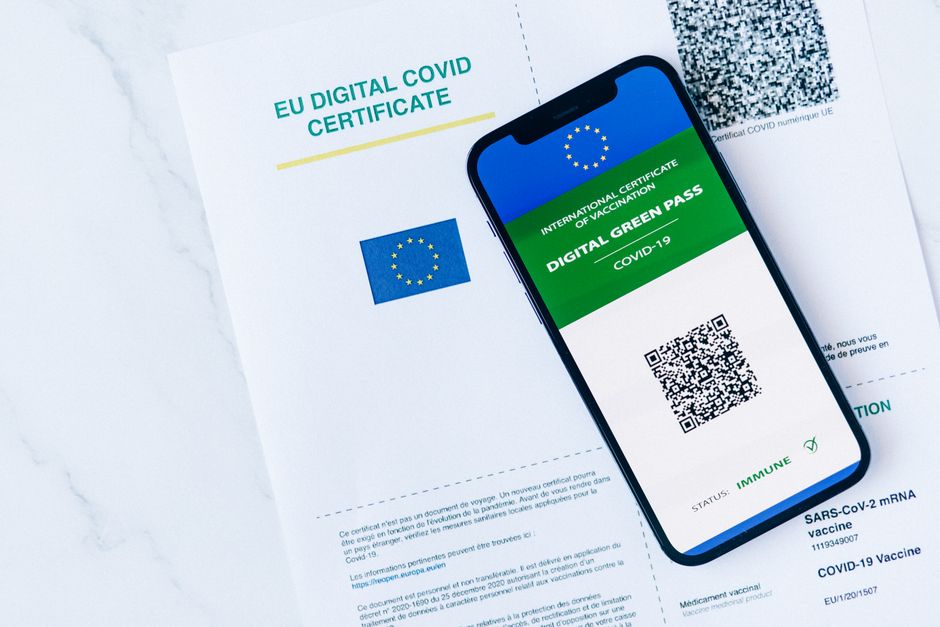
Erhalten Sie ein Zertifikat von einem vertrauenswürdigen CA und aktivieren Sie HTTPS jetzt auf Ihrem Server, um die Verbindung zu sichern, die Sicherheit zu verbessern und die Glaubwürdigkeit über Browser hinweg zu steigern.
Zuerst bestätigen Sie den Domain-Besitz und wählen den richtigen Zertifikattyp. Für schnellen Schutz reicht ein Domain-Validation-(DV)-Zertifikat in der Regel aus; für stärkere Glaubwürdigkeit fügt Organization Validation (OV) oder Extended Validation (EV) Namensüberprüfungen hinzu, die die Besitzsichtbarkeit im Browser verbessern. Diese Wahl beeinflusst, wie der Name im Zertifikat erscheint und wie Benutzer Ihr Unternehmen wahrnehmen.
Erwerben Sie das Zertifikat und speichern Sie die Dateien sicher auf Ihrem Server. Halten Sie den privaten Schlüssel an einem geschützten Ort mit eingeschränktem Zugriff; dieser gesicherte Schlüssel paart mit dem öffentlichen Zertifikat, um einen standardmäßigen TLS-Handshake zu bilden, den Browser erkennen.
Installieren Sie das Zertifikat in Ihrem Serverprogramm. Für Apache referenzieren Sie die Zertifikatsdatei mit SSLCertificateFile und den privaten Schlüssel mit SSLCertificateKeyFile; für Nginx verwenden Sie ssl_certificate und ssl_certificate_key. Stellen Sie sicher, dass die Zertifikatkette vollständig ist und dass die Domain im Zertifikat zu Ihrem Domain-Namen passt; laden Sie den Server neu, um Änderungen anzuwenden.
Erzwingen Sie den Datenverkehr über HTTPS durch Implementierung einer 301-Weiterleitung von HTTP zu HTTPS. Deaktivieren Sie ältere Protokolle und aktivieren Sie moderne Chiffren, um das Risiko von Man-in-the-Middle-Angriffen zu reduzieren. Fügen Sie Sicherheitsheader in Antworten hinzu, um die gesicherte Verbindung zu verstärken und Benutzerdaten zu schützen.
Testen Sie die Einrichtung über Browser hinweg, um zu bestätigen, dass das Schloss erscheint und der Domain-Name passt. Navigieren Sie zu https://your-domain und inspizieren Sie die Zertifikatdetails; verwenden Sie curl -I https://your-domain für eine schnelle Überprüfung und führen Sie ein SSL-Check-Tool aus, um Sicherheitsstufen und den Gesamtstandard der Konfiguration zu überprüfen.
deshalb müssen Sie den Zertifikatslebenszyklus aufrechterhalten. SSL-Zertifikate erfordern Verlängerung vor Ablauf; überwachen Sie den Lebenszyklus und aktualisieren Sie die Kette, wenn Ihr CA ein neues Intermediate ausstellt. Das Aufrechterhalten von Besitz und Anmeldeinformationen im Einklang erhält die Sicherheit, Glaubwürdigkeit und etabliertes Vertrauen mit Kunden und Partnern und hilft Ihrem Unternehmen, einen sicheren Browsing-Erlebnis für Benutzer weiterhin zu bieten.
Kurze Anfrage senden
Website, Ziele, Zielgruppe und Budget für ein Angebot beschreiben.
Related Articles

Cookie-loses Tracking: Praktischer Leitfaden für datenschutzorientierte Messung
July 22, 2026
SimilarWeb API-Schlüssel: Vollständiger Leitfaden zu Setup, Verwaltung & Best Practices
June 29, 2026