Plantillas de Estudios de Caso Gratuitas: Plantillas Editables, Listas para Usar para Marketing e Investigación

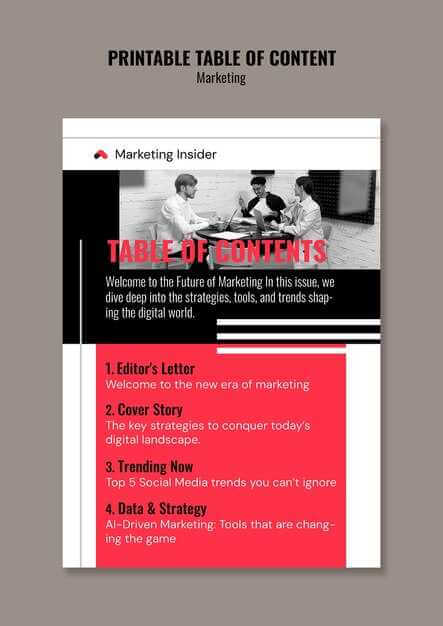
Los estudios de caso bien estructurados aceleran la toma de decisiones cuando se centran en objetivos, señales, datos y conclusiones sin fricciones innecesarias. Las plantillas modulares de acceso abierto, incluidas las plantillas de estudios de caso gratuitas, ayudan a los equipos a pasar de la hipótesis al insight más rápido mientras mantienen los materiales consistentes y reutilizables.
Esta guía explica cómo usar plantillas de estudios de caso editables gratuitas para marketing e investigación. Cubre estructura, marcos de aplicación, personalización y gobernanza para que los equipos puedan producir salidas creíbles y repetibles con un overhead mínimo.
Por qué funcionan las plantillas modulares de estudios de caso
Comience con un kit modular de acceso abierto diseñado para claridad y velocidad. Una plantilla sólida enfatiza lo que más importa:
- Objetivos claros
- Señales de audiencia y engagement
- Instantáneas de datos
- Una conclusión concisa basada en evidencia
Las secciones reutilizables mantienen los materiales relacionados juntos y reducen el tiempo de configuración. Como resultado, los equipos se centran en el análisis en lugar del formateo.
El lenguaje de diseño consistente importa. Un sistema de colores único, diseños repetibles y visuales modulares mejoran la coherencia y la productividad. En la práctica, esto permite pruebas rápidas de diseños con esfuerzo mínimo y soporta iteraciones más rápidas desde la hipótesis hasta los resultados.
Marco de aplicación de plantillas para marketing e investigación
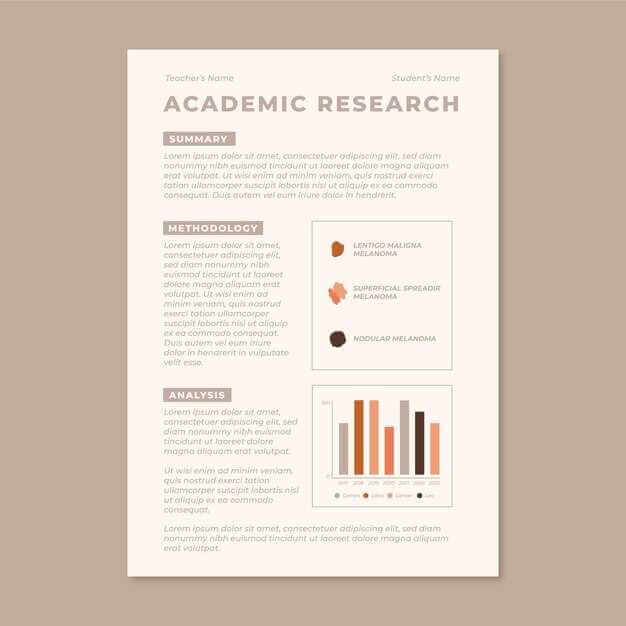
Un marco confiable consta de cuatro módulos principales:
1. Captura de datos
Capture el nombre del cliente, las partes interesadas, el rango de fechas y las métricas objetivo. Los campos estandarizados permiten un análisis inmediato y un seguimiento más limpio.
2. Paquete de análisis
Documente métricas, impulsores de engagement y restricciones. Incluya notas sobre señales sociales y áreas de enfoque que influyen en los resultados.
3. Capa de visualización
Genere gráficos directamente desde el paquete de datos. Los visuales acortan el tiempo hasta el insight y mejoran la comprensión durante las revisiones.
4. Ciclo de revisión
Registre retroalimentación, decisiones, próximos pasos y propietarios. El control de versiones asegura trazabilidad y evita reescrituras redundantes.
Incluir una sección de credibilidad que explique la metodología, fuentes de datos y limitaciones mejora la confianza y la satisfacción del cliente.
Visualización, versionado y disciplina de revisión
Exporte visuales de manera consistente y rastree:
- Engagement con gráficos
- Tiempo para crear cada versión
- Cambios entre iteraciones
El control de versiones ligero mantiene el trabajo alineado con las expectativas. En lugar de reescrituras grandes, aplique ajustes enfocados dentro de ciclos de revisión cortos para reducir riesgos y mantener el impulso.
El éxito debe medirse con indicadores objetivos como engagement, satisfacción, credibilidad y profundidad de análisis. La retroalimentación recopilada después de cada revisión ayuda a refinar tanto los visuales como la claridad narrativa.
Cómo elegir la plantilla adecuada para los objetivos de su campaña
La elección de la plantilla debe seguir el objetivo principal.
Alineación de objetivos y alcance
Decida si el estudio de caso soporta alineación estratégica o ejecución operativa. Mapee secciones directamente a preguntas de negocio.
Elementos principales
Incluya un resumen ejecutivo, declaración del problema, visuales de datos y un plan de acción conciso. Esta estructura soporta decisiones rápidas.
Audiencia y tono
Identifique a las partes interesadas clave y adapte el lenguaje en consecuencia. La brevedad importa, pero la profundidad debe permanecer intacta.
Pruebas e iteración
Realice una revisión rápida, recopile retroalimentación y revise. Las pruebas iterativas mejoran la legibilidad y la aceptación.
Formatos de entrega
Seleccione plantillas que soporten tanto mazos de diapositivas como informes compactos, con exportaciones adecuadas para presentaciones y revisiones.
Personalizando plantillas para la voz de la marca y campos de datos
Defina una declaración de marca clara que guíe el tono y la audiencia. Esto actúa como referencia durante la personalización.
Mapee campos de datos por tipo y convención de nomenclatura en una hoja compartida. Estandarice etiquetas, dependencias y formatos para que los colaboradores puedan actualizar el contenido sin fricciones.
Cree bloques de contenido modulares alineados con las necesidades de las partes interesadas y canales. Un banco de palabras compartido reduce la ambigüedad y acelera las actualizaciones.
Realice un pequeño piloto para validar la consistencia y capturar retroalimentación temprana. Publique el conjunto maestro en un espacio de trabajo compartido junto con un glosario de datos para mantener la alineación entre equipos.
Secciones clave que todo estudio de caso debería incluir
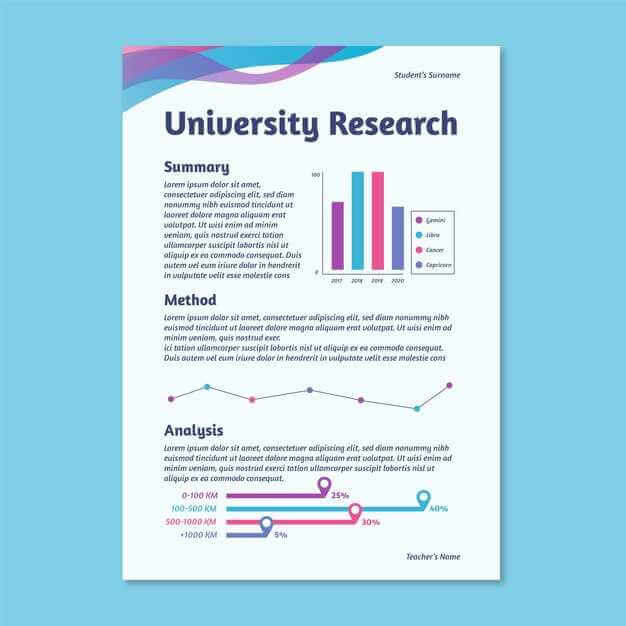
Los estudios de caso efectivos siguen una estructura predecible:
- Resumen y objetivos: define el problema y los resultados esperados
- Contexto y alineación: explica el contexto de negocio y las restricciones
- Enfoque y prácticas: documenta métodos y fuentes de datos
- Exploración de datos: describe conjuntos de datos e insumos de análisis
- Hallazgos y resultados: presenta evidencia e impacto
- Visuales y diapositivas: traduce resultados en formatos escaneables
- Impacto estratégico: muestra relevancia en industrias o casos de uso
- Recomendaciones y próximos pasos: habilita acción
- Anexo y limitaciones: asegura transparencia y credibilidad
Esta estructura minimiza los ciclos de revisión y mejora la confianza de las partes interesadas.
Informes orientados al cliente vs estudios internos
Use dos formatos distintos:
- Orientado al cliente: narrativa concisa, resultados y visuales que soportan decisiones
- Interno: metodología expandida, suposiciones, limitaciones y análisis de riesgos
Separe hallazgos ejecutivos de detalles técnicos. Esto previene sobrecargas mientras preserva el rigor. Los controles de acceso y la distribución por niveles ayudan a escalar materiales entre equipos y clientes de manera segura.
Descargar, editar y compartir: Consejos prácticos de colaboración
Use un flujo de trabajo de doble formato:
- PDF final para distribución externa
- Archivo maestro editable para iteración interna
Aplique convenciones de nomenclatura claras con nombre del proyecto, hito y número de versión. Almacene maestros en unidades compartidas con acceso de edición restringido y revisión solo con comentarios para las partes interesadas.
Ofrezca múltiples formatos (PDF, PPTX, DOCX, diapositivas en línea). Mantenga la accesibilidad con diseños limpios, fuentes grandes, alto contraste y texto alternativo adecuado.
Después de cada revisión, guarde una nueva versión y mantenga un registro de cambios breve. Esto mejora la credibilidad y reduce la confusión entre iteraciones.
Conclusión
Las plantillas de estudios de caso editables gratuitas funcionan cuando equilibran estructura con flexibilidad. Marcos modulares, visuales consistentes y ciclos de revisión disciplinados convierten el análisis complejo en historias claras y accionables.
Los equipos que estandarizan plantillas, documentan credibilidad e iteran rápidamente ahorran tiempo, mejoran la alineación y entregan insights en los que las partes interesadas confían.
Enviar una consulta breve
Describe tu sitio, objetivos, público y presupuesto para hablar de una propuesta.


