ChatGPT Shopify -integrointi – Kaikki, mitä sinun tulisi tietää

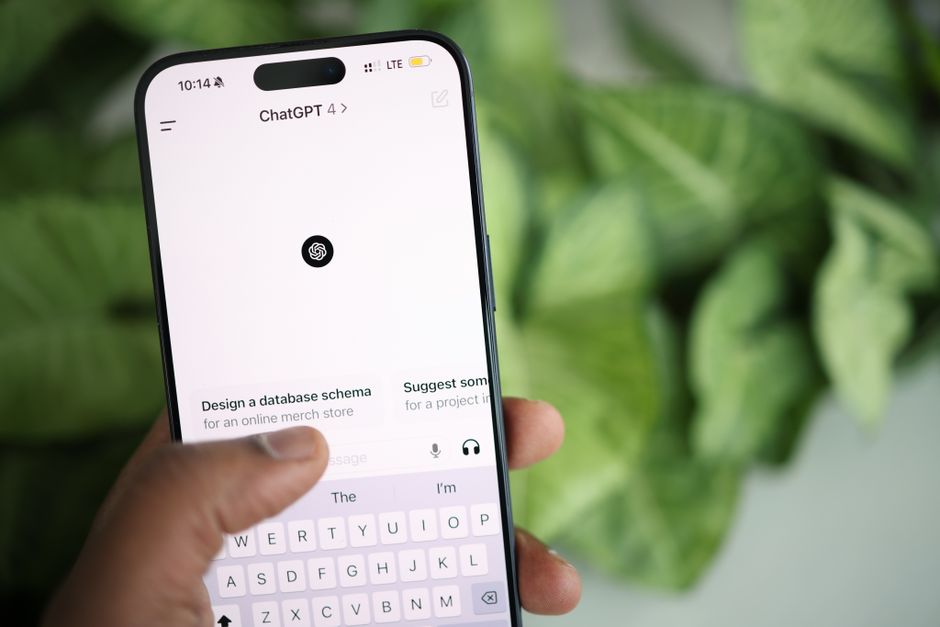
Tässä on konkreettinen suositus: kartoittaa viisi tärkeintä asiakaskulun vaihetta myymälän elinkaaren läpi ja rakentaa sisäänrakennettuja kehotteita, jotka ohjaavat kuvauksia, hinnoittelua ja syötteitä. Pidä tulosteet modulaarisina, jotta kukin lohko voidaan vaihtaa koskematta järjestelmän muuhun osaan, ja dokumentoi säännöt kuvauksille ja luettelorajoituksille.
Valitse yksi tai useampi moottori sisällön tuottamiseen, luokitteluun ja chat-tyylisiin vastauksiin; määritä rajoitukset, jotka estävät kuvausten täyttämisen avainsanoilla ja varmistavat johdonmukaisen sävyn. Kampanjoiden kalenteri auttaa synkronoimaan kampanjat varaston kanssa, ja samanlaisia kehotteita voidaan käyttää uudelleen tuotevalikoimien läpi vähentääkseen ylikuormitusta. Jos rajoituksia rikotaan, palaa syötteisiin ja säädä kehotteita. Ne on suunniteltu sopeutumaan muuttuviin luettelotietoihin ja vierailijoiden odotuksiin.
Olipa polku automatisoitu ensin tai yhdistetty ihmisen tarkasteluun, valitse yksi valinta perus käyttäytymiselle ja varmista, että järjestelmä voi näyttää selkeää edistymistä. Tänään dashboardit tulisi paljastaa, mitkä kehotteet ajavat parhaat tulokset, ja kukin testi kertoo erillisen tarinan syötteiden päivittyessä lähes reaaliajassa.
Tee asetuksista resilientin testaamalla pienellä luettelolla ensin, sitten skaalaa, varmistaen, että kuvaukset pysyvät linjassa tuotetietojen kanssa ja että moottorit kiertävät välttääkseen toistoa. Sama kehys käsittelee samanlaisia luetteloita alueiden läpi, kalenterisyöte työntää hinta- ja varastomuutoksia säilyttäen kielen johdonmukaisena. Tämä lähestymistapa auttaa kauppiaita vertailemaan vaihtoehtoja ja ylläpitämään laatua ilman tiimien ylikuormitusta.
ChatGPT Shopify -integraatio: Käytännön opas
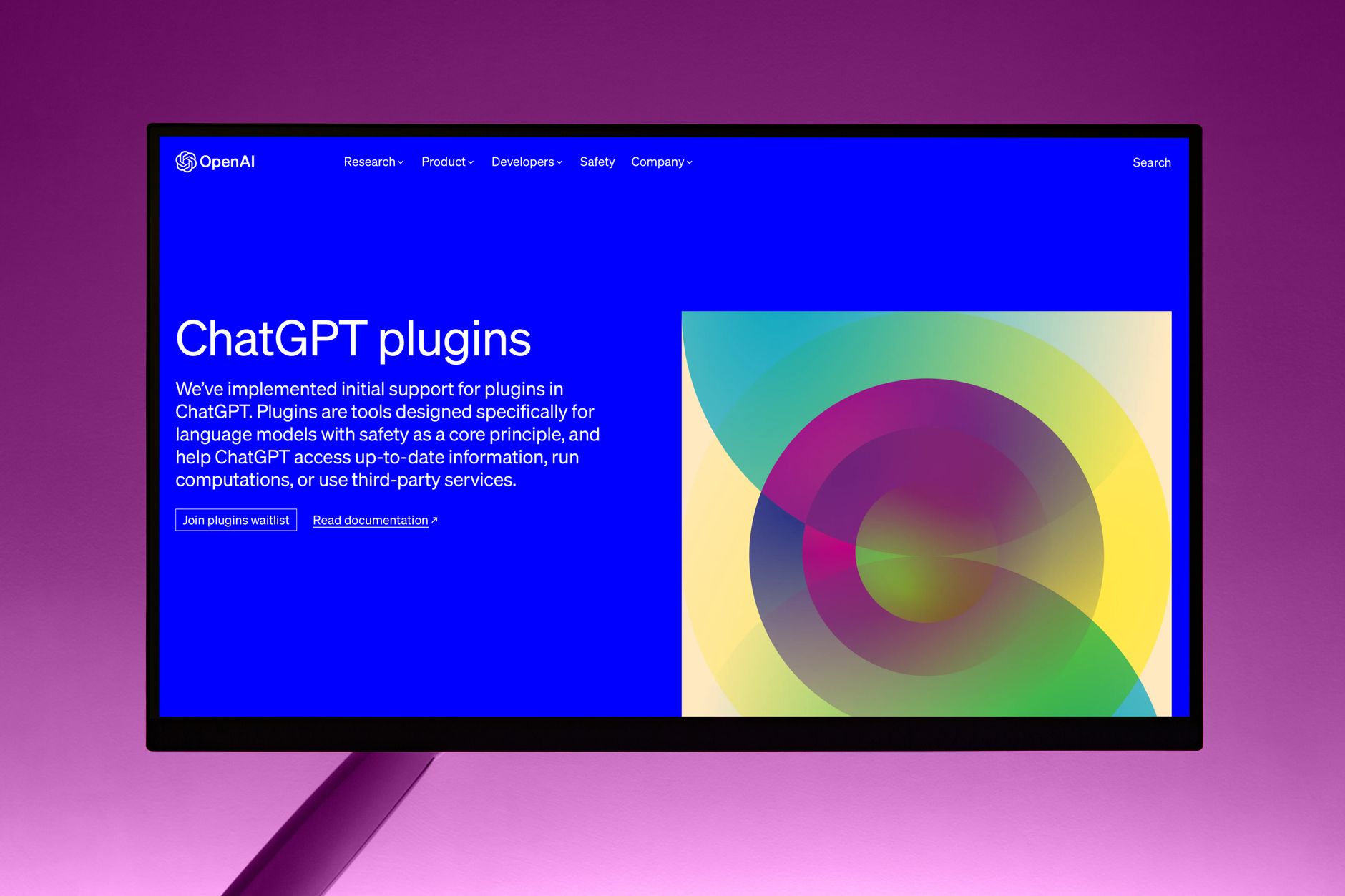
Aloita keskittyneellä chat-avustajalla, joka käsittelee autonomisesti yli 80 % yleisistä kyselyistä (tilauksen tila, palautukset, toimitusarviot) ja ohjaa vain tarvittaessa ihmisagentille. Tavoittele keskimääräistä vastausaikaa alle 1,5 sekunnin yksinkertaisille kehotteille; seuraa CSAT:ia pysyäksesi yli 85 %:ssa ja vähennä live-viestien kuormitusta ainakin 60 %.
Valmistele pohja: määritä tiivis joukko intentioita (order_status, tracking, returns, inventory, product_details) ja koota 200–300 QA-paria. Estä herkät toiminnot todennuksen takana, ja suunnittele agentillisia kehotteita, jotka kutsuvat vuorovaikutukseen, tarjoavat itsepalvelupolkuja ja linjaavat selkeiden seuraavien askelten tarjoamisen.
Tietovirta ja totuuden lähde: yhdistä kauppiaan taustajärjestelmään suojatun API:n kautta, tilaa webhooks-tapahtumille order_paid ja inventory_update, ja pidä luotettava lähde silmukassa tilatietojen suhteen. Varmista tietojen päivitys ainakin joka 15. minuutti välttääksesi vanhentuneita vastauksia.
Toteutuksen yksityiskohdat: käytä automaatiosääntöjä käynnistämään keskusteluja, kun asiakas laskeutuu tuotesivuille, luo kevyt tiketti eskalaatioille ja ylläpidä maksullista tasoa premium-tukeen tarvittaessa. Pidä chat-vastaukset ytimekkäinä, avaa oikeankokoisia sisältölohkoja ja vahvista käyttäjän intentio ennen toimien suorittamista.
Testaus ja laatu: suorita chatgpt-vetoisia simulointeja vahvistaaksesi muotoilun, mittaa avausprosentteja ja vuorovaikutuksen syvyyttä sekä iteroidaan. Sovella A/B-testejä kehotteille, vastauspituuksille ja linkkien sijoittelulle, sitten vahvista, että virta ohjaa kauppiaan luonnollisesti ostospäätöksiin ja jälkimmäiseen hoitoon.
Optimointi ja hallinto: kehittele kehotteita kuukausittaisilla tarkistuksilla, valmistellen päivityksiä, jotka pysyvät brändin mukaisina ja noudattavat yksityisyysnormeja. Ole valmis sopeutumaan kehittyviin tuoteluetteloihin ja kausikampanjoihin, varmistaen, että kokemus tuntuu henkilökohtaiselta, mutta skaalautuvalta, ja pysyy helposti ylläpidettävänä tiimille.
Käytännön voitot: tuotesivuilla kuten kengät, tarjoa kokoa ohje, istuvuusvinkkejä ja toimitusvaihtoehtoja inline. Estä irrelevantit kehotteet ja tuo relevantit vaihtoehdot nopeasti esiin; tarjoa saumaton tarjous, joka vakuuttaa asiakkaat, viestinnällä, joka tuntuu varmalta ja valmiilta auttamaan. Käytä mittareita vahvistaaksesi tasaista laskua tukitiketeissä ja korkeampaa konversioprosenttia, pitäen kokemuksen luonnollisena ja kiinnostavana. Olet asemassa lupaamaan nopeampia vastauksia, toimittamaan johdonmukaista tarkkuutta ja pysymään linjassa kauppiaan brändiäänen kanssa.
Oikean ChatGPT-sovelluksen valinta Shopifyyn
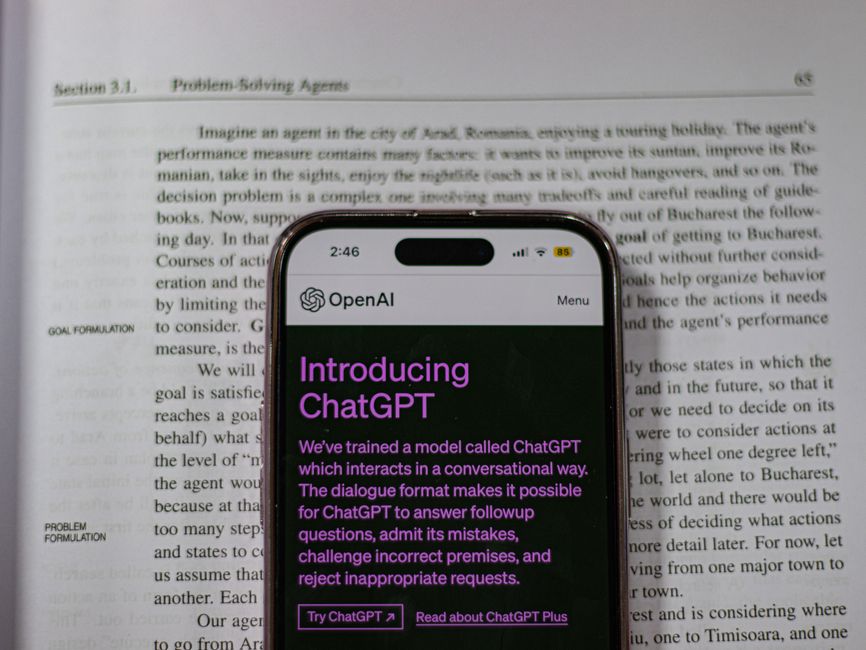
Aloita ai-valmiilla vaihtoehdoilla, jotka tarjoavat välittömän asennuksen, läpinäkyvät maksulliset suunnitelmat ja luotettavaa tukea. Laiha pakettien lähestymistapa pitää toiminnot ennustettavina omistajille, jotka hallinnoivat useita myymälöitä, mahdollistaen alku‑loppu optimoinnin alusta alkaen.
Tarkista olemassa olevat työnkulut: varmista, että sovellus yhdistyy tilauksen täyttöön, varastoon ja asiakaskommunikaatioihin. Vahvista luvat, tietoreititys ja kyky viedä lokit auditointia varten. Suorita lyhyt pilotti tarkistaaksesi viiveen ja tarkkuuden ennen täyttä käyttöönottoa.
Luonnollisen kielen laatu merkitsee: testaa kehotteita UKK:ille, tilauksen tilalle ja suosituksille. Linjaa vastaukset brändiäänen ja materiaalien ohjeiden kanssa; kehotteita voidaan yksinkertaisesti säätää johdonmukaiseen sävyyn.
Hinnoittelu ja paketit: vertaa maksullisia tasoja, kuukausittaisia paketteja ja ominaisuuspaketteja. Etsi läpinäkyviä kiintiöitä, ei piilotettuja maksuja ja helppoa päivityspolkua optimointiin käytettyyn rahaan.
Kelpoisuus ja riski: tarkista tietojen käsittely ja alueelliset säännöt; varmista suostumiskehotteet ja opt-out-vaihtoehdot. Vahvista kelvolliset skenaariot, joissa automaatio lisää arvoa ilman luottamuksen vaarantamista. Kaupankäynnin yhteyksissä käytä kehotteita, jotka välttävät ylmyynnin ja pysyvät hyödyllisinä.
Suorituskyvyn ankkurit: mittaa välittömiä vastausaikoja, käyttöä ja johdonmukaisesti luotettavia tuloksia. Ylläpidä jooga-kaltaista tasapainoa automaation ja ihmisen valvonnan välillä, jotta asiakaskäyttäytyminen pysyy luonnollisena ja johdonmukaisesti luotettavana.
Täytön painopiste: sovelluksen tulisi työntää päivityksiä, seurata toimitustiloja ja tukea jälkimmäisiä ostokommunikaatioita. Varmista saumattomat yhteydet olemassa oleviin täyttö-työnkulkuihin välttääksesi viiveet.
Käy sovelluksen listalla, yhdistä myymälä, aloita testaus: lataa pieni artikkeli-kirjasto malleja ja vahvista, että vastaukset pysyvät linjassa politiikan ja brändin kanssa. Alkuvaiheen kehotteet vähentävät riskiä alussa.
Toiminnallinen kurinalaisuus: luo artikkeli henkilökunnan koulutukseen; käytä analytiikkaa optimointiin suorituskyvyn ympärillä ydinsuorituskyvyn mittareiden suhteen; pidä herkät tiedot salattuna ja lokipääsy rajoitettuna. Tämä pitää hallinnon tiukkana omistajille ja tiimeille.
Päätöskehys: priorisoi ai-valmiita sovelluksia läpinäkyvillä maksullisilla vaihtoehdoilla ja tarkista olemassa olevat arvostelut omistajilta. Tasapainota välittömiä voittoja pitkän aikavälin sopivuuden kanssa; valitse ratkaisu, joka linjaantuu kasvuun, täyttö-tarpeisiin ja jatkuvaan tukeen.
Vaihe vaiheelta: Yhdistä ChatGPT API-avaimilla, Webhookeilla ja testauksella
Suositus: Luo omistettu hiekkalaatikko-API-avain openais:issa, rajoita pääsy chat/completions:iin, ota käyttöön IP-salliminen ja kytke päälle verbose-lokitus. Aloita pienellä tietojoukolla vahvistaaksesi virtauksen ennen tuotantoliikenteen reititystä.
Vaihe 1 – API-avaimet – Luo yksittäinen, rajattu avain openais:issa, sovella vähiten etuoikeuksia ja sido se tarkkoihin päätepisteisiin, joita kehotteet ja vastaukset tarvitsevat. Säilytä tunnistetiedot salaisuuksien hallinnassa ja kierrätä kiinteällä aikataululla. Taggaa avaimet ympäristön, omistajan ja moduulin mukaan yksinkertaistaaksesi jäljitystä tapausten jälkeen; ylläpidä selkeää karttaa välttääksesi uudelleenkäyttöä sovellusten läpi. Käytä ympäristömuuttujia ja salattua säilytystä salaisuuden turvaamiseksi ja dokumentoi pääsyoikeudet jokaiselle tiimin jäsenelle.
Vaihe 2 – Webhookit – Otetaan käyttöön webhook-kuuntelija tiukalla protokollalla. Vahvista allekirjoitukset jaetulla salaisuudella, pakota idempotenssi yksilöllisellä event_id:llä ja vastaa ytimekkäällä 200:lla onnistuessa. Lokita saapuvat payloadit, aseta uudelleenyrityspolitiikka ja rajoita uudelleenyritykset estääksesi kaksoiskäsittelyn liikennepiikkien aikana. Toteuta nopeusrajoitukset ja hälytä webhook-vioista pitääksesi protokollan luotettavana kuormituksen alla.
Vaihe 3 – Testausstrategia – Suorita hiekkalaatikossa tai paikallisella tunnelilla (ngrok) peilaten todellisia käyttäjävirtoja. Laadi testejä tyypillisille kyselyille, reunatapauksille, virheellisille payloadeille, puuttuville kentille ja nopeusylityksille. Vahvista, että vastausrakenne vastaa skeemaasi, mittaa viivettä ja läpäisykykyä sekä tarkista turvalliset uudelleenyritykset. Ylläpidä toistettavaa testisuunnitelmaa, joka kattaa personoidut tulosteet ja attribuuttien käsittelyn varmistaen johdonmukaisuuden liikenteen kasvaessa.
Vaihe 4 – Etupään integraatio – Reititä käyttäjäpyynnöt kevyen kerroksen läpi, joka muotoilee kehotteet, liittää käyttäjäattribuutit ja välittää ne AI-palveluun. Tarkista, että ai-vetoiset vastaukset kunnioittavat yksityisyyssääntöjä samalla kun toimittavat personoitua sisältöä profiiliattribuuttien perusteella. Kerro käyttäjille, mitä tietoja käytetään räätälöintiin, ja tarjoa selkeät varavaihtoehdot, jos tietoja puuttuu. Varmista, että klikkaus tuottaa tarkkoja tuotesivuja tai ohjeita, käyttäen samanlaisia tuotteita sovellettavissa lisäten sitoutumista.
Vaihe 5 – Turvallisuus ja hallinto – Kierrätä avaimet huhtikuussa ja missä tahansa pääsymuutoksessa. Ota käyttöön salaisuusskannaus, rajoita ulkoisia IP-osoitteita ja pidä auditoitavissa oleva polku pääsymuista. Pakota tietojen käsittelyn säännöt, seuraa poikkeavaa toimintaa ja dokumentoi muutoshallintaa, jotta päivitykset ovat ennustettavia tiimille.
Vaihe 6 – Tarkkailtavuus ja luotettavuus – Rakenna kevyt dashboard, joka seuraa liikennettä, viivettä, virheprosentteja ja webhook-terveyttä. Lokita tapahtumia riittävällä kontekstilla nopeaan diagnostiikkaan ja pidä hälytykset minimaalisina mutta toiminnallisina. Suunnittele skaalausta miljoonaan vuorovaikutukseen kuukaudessa mahdollistamalla autoskaalaus orkestrointikerroksessa ja säätämällä aikakatkaisuja sujuvaan toimintaan.
Vaihe 7 – Hinnoittelu ja skaalaustietoisuus – Linjaa hinnoittelutasojen kanssa ja ennustaa kuukausittainen meno odotetun liikenteen perusteella. Aseta budjetit ja hälytykset estääksesi ylitykset huippukysynnän aikana. Pidä käyttöraportit ajan tasalla ja vertaa toteutuneita tavoitteisiin selkeillä mittareilla ohjataksesi tulevaa kasvua.
Vaihe 8 – Sisältö ja löydettävyyslinjaus – Käytä semrush-tyylisiä oivalluksia kehotteiden ja vastausten muotoiluun, jotka linjaantuvat hakutarkoituksen kanssa. Salli järjestelmän löytää relevantteja aiheita, indeksoida liittyvää sisältöä ja luoda mahdollisuuksia ohjata liikennettä hyödyllisille sivuille. Personointiatribuuttien tulisi ajaa relevantteja suosituksia, pitäen vuorovaikutukset nopeampina ja helpompina asiakkaille.
Vaihe 9 – Ylläpito ja iterointi – Ylläpidä elävää opasta tuetuille ominaisuuksille ja mallimoottoreille. Päivitä kehotteita, testaa uusia kykyjä ja pidä protokolla synkronissa tarjoajan päivitysten kanssa. Tarkista säännöllisesti lokit, tarkista varavaihtoehdot ja kirjoita uusia testitapauksia heijastaen muuttuvia liikennekuvioita ja käyttötapauksia.
Kehotteiden suunnittelu tuotesuosituksille ja asiakastuelle
Anna top-3 tuotteen suosituksia, jotka vastaavat suoraan käyttäjän tarpeita, lyhyellä perustelulla ja linkeillä kullekin tuotesivulle. Jokainen valinta sisältää pääominaisuudet ja toimitusvaihtoehdot, ja on räätälöity yksittäisen näytön kokemukselle woocommerce-myymälöissä; vastauksen tulisi olla ytimekäs ja todella toimiva mukavuuden ja konversion kannalta. Jos asiakas antoi mieltymyksiä, tallenna ne kerralla.
Hyvin strukturoitu kehotus alkaa istunnon alusta pyytämällä neljää elementtiä: sisältää top-3 kohtaa ytimekkäillä perusteluilla ja linkeillä; vastauksia kyselyihin; triaasi ongelmiin; ja toimitusarviot toimitusajalla. Kehys palvelee luotettavuutta verkkosivustojen ja woocommerce-varastojen läpi, toimittaen aikatehokkaita tuloksia vuorojen välillä. Se mainitsee myös aiemmat tallennetut mieltymykset istunnon aikana räätälöidäkseen suosituksia.
Esimerkki kehotteita: "Huhtikuun kampanjoissa suurelle brändille näytä kolme kohtaa, jotka vastaavat ilmoitettuja tarpeita, suoraan perusteluilla ja linkeillä. Asiakaskyselyille anna nopea vastaus ja vaiheittainen ratkaisu; toimitukselle anna arvioitu aikataulu. Kaikkien vastausten tulee olla luotettavia ja välttää ylimääräisiä sivuraiteita. Huomaa, mitkä kohteet käsittelevät kunkin kyselyn ja valmistaudu syyskuun kampanjoihin."
Toiminnalliset ohjeet: käsittele jokainen kysely ytimekkäällä vastauksella; jos varasto on loppu, esittele vaihtoehtoisia kohtia; ongelmille anna vaiheittainen triaasi; pidä sävy ystävällisenä ja luotettavana. Tulosteen tulisi suoraan tuoda esiin linkit tuotesivuille ja tukiarteille ja olla testattavissa verkkosivustoilla. Tämä kehys on suunniteltu palvelemaan asiakkaita useiden sivustojen läpi ja sisältämään lisähuomautuskentän kontekstille.
Tietolähteet sisältävät luettelot woocommerce-luetteloista ja brändin verkkosivustoista sekä toimitusmatriisin. Virta sisältää lisä-kentän huomautuksille jokaiselle kohteelle; käytä vastauksen alkua muistuttaaksesi käyttäjää kontekstista ja päämäärästä. Lähestymistapa vähentää tarpeen edestakaiselle yli ajan ja parantaa luotettavuutta.
Näkyvyyden seuranta: Analytiikka, konversiot ja sitoutumismittarit
Aseta yhtenäinen analytiikkapaneeli, joka tuo esiin konversiot lähteittäin 24 tunnin sisällä, jokainen tapahtuma linkitettynä kanavansa signaaliin. Tämä automaatio vähentää aukkoja ja tekee attribuutiosta helpompaa, joten tulot signaalit googlelta, maininnoista ja sivustoilta virtaavat yhteen näkymään. Kun tapahtumia tapahtuu tuotesivuilla – erityisesti proteiinikategorioissa – attribuutio tulee selkeämmäksi ja nopeammaksi.
Seuraa ydinsuorituskyvyn mittareita ja sitoutumissignaaleja: istuntoja, lisätään-koriin -prosenttia, kassan täyttöprosenttia, ostoksia, tuloja ja keskimääräistä tilauksen arvoa; pari näitä oleskeluajan, vierityksen syvyyden ja toistuvien vierailujen kanssa. Sisällytä aggregaterating-mittari tuotesivuille heijastaaksesi ostajan tunnelmaa, koska tuo piste korreloi usein korkeamman sitoutumisen ja konversioiden kanssa.
Konsolidoi tietoja lähteistä kuten google analytics, suora sivuliikenne, viittaukset ja woocommerce-tapahtumat. Käytä johdonmukaista tietokerrosta kartoittamaan lisätään-koriin, begin_checkout ja osto-tapahtumia tuloihin ja kullekin lähteelle. Tämä auttaa pitkälle vähentämään attribuution pimeyttä ja tukee selkeämpää optimointia.
Määritä attribuution säännöt ja kynnykset: vakiinnuta odotettu ikkuna luottoattribuutiolle ja sovella tietopohjaista mallia, joka vertaa trendejä lähteiden läpi. Seuraa suorituskykyä lähteittäin selkeillä aukkoilla, joissa vierailut epäonnistuvat konversiossa, sitten tiivistä suppilon vaiheet ja kopio sulkeaksesi ne aukot.
Optimoi kopio ja kokemuksia: jalosta tuotekuvauksia, kuvia ja hinnoittelukopioita sivustojen läpi; ravintoloille ja proteiinilinjoille varmista, että viestit ovat tarkkoja ja heijastavat arvoa. Testaa varianteja A/B-testauksella, vahvista tulokset sitoutumismittareilla ja varmista kopion johdonmukaisuus kanavien läpi lisäten luottamusta ja konversioita.
Tekninen asennus tulisi korostaa automaatiota ja hälytyksiä: ota käyttöön palvelinpuolen taggaus, työntää Looker Studio -dashboardeja ja määritä automaattisia hälytyksiä, kun avainmittarit poikkeavat odotetuista trajektorioista. Nopeat palautesilmukat pitävät tiimit linjassa ja vähentävät aikaa signaalin ja toiminnan välillä.
Vertikaaliset esimerkit ja herkkyysnäkökohdat: myyjille ravintoloissa, välipalalinjoissa tai erikoisproteiinituotteissa seuraa, miten aggregaterating ja asiakasarviot liittyvät konversioihin. Pidä herkät tiedot suojattuna ja rajoita pääsyä PII:hen säilyttäen toimivat oivallukset optimointiin ja kasvuun.
Turvallisuus, yksityisyys ja tietojen käsittely asiakaskeskusteluissa
Salaile chat-transkriptit siirrossa TLS 1.2+:lla ja levossa AES-256:lla; pakota vähiten etuoikeuksia, kierrätä tunnistetietoja ja lokita jokainen pääsymuodostus auditointia varten. Tämä suora toimenpide vähentää altistumista ja tukee nopeaa rajoittamista, kun tapauksia tapahtuu. Tiedot on validoitu kontrolleilla ja ovat todellisuudessa tehokkaita käytännössä.
- Tietojen minimointi ja säilytys: Kerää vain olennaiset kentät (asiakastunnus, tilausnumero, ongelma). Luokittele tiedot ämpäreihin: PII, metatiedot ja lokit. Sovella automaattisia puhdistuksia standardi-ikkunalla 30 päivää metadatalle, 60 päivää lokille ja 90 päivää PII:lle, jossa politiikka sallii. Poistot on tehty. Joka kuukausi vahvista poisto ja varmista, että ei vanhentunutta tietoa jää.
- Pääsyvalvonta ja laitehygienia: Pakota RBAC ja MFA kaikkeen admin-pääsyyn. Rajoita tietopääsyä roolin ja maantieteellisen alueen mukaan. Vaatii laitteiden täyttävän turvallisuusperusteet; seuraa tukihenkilökunnan käyttämää kannettavia; kierrätä tunnistetietoja joka 90. päivä; pidä muuttumattomat auditointilokit SIEM:ssä. Tämä menee perussuojan yli ja pitää kauppiaan tiedot turvallisempina.
- Tietojen näyttö, kosketuspisteet ja aito asiakaskokemus: Näytä vain tietoja, jotka tarvitaan kyselyn ratkaisemiseen; sensuroi PII näytöistä; rajoita, mitä henkilökunta koskettaa asiakastiedoilla. Käytä aitoa, ihmismäistä sävyä ja se on avain luottamukselle ja tuelle. Heti alkuun kerro asiakkaille, mitä tietoja käytetään ja miksi, jotta ilmoitukset pysyvät selkeinä ja brändin mukaisina.
- Kolmannen osapuolen prosessorit, protokolla ja kumppanilinjaus: Käytä DPAs kaikkien prosessorien kanssa; tietovirrat menevät määritellyn protokollan läpi; vahvista zipify ja muut työkalut noudattavat samoja yksityisyysodotuksia. Varmista linjaus kauppiaan yksityisyys政政政政政政政政政政政政政政政政政政政政政政政政政政政政政政政政政政政政政政政政政政政政政政政政政政政政政政政政政政政政政政政政政政政政政政政政政政政政政政政政政政政政政政政政政政政政政政政政政政政政政政政政政政政政政政政政政政政政政政政政政政政政政政政政政政政政政政政政政政政政政政政政政政政政政政政政政政政政政政政政政政政政政政政政政政政政政政政政政政政政政政政政政政政政政政政政政政政政政政政政政政政政政政政政政政政政政政政政政政政政政政政政政政政政政政政政政政政政政政政政政政政政政政政政政政政政政政政政政政政政政政政政政政政政政政政政政政政政政政政政政政政政政政政政政政政政政政政政政政政政政政政政政政政政政政政政政政政政政政政政政政政政政政政政政政政政政政政政政政政政政政政政政政政政政政政政政政政政政政政政政政政政政政政政政政政政政政政政政政政政政政政政政政政政政政政政政政政政政政政政政政政政政政政政政政政政政政政政政政政政政政政政政政政政政政政政政政政政政政政政政政政政政政政政政政政政政政政政政政政政政政政政政政政政政政政政政政政政政政政政政政政政政政政政政政政政政政政政政政政政政政政政政政政政政政政政政政政政政政政政政政政政政政政政政政政政政政政政政政政政政政政政政政政政政政政政政政政政政政政政政政政政政政政政政政政政政政政政政政政政政政政政政政政政政政政政政政政政政政政政政政政政政政政政政政政政政政政政政政政政政政政政政政政政政政政政政政政政政政政政政政政政政政政政政政政政政政政政政政政政政政政政政政政政政政政政政政政政政政政政政政政政政政政政政政政政政政政政政政政政政政政政政政政政政政政政政政政政政政政政政政政政政政政政政政政政政政政政政政政政政政政政政政政政政政政政政政政政政政政政政政政政政政政政政政政政政政政政政政政政政政政政政政政政政政政政政政政政政政政政政政政政政政政政政政政政政政政政政政政政政政政政政政政政政政政政政政政政政政政政政政政政政政政政政政政政政政政政政政政政政政政政政政政政政政政政政政政政政政政政政政政政政政政政政政政政政政政政政政政政政政政政政政政政政政政政政政政政政政政政政政政政政政政政政政政政政政政政政政政政政政政政政政政政政政政政政政政政政政政政政政政政政政政政政政政政政政政政政政政政政政政政政政政政政政政政政政政政政政政政政政政政政政政政政政政政政政政政政政政政政政政政政政政政政政政政政政政政政政政政政政政政政政政政政政政政政政政政政政政政政政政政政政政政政政政政政政政政政政政政政政政政政政政政政政政政政政政政政政政政政政政政政政政政政政政政政政政政政政政政政政政政政政政政政政政政政政政政政政政政政政政政政政政政政政政政政政政政政政政政政政政政政政政政政政政政政政政政政政政政政政政政政政政政政政政政政政政政政政政政政政政政政政政政政政政政政政政政政政政政政政政政政政政政政政政政政政政政政政政政政政政政政政政政政政政政政政政政政政政政政政政政政政政政政政政政政政政政政政政政政政政政政政政政政政政政政政政政政政政政政政政政政政政政政政政政政政政政政政政政政政政政政政政政政政政政政政政政政政政政政政政政政政政政政政政政政政政政政政政政政政政政政政政政政政政政政政政政政政政政政政政政政政政政政政政政政政政政政政政政政政政政政政政政政政政政政政政政政政政政政政政政政政政政政政政政政政政政政政政政政政政政政政政政政政政政政政政政政政政政政政政政政政政政政政政政政政政政政政政政政政政政政政政政政政政政政政政政政政政政政政政政政政政政政政政政政政政政政政政政政政政政政政政政政政政政政政政政政政政政政政政政政政政政政政政政政政政政政政政政政政政政政政政政政政政政政政政政政政政政政政政政政政政政政政政政政政政政政政政政政政政政政政政政政政政政政政政政政政政政政政政政政政政政政政政政政政政政政政政政政政政政政政政政政政政政政政政政政政政政政政政政政政政政政政政政政政政政政政政政政政政政政政政政政政政政政政政政政政政政政政政政政政政政政政政政政政政政政政政政政政政政政政政政政政政政政政政政政政政政政政政政政政政政政政政政政政政政政政政政政政政政政政政政政政政政政政政政政政政政政政政政政政政政政政政政政政政政政政政政政政政政政政政政政政政政政政政政政政政政政政政政政政政政政政政政政政政政政政政政政政政政政政政政政政政政政政政政政政政政政政政政政政政政政政政政政政政政政政政政政政政政政政政政政政政政政政政政政政政政政政政政政政政政政政政政政政政政政政政政政政政政政政政政政政政政政政政政政政政政政政政政政政政政政政政政政政政政政政政政政政政政政政政政政政政政政政政政政政政政政政政政政政政政政政政政政政政政政政政政政政政政政政政政政政政政政政政政政政政政政政政政政政政政政政政政政政政政政政政政政政政政政政政政政政政政政政政政政政政政政政政政政政政政政政政政政政政政政政政政政政政政政政政政政政政政政政政政政政政政政政政政政政政政政政政政政政政政政政政政政政政政政政政政政政政政政政政政政政政政政政政政政政政政政政政政政政政政政政政政政政政政政政政政政政政政政政政政政政政政政政政政政政政政政政政政政政政政政政政政政政政政政政政政政政政政政政政政政政政政政政政政政政政政政政政政政政政政政政政政政政政政政政政政政政政政政政政政政政政政政政政政政政政政政政政政政政政政政政政政政政政政政政政政政政政政政政政政政政政政政政政政政政政政政政政政政政政政政政政政政政政政政政政政政政政政政政政政政政政政政政政政政政政政政政政政政政政政政政政政政政政政政政政政政政政政政政政政政政政政政政政政政政政政政政政政政政政政政政政政政政政政政政政政政政政政政政政政政政政政政政政政政政政政政政政政政政政政政政政政政政政政政政政政政政政政政政政政政政政政政政政政政政政政政政政政政政政政政政政政政政政政政政政政政政政政政政政政政政政政政政政政政政政政政政政政政政政政政政政政政政政政政政政政政政政政政政政政政政政政政政政政政政政政政政政政政政政政政政政政政政政政政政政政政政政政政政政政政政政政政政政政政政政政政政政政政政政政政政政政政政政政政政政政政政政政政政政政政政政政政政政政政政政政政政政政政政政政政政政政政政政政政政政政政政政政政政政政政政政政政政政政政政政政政政政政政政政政政政政政政政政政政政政政政政政政政政政政政政政政政政政政政政政政政政政政政政政政政政政政政政政政政政政政政政政政政政政政政政政政政政政政政政政政政政政政政政政政政政政政政政政政政政政政政政政政政政政政政政政政政政政政政政政政政政政政政政政政政政政政政政政政政政政政政政政政政政政政政政政政政政政政政政政政政政政政政政政政政政政政政政政政政政政政政政政政政政政政政政政政政政政政政政政政政政政政政政政政政政政政政政政政政政政政政政政政政政政政政政政政政政政政政政政政政政政政政政政政政政政政政政政政政政政政政政政政政政政政政政政政政政政政政政政政政政政政政政政政政政政政政政政政政政政政政政政政政政政政政政政政政政政政政政政政政政政政政政政政政政政政政政政政政政政政政政政政政政政政政政政政政政政政政政政政政政政政政政政政政政政政政政政政政政政政政政政政政政政政政政政政政政政政政政政政政政政政政政政政政政政政政政政政政政政政政政政政政政政政政政政政政政政政政政政政政政政政政政政政政政政政政政政政政政政政政政政政政政政政政政政政政政政政政政政政政政政政政政政政政政政政政政政政政政政政政政政政政政政政政政政政政政政政政政政政政政政政政政政政政政政政政政政政政政政政政政政政政政政政政政政政政政政政政政政政政政政政政政政政政政政政政政政政政政政政政政政政政政政政政政政政政政政政政政政政政政政政政政政政政政政政政政政政政政政政政政政政政政政政政政政政政政政政政政政政政政政政政政政政政政政政政政政政政政政政政政政政政政政政政政政政政政政政政政政政政政政政政政政政政政政政政政政政政政政政政政政政政政政政政政政政政政政政政政政政政政政政政政政政政政政政政政政政政政政政政政政政政政政政政政政政政政政政政政政政政政政政政政政政政政政政政政政政政政政政政政政政政政政政政政政政政政政政政政政政政政政政政政政政政政政政政政政政政政政政政政政政政政政政政政政政政政政政政政政政政政政政政政政政政政政政政政政政政政政政政政政政政政政政政政政政政政政政政政政政政政政政政政政政政政政政政政政政政政政政政政政政政政政政政政政政政政政政政政政政政政政政政政政政政政政政政政政政政政政政政政政政政政政政政政政政政政政政政政政政政政政政政政政政政政政政政政政政政政政政政政政政政政政政政政政政政政政政政政政政政政政政政政政政政政政政政政政政政政政政政政政政政政政政政政政政政政政政政政政政政政政政政政政政政政政政政政政政政政政政政政政政政政政政政政政政政政政政政政政政政政政政政政政政政政政政政政政政政政政政政政政政政政政政政政政政政政政政政政政政政政政政政政政政政政政政政政政政政政政政政政政政政政政政政政政政政政政政政政政政政政政政政政政政政政政政政政政政政政政政政政政政政政政政政政政政政政政政政政政政政政政政政政政政政政政政政政政政政政政政政政政政政政政政政政政政政政政政政政政政政政政政政政政政政政政政政政政政政政政政政政政政政政政政政政政政政政政政政政政政政政政政政政政政政政政政政政政政政政政政政政政政政政政政政政政政政政政政政政政政政政政政政政政政政政政政政政政政政政政政政政政政政政政政政政政政政政政政政政政政政政政政政政政政政政政政政政政政政政政政政政政政政政政政政政政政政政政政政政政政政政政政政政政政政政政政政政政政政政政政政政政政政政政政政政政政政政政政政政政政政政政政政政政政政政政政政政政政政政政政政政政政政政政政政政政政政政政政政政政政政政政政政政政政政政政政政政政政政政政政政政政政政政政政政政政政政政政政政政政政政政政政政政政政政政政政政政政政政政政政政政政政政政政政政政政政政政政政政政政政政政政政政政政政政政政政政政政政政政政政政政政政政政政政政政政政政政政政政政政政政政政政政政政政政政政政政政政政政政政政政政政政政政政政政政政政政政政政政政政政政政政政政政政政政政政政政政政政政政政政政政政政政政政政政政政政政政政政政政政政政政政政政政政政政政政政政政政政政政政政政政政政政政政政政政政政政政政政政政政政政政政政政政政政政政政政政政政政政政政政政政政政政政政政政政政政政政政政政政政政政政政政政政政政政政政政政政政政政政政政政政政政政政政政政政政政政政政政政政政政政政政政政政政政政政政政政政政政政政政政政政政政政政政政政政政政政政政政政政政政政政政政政政政政政政政政政政政政政政政政政政政政政政政政政政政政政政政政政政政政政政政政政政政政政政政政政政政政政政政政政政政政政政政政政政政政政政政政政政政政政政政政政政政政政政政政政政政政政政政政政政政政政政政政政政政政政政政政政政政政政政政政政政政政政政政政政政政政政政政政政政政政政政政政政政政政政政政政政政政政政政政政政政政政政政政政政政政政政政政政政政政政政政政政政政政政政政政政政政政政政政政政政政政政政政政政政政政政政政政政政政政政政政政政政政政政政政政政政政政政政政政政政政政政政政政政政政政政政政政政政政政政政政政政政政政政政政政政政政政政政政政政政政政政政政政政政政政政政政政政政政政政政政政政政政政政政政政政政政政政政政政政政政政政政政政政政政政政政政政政政政政政政政政政政政政政政政政政政政政政政政政政政政政政政政政政政政政政政政政政政政政政政政政政政政政政政政政政政政政政政政政政政政政政政政政政政政政政政政政政政政政政政政政政政政政政政政政政政政政政政政政政政政政政政政政政政政政政政政政政政政政政政政政政政政政政政政政政政政政政政政政政政政政政政政政政政政政政政政政政政政政政政政政政政政政政政政政政政政政政政政政政政政政政政政政政政政政政政政政政政政政政政政政政政政政政政政政政政政政政政政政政政政政政政政政政政政政政政政政政政政政政政政政政政政政政政政政政政政政政政政政政政政政政政政政政政政政政政政政政政政政政政政政政政政政政政政政政政政政政政政政政政政政政政政政政政政政政政政政政政政政政政政政政政政政政政政政政政政政政政政政政政政政政政政政政政政政政政政政政政政政政政政政政政政政政政政政政政政政政政政政政政政政政政政政政政政政政政政政政政政政政政政政政政政政政政政政政政政政政政政政政政政政政政政政政政政政政政政政政政政政政政政政政政政政政政政政政政政政政政政政政政政政政政政政政政政政政政政政政政政政政政政政政政政政政政政政政政政政政政政政政政政政政政政政政政政政政政政政政政政政政政政政政政政政政政政政政政政政政政政政政政政政政政政政政政政政政政政政政政政政政政政政政政政政政政政政政政政政政政政政政政政政政政政政政政政政政政政政政政政政政政政政政政政政政政政政政政政政政政政政政政政政政政政政政政政政政政政政政政政政政政政政政政政政政政政政政政政政政政政政政政政政政政政政政政政政政政政政政政政政政政政政政政政政政政政政政政政政政政政政政政政政政政政政政政政政政政政政政政政政政政政政政政政政政政政政政政政政政政政政政政政政政政政政政政政政政政政政政政政政政政政政政政政政政政政政政政政政政政政政政政政政政政政政政政政政政政政政政政政政政政政政政政政政政政政政政政政政政政政政政政政政政政政政政政政政政政政政政政政政政政政政政政政政政政政政政政政政政政政政政政政政政政政政政政政政政政政政政政政政政政政政政政政政政政政政政政政政政政政政政政政政政政政政政政政政政政政政政政政政政政政政政政政政政政政政政政政政政政政政政政政政政政政政政政政政政政政政政政政政政政政政政政政政政政政政政政政政政政政政政政政政政政政政政政政政政政政政政政政政政政政政政政政政政政政政政政政政政政政政政政政政政政政政政政政政政政政政政政政政政政政政政政政政政政政政政政政政政政政政政政政政政政政政政政政政政政政政政政政政政政政政政政政政政政政政政政政政政政政政政政政政政政政政政政政政政政政政政政政政政政政政政政政政政政政政政政政政政政政政政政政政政政政政政政政政政政政政政政政政政政政政政政政政政政政政政政政政政政政政政政政政政政政政政政政政政政政政政政政政政政政政政政政政政政政政政政政政政政政政政政政政政政政政政政政政政政政政政政政政政政政政政政政政政政政政政政政政政政政政政政政政政政政政政政政政政政政政政政政政政政政政政政政政政政政政政政政政政政政政政政政政政政政政政政政政政政政政政政政政政政政政政政政政政政政政政政政政政政政政政政政政政政政政政政政政政政政政政政政政政政政政政政政政政政政政政政政政政政政政政政政政政政政政政政政政政政政政政政政政政政政政政政政政政政政政政政政政政政政政政政政政政政政政政政政政政政政政政政政政政政政政政政政政政政政政政政政政政政政政政政政政政政政政政政政政政政政政政政政政政政政政政政政政政政政政政政政政政政政政政政政政政政政政政政政政政政政政政政政政政政政政政政政政政政政政政政政政政政政政政政政政政政政政政政政政政政政政政政政政政政政政政政政政政政政政政政政政政政政政政政政政政政政政政政政政政政政政政政政政政政政政政政政政政政政政政政政政政政政政政政政政政政政政政政政政政政政政政政政政政政政政政政政政政政政政政政政政政政政政政政政政政政政政政政政政政政政政政政政政政政政政政政政政政政政政政政政政政政政政政政政政政政政政政政政政政政政政政政政政政政政政政政政政政政政政政政政政政政政政政政政政政政政政政政政政政政政政政政政政政政政政政政政政政政政政政政政政政政政政政政政政政政政政政政政政政政政政政政政政政政政政政政政政政政政政政政政政政政政政政政政政政政政政政政政政政政政政政政政政政政政政政政政政政政政政政政政政政政政政政政政政政政政政政政政政政政政政政政政政政政政政政政政政政政政政政政政政政政政政政政政政政政政政政政政政政政政政政政政政政政政政政政政政政政政政政政政政政政政政政政政政政政政政政政政政政政政政政政政政政政政政政政政政政政政政政政政政政政政政政政政政政政政政政政政政政政政政政政政政政政政政政政政政政政政政政政政政政政政政政政政政政政政政政政政政政政政政政政政政政政政政政政政政政政政政政政政政政政政政政政政政政政政政政政政政政政政政政政政政政政政政政政政政政政政政政政政政政政政政政政政政政政政政政政政政政政政政政政政政政政政政政政政政政政政政政政政政政政政政政政政政政政政政政政政政政政政政政政政政政政政政政政政政政政政政政政政政政政政政政政政政政政政政政政政政政政政政政政政政政政政政政政政政政政政政政政政政政政政政政政政政政政政政政政政政政政政政政政政政政政政政政政政政政政政政政政政政政政政政政政政政政政政政政政政政政政政政政政政政政政政政政政政政政政政政政政政政政政政政政政政政政政政政政政政政政政政政政政政政政政政政政政政政政政政政政政政政政政政政政政政政政政政政政政政政政政政政政政政政政政政政政政政政政政政政政政政政政政政政政政政政政政政政政政政政政政政政政政政政政政政政政政政政政政政政政政政政政政政政政政政政政政政政政政政政政政政政政政政政政政政政政政政政政政政政政政政政政政政政政政政政政政政政政政政政政政政政政政政政政政政政政政政政政政政政政政政政政政政政政政政政政政政政政政政政政政政政政政政政政政政政政政政政政政政政政政政政政政政政政政政政政政政政政政政政政政政政政政政政政政政政政政政政政政政政政政政政政政政政政政政政政政政政政政政政政政政政政政政政政政政政政政政政政政政政政政政政政政政政政政政政政政政政政政政政政政政政政政政政政政政政政政政政政政政政政政政政政政政政政政政政政政政政政政政政政政政政政政政政政政政政政政政政政政政政政政政政政政政政政政政政政政政政政政政政政政政政政政政政政政政政政政政政政政政政政政政政政政政政政政政政政政政政政政政政政政政政政政政政政政政政政政政政政政政政政政政政政政政政政政政政政政政政政政政政政政政政政政政政政政政政政政政政政政政政政政政政政政政政政政政政政政政政政政政政政政政政政政政政政政政政政政政政政政政政政政政政政政政政政政政政政政政政政政政政政政政政政政政政政政政政政政政政政政政政政政政政政政政政政政政政政政政政政政政政政政政政政政政政政政政政政政政政政政政政政政政政政政政政政政政政政政政政政政政政政政政政政政政政政政政政政政政政政政政政政政政政政政政政政政政政政政政政政政政政政政政政政政政政政政政政政政政政政政政政政政政政政政政政政政政政政政政政政政政政政政政政政政政政政政政政政政政政政政政政政政政政政政政政政政政政政政政政政政政政政政政政政政政政政政政政政政政政政政政政政政政政政政政政政政政政政政政政政政政政政政政政政政政政政政政政政政政政政政政政政政政政政政政政政政政政政政政政政政政政政政政政政政政政政政政政政政政政政政政政政政政政政政政政政政政政政政政政政政政政政政政政政政政政政政政政政政政政政政政政政政政政政政政政政政政政政政政政政政政政政政政政政政政政政政政政政政政政政政政政政政政政政政政政政政政政政政政政政政政政政政政政政政政政政政政政政政政政政政政政政政政政政政政政政政政政政政政政政政政政政政政政政政政政政政政政政政政政政政政政政政政政政政政政政政政政政政政政政政政政政政政政政政政政政政政政政政政政政政政政政政政政政政政政政政政政政政政政政政政政政政政政政政政政政政政政政政政政政政政政政政政政政政政政政政政政政政政政政政政政政政政政政政政政政政政政政政政政政政政政政政政政政政政政政政政政政政政政政政政政政政政政政政政政政政政政政政政政政政政政政政政政政政政政政政政政政政政政政政政政政政政政政政政政政政政政政政政政政政政政政政政政政政政政政政政政政政政政政政政政政政政政政政政政政政政政政政政政政政政政政政政政政政政政政政政政政政政政政政政政政政政政政政政政政政政政政政政政政政政政政政政政政政政政政政政政政政政政政政政政政政政政政政政政政政政政政政政政政政政政政政政政政政政政政政政政政政政政政政政政政政政政政政政政政政政政政政政政政政政政政政政政政政政政政政政政政政政政政政政政政政政政政政政政政政政政政政政政政政政政政政政政政政政政政政政政政政政政政政政政政政政政政政政政政政政政政政政政政政政政政政政政政政政政政政政政政政政政政政政政政政政政政政政政政政政政政政政政政政政政政政政政政政政政政政政政政政政政政政政政政政政政政政政政政政政政政政政政政政政政政政政政政政政政政政政政政政政政政政政政政政政政政政政政政政政政政政政政政政政政政政政政政政政政政政政政政政政政政政政政政政政政政政政政政政政政政政政政政政政政政政政政政政政政政政政政政政政政政政政政政政政政政政政政政政政政政政政政政政政政政政政政政政政政政政政政政政政政政政政政政政政政政政政政政政政政政政政政政政政政政政政政政政政政政政政政政政政政政政政政政政政政政政政政政政政政政政政政政政政政政政政政政政政政政政政政政政政政政政政政政政政政政政政政政政政政政政政政政政政政政政政政政政政政政政政政政政政政政政政政政政政政政政政政政政政政政政政政政政政政政政政政政政政政政政政政政政政政政政政政政政政政政政政政政政政政政政政政政政政政政政政政政政政政政政政政政政政政政政政政政政政政政政政政政政政政政政政政政政政政政政政政政政政政政政政政政政政政政政政政政政政政政政政政政政政政政政政政政政政政政政政政政政政政政政政政政政政政政政政政政政政政政政政政政政政政政政政政政政政政政政政政政政政政政政政政政政政政政政政政政政政政政政政政政政政政政政政政政政政政政政政政政政政政政政政政政政政政政政政政政政政政政政政政政政政政政政政政政政政政政政政政政政政政政政政政政政政政政政政政政政政政政政政政政政政政政政政政政政政政政政政政政政政政政政政政政政政政政政政政政政政政政政政政政政政政政政政政政政政政政政政政政政政政政政政政政政政政政政政政政政政政政政政政政政政政政政政政政政政政政政政政政政政政政政政政政政政政政政政政政政政政政政政政政政政政政政政政政政政政政政政政政政政政政政政政政政政政政政政政政政政政政政政政政政政政政政政政政政政政政政政政政政政政政政政政政政政政政政政政政政政政政政政政政政政政政政政政政政政政政政政政政政政政政政政政政政政政政政政政政政政政政政政政政政政政政政政政政政政政政政政政政政政政政政政政政政政政政政政政政政政政政政政政政政政政政政政政政政政政政政政政政政政政政政政政政政政政政政政政政政政政政政政政政政政政政政政政政政政政政政政政政政政政政政政政政政政政政政政政政政政政政政政政政政政政政政政政政政政政政政政政政政政政政政政政政政政政政政政政政政政政政政政政政政政政政政政政政政政政政政政政政政政政政政政政政政政政政政政政政政政政政政政政政政政政政政政政政政政政政政政政政政政政政政政政政政政政政政政政政政政政政政政政政政政政政政政政政政政政政政政政政政政政政政政政政政政政政政政政政政政政政政政政政政政政政政政
Lähetä lyhyt tiedustelu
Kuvaile sivusto, tavoitteet, kohderyhmä ja budjetti tarjousta varten.


