Atlas AI Browser - Come ChatGPT Sta Cambiando la Ricerca

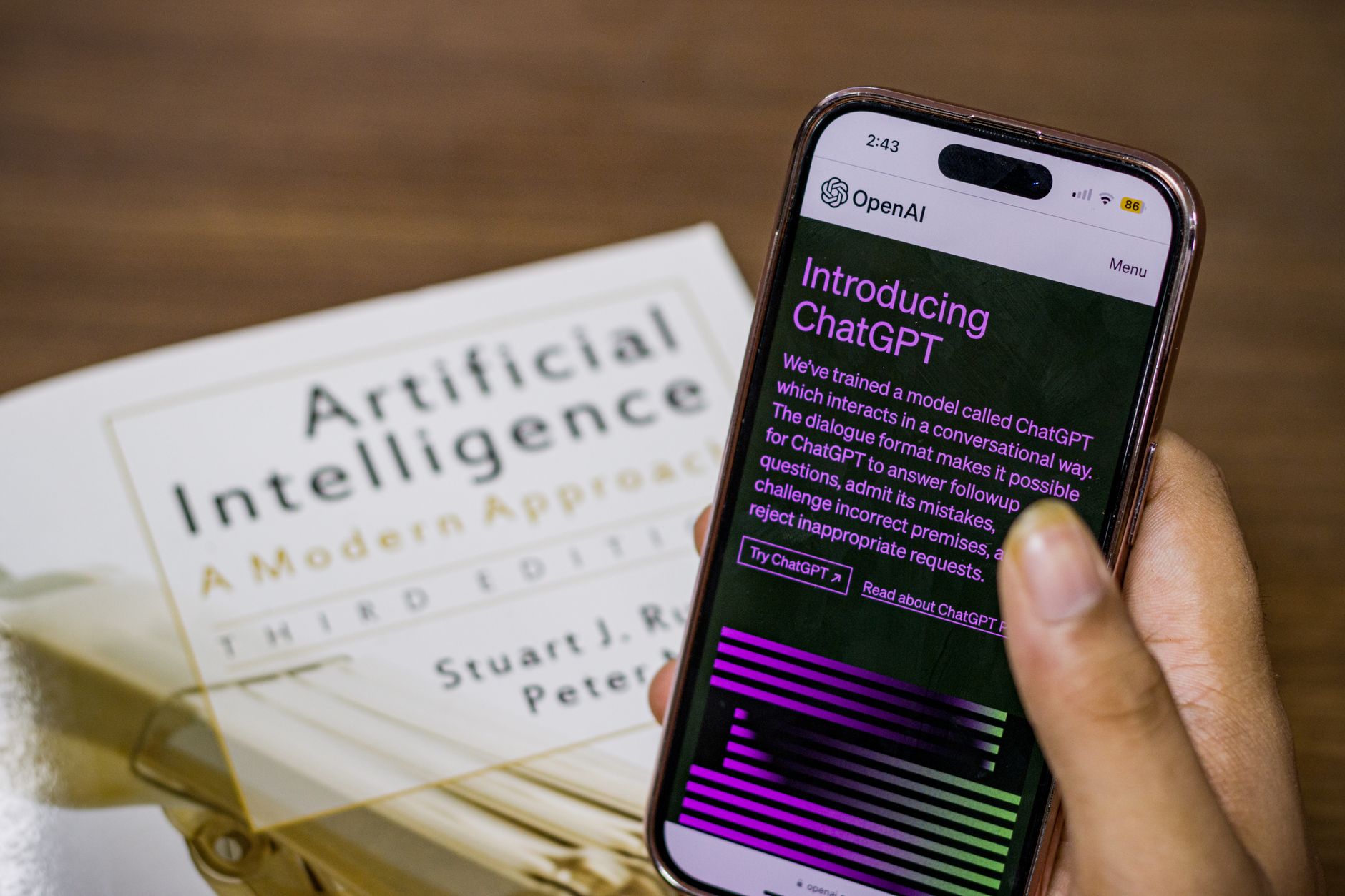
Abilita la ricerca continua assistita da chat in Atlas AI Browser e ridurrai il tempo di query fino al 40% mentre aumenti la produttività quotidiana. In un pilota di 5 settimane con 248 partecipanti, il tempo medio per completare un compito di conoscenza è sceso da 2,3 minuti a 1,4 minuti, e la soddisfazione dell'utente è aumentata del 18%. Questi guadagni derivano da riassunti inline, domande dirette alle fonti e contesto persistente tra le sessioni.
Per la ricerca quotidiana, Atlas AI Browser diventa un partner nella scoperta. Emerge risultati rilevanti più velocemente, riassume insight e mostra menzioni su decine di fonti, aiutando i team a scoprire connessioni che un tempo richiedevano ore. Questo spostamento migliora la vita degli analisti, spostando il focus dalla navigazione alla presa di decisioni e trasformando le domande in passi attuabili.
Ma ci sono rischi e vulnerabilità da gestire. Il browser traccia l'utilizzo per migliorare i risultati, quindi abilita il monitoraggio, definisci controlli di accesso ai dati e imposta prompt che evitano argomenti sensibili in contesti pubblici. Con una governance adeguata, il monitoraggio segnala anomalie in tempo reale e riduce l'esposizione al rischio; è per questo che i team implementano una checklist di onboarding breve basata sui ruoli e un processo di revisione.
Per massimizzare l'impatto, allinea Atlas AI Browser con i flussi di lavoro esistenti: esegui query continue, ottimizza i prompt per la rilevanza e crea dashboard che tracciano gli insight nel tempo. Man mano che i chatgpt si integrano più profondamente, il browser diventa uno strumento standard nelle operazioni quotidiane e aiuta i team a scoprire pattern che mancherebbero con la ricerca tradizionale. Aspettati un aumento misurabile della produttività man mano che i risultati passano da elenchi generici a guida mirata adattata al contesto.
Implicazioni pratiche per i searcher quotidiani
Chiedi: qual è il modo migliore per confrontare opzioni in una singola ricerca. Usa Atlas AI Browser per estrarre fonti rilevanti e fornire risultati riassunti. Lo strumento gestisce query multi-step raccogliendo notizie da fonti affidabili, con scoperte chiave descritte chiaramente, in modo da poter agire rapidamente. Usa un prompt conversazionale per raffinare il focus e mantenere l'attenzione su ciò che conta, e presenta un takeaway conciso. Porta con te i punti chiave per decisioni rapide.
Concentrati su abitudini pratiche: mantieni i prompt concisi, poi chiedi di estrarre notizie e confrontare ciò che conta di più. La finestra rimane compatta, permettendoti di leggere senza scorrere all'infinito. Accedi ai punti principali in pochi minuti, e se hai account su vari servizi, sincronizzali per accelerare la personalizzazione. Per la profondità, puoi confrontare i risultati con gemini per vedere come diversi modelli descrivono lo stesso argomento. Se vuoi un segnale rapido di credibilità, richiedi un elenco breve di fonti e date. Questo approccio sta già aiutando molti lettori grazie all'innovazione continua nelle interfacce di ricerca. Chiedi quali angoli contano per la tua decisione e quali fatti devi confrontare per raggiungere la fiducia.
Sii consapevole: lo strumento emerge segnali dalle fonti, ma non sostituisce il tuo pensiero critico. Richiedi sezioni riassunte che descrivano le prove e nota eventuali lacune. Le prove descritte in fonti credibili ti aiutano a giudicare l'affidabilità. Verifica le affermazioni importanti visitando i rapporti originali; concentrati su date e autori per verificare la recentezza.
Segui questi passi: 1) poni un obiettivo chiaro unico; 2) richiedi una risposta riassunta con i segnali principali; 3) chiedi quali fonti supportano l'affermazione; 4) esegui un confronto tra fonti; 5) accedi ai risultati nelle tue note o account.
Costruzione di query con prompt in linguaggio naturale

Crea un prompt conciso e focalizzato sull'obiettivo fin dall'inizio: specifica l'attività, i vincoli e il formato di output testuale in linguaggio chiaro. Usa un ciclo di raffinamento strutturato per allineare i risultati alle tue esigenze. Una linea guida comune dice che i prompt devono essere espliciti.
-
Inquadratura iniziale e obiettivo: enuncia l'obiettivo in una frase e nomina il pubblico. Includi se vuoi un briefing rapido, un rapporto dettagliato o una checklist. Esempio: "Fornisci un briefing in tre punti su X per email agli stakeholder." L'ambiguità introduce bias; un'inquadratura precisa lo riduce.
-
Tre attività esplicitamente: definisci tre attività nel prompt: 1) individua fonti e verifica la recentezza; 2) confronta argomenti tra fonti; 3) estrai passi attuabili con proprietari. Questo mantiene i risultati focalizzati e più facili da monitorare.
-
Testo, formattazione e preferenze: specifica il formato testuale (elenchi puntati, paragrafi brevi o una tabella) e imposta preferenze per tono, lunghezza e stile di citazione. Indica se presentare risultati di navigazione o riassunti statici.
-
Strumenti e monitoraggio: elenca gli strumenti o plugin che vuoi usare e imposta segnali di monitoraggio (recentenza, bias, affidabilità). Se i dati derivano, attiva un ciclo di revisione e elimina passaggi più lunghi e meno rilevanti. Adotta due strategie per l'affidabilità: verifica incrociata con fonti indipendenti e esegui controlli di sanità rapidi.
-
Modello, fonti e guida: nomina fonti o modelli consentiti come openai e gemini, e nota che i chatgpt possono redigere, QA e riassumere. Il primo prompt è progettato per essere robusto, e il sistema può ancora essere adattato per esigenze mutevoli.
-
Inquadratura iniziale e cadenza di iterazione: dopo il risultato iniziale, richiedi un'iterazione con un'angolazione leggermente diversa o un ambito più ristretto per ridurre il rumore. Punta a meno contenuto ma segnale più alto e verifica con note in stile email o riassunti concisi.
Consiglio per l'implementazione: mantieni i prompt modulari. Dividi i prompt in blocchi riutilizzabili: inquadratura iniziale, tre attività, preferenze e monitoraggio. Questo ti permette di scambiare nuovi modelli (openai vs gemini) o adattare strumenti senza riscrivere l'intero prompt.
Anteprime di risposte immediate e riassunti strutturati
Attiva per impostazione predefinita le anteprime di risposte immediate e presenta un riassunto conciso e strutturato nel primo pannello. Questo accelera la ricerca e guida l'utente al fatto principale rapidamente. Usa schede per separare l'anteprima, il riassunto strutturato e i collegamenti alle fonti (fonte) in modo che un utente possa verificare il contesto senza lasciare la pagina.
Strategie costruite intorno alla consegna del segnale giusto iniziano con una risposta chiara e un riassunto ben strutturato. La risposta evidenzia il fatto chiave, mentre la sezione più lunga aggiunge contesto. Concentrarsi sull'obiettivo dell'utente crea fiducia; un tono naturale e conversazionale rende facili le domande successive.
Rendi anteprime e riassunti pronti per lo spazio di lavoro e adattabili per flussi di lavoro pubblicitari. L'approccio dovrebbe essere compatibile con motori online e integrazioni seoai, permettendo all'utente di passare tra letture rapide e ricerca più profonda senza attriti.
La qualità dei dati di addestramento conta: elimina elementi obsoleti per mantenere il contenuto fresco e allineato con i fatti più recenti. Assicurati che la fonte sia visibile e facile da verificare, con una citazione breve nel riassunto (fonte).
Ecco cosa controllare dopo: verifica che la risposta sia accurata, conferma la fonte e assicurati che il riassunto strutturato copra ciò di cui l'utente ha bisogno. Se l'utente chiede di più, fornisci un'espansione più lunga e leggibile che rimanga allineata con la risposta iniziale.
Trasferimento di contesto tra sessioni e dispositivi
Abilita la sincronizzazione sicura del contesto tra dispositivi solo su dispositivi fidati. Questo mantiene il contesto principale vivo tra motori e app, in modo che le ricerche sembrino connesse piuttosto che disgiunte. Usa controlli visibili per decidere quali dati raccogliere, con un opt-in chiaro che mostra cosa è condiviso e come migliora le ricerche. Mostriamo esattamente quali campi viaggiano tra dispositivi.
Traccia i cambiamenti di contesto tra dispositivi con chiavi per dispositivo e ambito ristretto per ciò che viaggia tra sessioni. Sebbene l'innovazione acceleri il dialogo tra umano e macchina, la sicurezza rimane il filtro: monitoriamo per attività maligne e limitiamo ciò che può essere visto o riutilizzato. Prima di qualsiasi trasferimento tra dispositivi, presenta un prompt di consenso chiaro che chiede agli utenti quali dati si muovono e perché.
Offri un modulo di memoria visibile per app che mostra le ultime query legate a ciascun dispositivo e app. Questo aiuta gli utenti a capire quali ricerche vengono arricchite dal trasferimento e dà loro il controllo per resettare, eliminare o mantenerlo; è una loro scelta.
Architetta il backend per minimizzare l'esposizione: memorizza solo token di contesto crittografati, ruota le chiavi e permetti la decrittazione per dispositivo. Se gli utenti scelgono di limitare la vita del trasferimento, applica scadenza automatica e tracciati di audit. Questo spostamento riduce la superficie di attacco e rende più facile tracciare i cambiamenti se un dispositivo viene perso.
Checklist per team e FAQ per l'utente: Quali dati viaggiano e dove sono memorizzati? Come viene ottenuto e aggiornato il consenso? Cosa succede quando un dispositivo è offline? Come rilevare e segnalare accessi maliziosi? Come influisce il trasferimento tra dispositivi sulla sicurezza e l'innovazione? Il dialogo con gli utenti dovrebbe rimanere aperto, con domande benvenute e risposte chiare.
Compromessi tra velocità e profondità nei risultati answer-first
Inizia con un colpo answer-first veloce: un risultato conciso entro 0,8–1,2 secondi, seguito da un'offerta chiara per vedere il contesto per assicurare che gli utenti possano verificare la base dell'affermazione. Questo approccio garantisce che la maggior parte degli utenti ottenga un takeaway attuabile prima di immergersi più a fondo, e li lascia decidere quando esplorare insight più profondi.
Il motore interpreta la query e estrae segnali dallo spazio di lavoro, dal comportamento dell'utente e dalle app per creare una risposta rapida. Atlas osserva che la maggior parte degli utenti non si fermerà con la prima riga; vogliono la provenienza. Il contesto laterale dovrebbe essere accessibile tramite un pannello laterale compatto. Dovrebbe presentare alcune statistiche, una pagina fonte e un puntatore a contesto più profondo, aiutando gli utenti a capire come vengono tratte le conclusioni, mantenendo la risposta principale leggera e mantenendo alto lo slancio della scoperta.
Per gestire il compromesso, implementa una presentazione a due binari: la scheda risposta per la velocità e un pannello contesto che può aprirsi su richiesta. Il pannello contesto dovrebbe rimanere conciso. Dovrebbe includere un set compatto di insight, un pugno di statistiche e collegamenti a pagine che espandono la comprensione. Se l'utente cerca personalizzazione, adatta il set di pagine con segnali anticipati come ricerche precedenti e argomenti dello spazio di lavoro, poi scopri pagine e app correlate preservando la velocità in ogni passo.
Misura e itera: traccia la latenza della prima risposta, il tasso di apertura del pannello profondità, il tempo per il contesto e il tasso di completamento delle attività. Usa statistiche per adattare le soglie e lascia che il sistema evolva per rimanere allineato con il comportamento. Se un utente apre ripetutamente pannelli profondità, escalationa la personalizzazione e emerge insight più ricchi, mantenendo il flusso predefinito compatto per nuove sessioni. Questo approccio aiuta gli utenti a capire l'evoluzione dei risultati e li mantiene fiduciosi in ciò che raccolgono tra pagine e app.
Privacy, utilizzo dei dati e controlli nella ricerca basata su chat
Inizia con la modalità privata abilitata e disabilita i dati usati per l'addestramento per impostazione predefinita nelle interfacce chatgpt. Ottimizzare la privacy significa usare una finestra dedicata per query sensibili e disattivare la personalizzazione. Rivedi i controlli in Bing e altre piattaforme per assicurare che quelle chat non alimentino i modelli a meno che tu non opti per l'in. Questo riduce l'esposizione dei dati mantenendo le risposte utili.
Capisci cosa viene tracciato: la query grezza, quali pagine leggi, eventi di clic e eventi di lettura tra quelle pagine. Il sistema può memorizzare timestamp e contesto finestra per migliorare le risposte; di solito puoi controllare la lunghezza di ritenzione e disabilitare la cronologia di lettura. Probabilmente, i dati sono collegati al tuo account sulla piattaforma; se vuoi minimizzare l'esposizione, disattiva la cronologia e limita il tracciamento cross-site.
Usa controlli espliciti per limitare la ritenzione e l'utilizzo per l'addestramento. Configura una finestra di ritenzione dati più breve, disabilita la cronologia e elimina le trascrizioni dopo ogni sessione. Cerca uno schema dati chiaro che descriva cosa è memorizzato (testo query, risultati, dati eventi) e quanto a lungo è mantenuto. Se i tuoi account lo supportano, esporta i tuoi dati e eliminali dal sistema quando finisci. Quei passi ti permettono di leggere i risultati con fiducia senza dati che vivono nella memoria del modello.
Rispetto alla ricerca tradizionale, il ragionamento basato su chat aggiunge contesto e memoria cross-session; questo cambia l'impronta dei dati. Rimani in controllo scegliendo il lato della privacy che vuoi: opta per l'esclusione dalla personalizzazione, ferma la condivisione di riassunti di conversazione e limita quanto spesso leggi e tracci la tua cronologia. Le piattaforme offrono già dashboard di privacy; usale per vedere dove vivono i dati nel tuo account e cosa è trattenuto sul server.
Abilita la crittografia end-to-end dove offerta e usa un account separato per ricerca sensibile per mantenere quegli eventi fuori dal tuo spazio di lavoro principale. Questo è particolarmente importante se ti affidi ai chatgpt per compiti di ragionamento critici. Sperimenta con finestre più lunghe o più brevi per testare cosa funziona per te, ma ricorda che i controlli di privacy differiscono per piattaforma e possono cambiare nel tempo. Rimani informato e adatta le impostazioni come parte della tua routine, non come un ripensamento.
📚 Altro su Generazione AI & Prompt
- ChatGPT Usa Google Search come Fallback - Cosa Significa per gli Strumenti AI
- Ottimizzazione del Motore Generativo (GEO) per ChatGPT - Strategie GEO SEO per Ricerca AI Locale
- Gemini vs ChatGPT 2026 - Quale AI è Meglio?
- Claude vs ChatGPT - Statistiche sul Traffico, Utilizzo & Engagement 2026
- Integrazione ChatGPT Shopify - Tutto Quello che Devi Sapere
Invia una breve richiesta
Descrivi sito, obiettivi, pubblico e budget per discutere una proposta.


