App SEO per Shopify - Valgono la pena? Una guida pratica per aumentare la visibilità del tuo negozio

Shopify è SEO-friendly fin dall'inizio, ma la maggior parte dei negozi raggiunge rapidamente un limite. Il motivo è semplice: la SEO per l'e-commerce richiede un lavoro costante on-page, controlli tecnici e controllo della velocità. Le app SEO possono aiutare in questo. Tuttavia, non sono magia. La vera domanda è se forniscano un ROI misurabile per il tuo negozio.
Questa guida analizza quando le app SEO per Shopify valgono la pena, cosa cercare e come misurare l'impatto senza supposizioni.
Risposta rapida: sì, se le testi correttamente
Un'app SEO per Shopify vale la pena quando risparmia tempo e migliora i ranking o le conversioni. Per scoprirlo, inizia in piccolo:
- Installa un'app SEO ottimizzata per la velocità.
- Traccia le metriche di base.
- Misura l'impatto per 6–8 settimane.
Se il traffico organico e le vendite aumentano, la decisione è chiara. Altrimenti, rimuovi l'app e testa un altro approccio. Le app SEO dovrebbero guadagnarsi il posto nel tuo stack.
Perché le app SEO per Shopify possono funzionare
Le app SEO sono utili perché automatizzano compiti ripetitivi su larga scala. Per molti negozi, ciò significa:
- Ottimizzazione bulk dei metadati per prodotti e collezioni
- Configurazione dei dati strutturati (schema) con meno errori
- Compressione delle immagini e automazione del testo alt
- Pulizia di redirect e 404
- Miglioramenti della sitemap
In breve, riducono il lavoro manuale e ti aiutano ad applicare le regole SEO in modo coerente.
Quando le app SEO NON valgono la pena
Le app SEO non valgono il pagamento se:
- Il tuo negozio ha meno di ~30 prodotti e puoi ottimizzare manualmente.
- L'app aggiunge script pesanti e rallenta le prestazioni mobile.
- Hai già flussi di lavoro SEO interni forti e supporto tecnico.
- Vuoi che l'app “risolva la SEO” senza una strategia.
Un'app può supportare la tua strategia, ma non può sostituirla.
Cosa priorizzare in un'app SEO per Shopify
Non tutte le app sono uguali. Scegli in base alla dimensione del tuo negozio, al tema e agli obiettivi.
1. Supporto metadati e keyword potenziato dall'IA
Cerca strumenti che possano generare o migliorare:
- Tag title
- Meta descrizioni
- Template per prodotti e collezioni
- Suggerimenti keyword
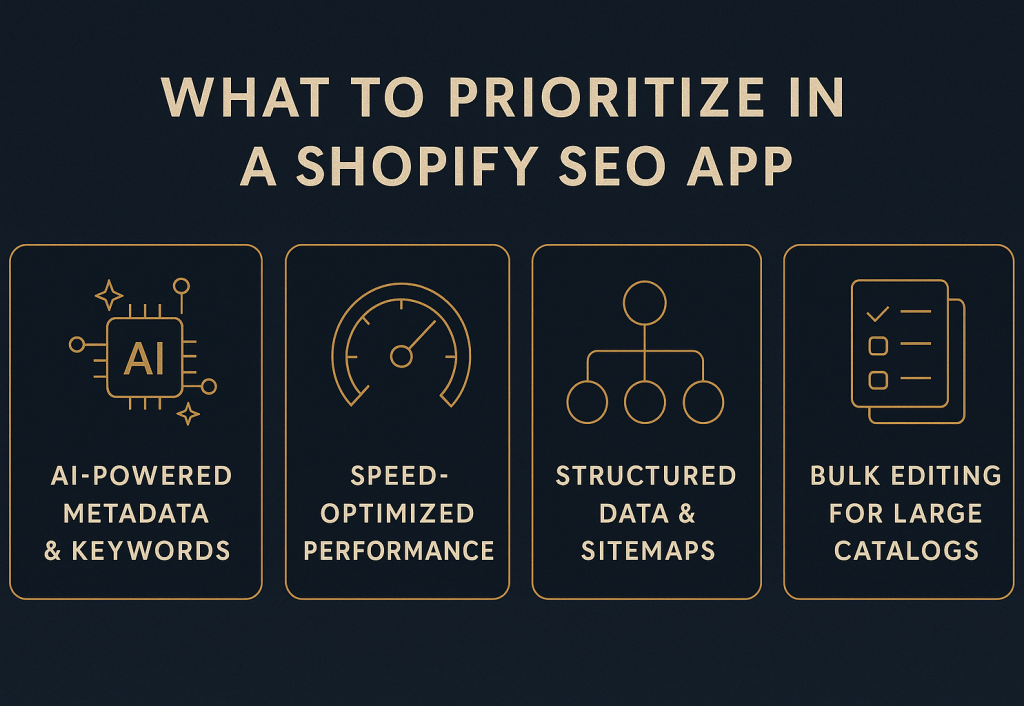
Quattro criteri principali che rendono un'app SEO per Shopify degna di essere testata.
L'IA è utile qui, ma solo se revisioni gli output e li mantieni allineati con la voce del tuo brand.
2. Prestazioni ottimizzate per la velocità
La velocità è un fattore di ranking e conversione. Evita app che gonfiano il tuo storefront.
Scegli app che:
- Si caricano in modo efficiente
- Non iniettano script grandi su tutto il sito
- Permettono attivazione selettiva per pagine specifiche
- Condividono dashboard di velocità o feedback Core Web Vitals
3. Strumenti per dati strutturati e sitemap
I temi Shopify variano molto. La tua app dovrebbe fornire:
- Schema prodotto
- Schema collezione
- Schema breadcrumb
- Test dei risultati ricchi
- Aggiornamenti dinamici e puliti della sitemap
4. Editing bulk e supporto per cataloghi grandi
Se gestisci 500+ prodotti, gli strumenti bulk sono essenziali. Conferma:
- Modifiche bulk per prodotti, collezioni, blog
- Impostazioni import/export
- Controlli per template o tipo di pagina
5. Compatibilità con tema e PageFly
Se usi PageFly (o builder simili), verifica la compatibilità per prima.
Una buona app dovrebbe funzionare con i tuoi template esistenti senza richiedere modifiche al codice rigide.
Una strategia SEO pratica per Shopify (con o senza app)
Le app dovrebbero supportare un piano SEO strutturato. Inizia con le pagine ad alto impatto e procedi verso l'esterno.
Passo 1: Correggi prima gli errori tecnici
Esegui un crawl e pulisci:
- Pagine 404
- Catene di redirect
- URL duplicati
- Problemi con tag canonical
Queste correzioni migliorano la crawlability rapidamente.
Passo 2: Ottimizza le pagine top di prodotti e collezioni
Concentrati sul top 20% di pagine che generano la maggior parte dei ricavi.
Aggiorna:
- Title
- Intestazioni H1
- Meta descrizioni
- Testo prodotto (evita duplicati)
Passo 3: Costruisci link interni sistematicamente
I link interni distribuiscono autorità. Fallo deliberatamente:
- Linka dalle pagine categoria ai best seller
- Correggi pagine orfane
- Crea contenuto pillar e linka alle collezioni
Passo 4: Aggiungi dati strutturati specifici per Shopify
Lo schema è più importante nell'e-commerce perché aumenta i risultati ricchi.
Mira allo schema su:
- 70%+ delle pagine prodotto
- Collezioni
- Breadcrumb
- Recensioni (quando rilevanti)
Passo 5: Gestisci la SEO multilingua correttamente
Se servi più locali, hai bisogno di segnali puliti.
Implementa:
- Tag hreflang
- Metadati tradotti
- Sitemap specifiche per lingua
- Canonical corretti per locale
Questo riduce le duplicazioni e aumenta le impressioni per mercato.
Passo 6: Proteggi la velocità in ogni passo
I guadagni SEO svaniscono se il tuo negozio diventa lento.
Obiettivi:
- Tempo di caricamento mobile sotto 2 secondi
- LCP < 2.5 sec
- CLS < 0.1
Fallo con:
- Compressione immagini (WebP)
- Lazy loading per asset below-the-fold
- Minificazione CSS/JS
- Rimozione app inutilizzate
Automazione della SEO on-page con app
L'automazione è più utile per negozi con cataloghi medio-grandi.
Automazione tag title
Mantieni i title coerenti e unici.
Una formula affidabile:
{Keyword primaria} – {Nome prodotto} | {Brand}
Regole:
- Sotto 60 caratteri
- Keyword primaria per prima
- Nessun duplicato
Automazione meta description
Le meta description migliorano il CTR. Usa un template pulito come:
Scopri {prodotto}. {caratteristica/beneficio}. Spedizione veloce e resi facili.
Regole:
- 150–160 caratteri
- Beneficio chiaro + CTA
- Evita il riempimento di keyword
Automazione testo alt
Il testo alt supporta l'accessibilità e la SEO delle immagini.
Esempio di template:
{prodotto} in {collezione} che mostra {caratteristica}
Regole:
- Sotto 125 caratteri
- Descrittivo, non spam
- Includi keyword solo se naturale
Dopo gli aggiornamenti bulk, re-invia la tua sitemap per accelerare l'indicizzazione.
Misurare l'impatto e dimostrare il ROI
Non hai bisogno di strumenti complessi. Hai bisogno di chiarezza e coerenza.
Traccia settimanalmente:
- Ranking keyword (cluster prioritari)
- Traffico organico e pagine di atterraggio
- Velocità di indicizzazione
- Cambiamenti CTR
- Conversioni e ricavi organici
Usa una formula ROI semplice:
ROI = (Ricavi organici – Costi SEO) ÷ Costi SEO × 100
Includi costi app e costi contenuti. Se il ROI è positivo e stabile, continua a scalare.
Ridurre il bloat delle app migliorando la SEO
Più app = più script = negozio più lento.
Esegui un audit trimestrale:
- Rimuovi prima le app a basso ROI.
- Consolida funzioni sovrapposte in uno strumento.
- Differisci o async script non critici.
- Carica widget pesanti solo dopo interazione utente.
In pratica, rimuovere 2–3 app può ridurre il payload JS di 150–300 KB e migliorare l'LCP di ~0.3–0.7 secondi. Questo di solito aumenta sia i ranking che i tassi di conversione.
Conclusione finale
Le app SEO per Shopify valgono la pena se fanno due cose:
- Mantengono il tuo negozio veloce.
- Forniscono un aumento misurabile nel traffico organico o nelle vendite.
Inizia con un'app, testa per 6–8 settimane e prendi la decisione sui dati. Combina l'automazione con una strategia SEO strutturata e vedrai risultati composti in 8–12 settimane.
📚 Altro su SEO & Marketing Digitale
- SEO per Ecommerce - La Guida Definitiva per Aumentare Visibilità e Vendite nel 2026
- Guida URL Canonical per Shopify - Come Correggere Contenuti Duplicati e Migliorare la SEO
- Audit SEO in 10 Passi per E-commerce - Una Guida Pratica (2026)
- Checklist SEO per Shopify - La Guida per Principianti (2026)
- SEO Ecommerce 2026 - La Guida Completa a Strategia e Tendenze
Invia una breve richiesta
Descrivi sito, obiettivi, pubblico e budget per discutere una proposta.