Beginnersgids - Hoe begin je met leren programmeren vanaf nul


Begin met een dagelijkse oefening van 20 minuten, kies één taal die aansluit bij je doelen, en maak er een klein project van dat je boeit. Richt je eerst op basics concepten: variabelen, typen, besturingsstroom en eenvoudige datastructuren. Bouw korte programma's die elk idee illustreren, en refactor ze daarna om duidelijker denken en structuur te tonen. Deze infrastructuur ondersteunt evoluerend begrip zonder je later te overweldigen met syntaxis.
Maak leren tot een praktische routine die in je leven past. Bouw een klein portfolio op van enkele startprogramma's, en breid onderwerpen geleidelijk uit naarmate je zelfvertrouwen groeit. Deze aanpak houdt je weg van overbelasting en helpt je concrete resultaten te zien in plaats van doelloos door abstracties te dwalen.
Maak oefenen tot een gewoonte die in je leven opgaat. Na verloop van tijd zul je steeds betere resultaten opmerken. Volg je voortgang met een lichtgewicht journaal en een portfolio van enkele kleine projecten. Als je vastloopt, schakel over naar een gerelateerd onderwerp om momentum te behouden, in plaats van dezelfde fouten te herhalen. Gelukkig zijn er gratis bronnen en communities die echte feedback kunnen bieden. Behandel sessies als muziek: regelmatig, voorspelbaar en expressief, zodat je vooruitgang opmerkt terwijl je doorgaat.
Laat je professionele interesses je besluitvorming sturen. Richt je leren op onderwerpen die aansluiten bij mogelijke carrières, zoals webontwikkeling, data-analyse of tooling. Je ervaringen zullen bepalen wat je daarna nastreeft, en de redenen waarom je gemotiveerd blijft moeten duidelijk zijn. Bouw een lichte infrastructuur voor leren: een versiebeheer-map voor projecten, testgevallen en een eenvoudige CI-workflow om vooruitgang te tonen aan mentoren of peers. Sommige hiaten die je nu identificeert, worden later sterke punten als je ze documenteert. Blijf bepaald en gefocust, en je pad zal voorspelbaarder ontvouwen.
Tegenover veelvoorkomende mythen over snelle beheersing, ga door met iteratie en geduld. Onthoud dat het pad niet lineair is – er zijn herhalende cycli van proberen, reflectie en aanpassing. Houd je ogen gericht op de grotere doelen: een stabiele routine, een zichtbaar portfolio, en een besluit om door te gaan zelfs als resultaten langzaam komen. Je nuttigste ervaringen komen door consistente oefening, niet door geluk, en je zult je capabeler voelen naarmate je ervaringen opbouwt en je denken verfijnt.
Praktische Startroutekaart voor Absolute Beginners
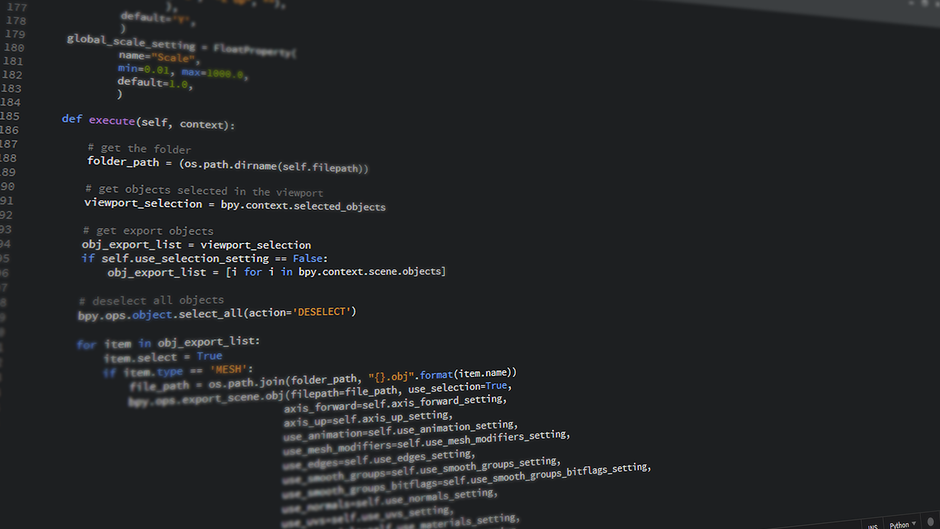
Aanbeveling: Stel een vaste schema in – 30 minuten elke werkdag voor oefenen plus 90 minuten in het weekend – en richt op twee kleine projecten om vooruitgang te tonen tegen week vier.
Stap 1: Focus op taal en basistools Kies Java als je focus-taal om een solide basis te bouwen. Installeer JDK, kies een lichte IDE (VS Code of IntelliJ Community), en bevestig de omgeving met een eenvoudig programma dat een regel tekst print. Houd een schone achtergrond en minimaliseer afleidingen; een korte muziek afspeellijst kan helpen om momentum te behouden zonder aandacht te stelen.
Stap 2: Bouw een dagelijkse oefenroutine op Reserveer 3–5 korte drills per dag: variabelen, conditionals, loops en eenvoudige datastructuren. Houd een log bij van resultaten om de mate van verbetering te meten; als je vastloopt, pauzeer een minuut, adem, en hercontroleer de intentie. Gebruik realistische verwachtingen; vermijd het om taken in marathonsessies te veranderen; een steady cadans verslaat uitbarstingen.
Stap 3: Creëer twee micro-projecten die je kunt tonen Voorbeeld: een rekenmachine, een to-do lijst, of een kleine parser. Implementeer met objectgeoriënteerde basics in Java; schrijf tests als mogelijk. Elk project moet één concept demonstreren, gedrag documenteren en zichtbare resultaten produceren. Werken met een partner kan helpen, vooral voor feedback; vermijd isolatie door dagelijks vooruitgang te delen. Gebruik mentoren en peers om verbetering te versnellen.
Stap 4: Debuggen en iteratieve verbetering Beschrijf het probleem in eenvoudige taal, reproduceer het gedrag, en som concrete oplossingen op. Oefen met het lezen van fouten, pas code aan en herstart. Deze gewoonte bouwt veerkracht op en vermindert frustratie; blameer niet, los op. Houd een pauzeknop op problemen; houd een record bij van fixes om later te hergebruiken.
Stap 5: Volg vooruitgang, reflecteer en presenteer Aan het einde van elke week, bekijk wat werkte, noteer interessante soorten taken die je genoot en die vooral effectief waren, en kies verbeteringen. Maak een beknopte achtergrondparagraaf voor elk project, en een snelle showcase-slide of readme. Een groeimindset-cultuur profiteren van reflecties, maar vermijd isolatie; bereik uit naar leiders of peers voor feedback; deze kameraadschap helpt je productief te voelen en gemotiveerd te blijven. Wanneer je meet, zie je hoe gevoelens verschuiven naarmate vaardigheid groeit, en laat afleidingen je niet meer ontsporen. Versnel je groei door een eenvoudig voortgangslog bij te houden en kleine mijlpalen regelmatig te vieren. Naast je hoofdtaak, plan tijd voor reflectie.
Definieer je doel en kies een beginner-vriendelijke taal
In deze sectie, kies een starttaal op basis van je doel: voor het automatiseren van routines of datataken biedt Python snelle resultaten; voor dynamische pagina's schittert JavaScript. Installeer de benodigde runtime, kies een vriendelijke editor, en voltooi een hands-on project om het plan vast te zetten.
Wat is het plan? Verduidelijk het eindresultaat dat je wilt bereiken in je projecten: een klein portfolio, een interview-klaar demonstratie, of een set herhaalbare scripts. Er is geen mysterie: vind gidsen in ontwikkelaarscommunities over plaatsen en samenlevingen, en luister naar mensen die dit pad hebben bewandeld. De inspanning die je nu investeert, betaalt zich uit in minder heen-en-weer later.
Bij het afwegen van je keuze, overweeg de taken die je wilt voltooien, de beschikbare ondersteuning, en het ecosysteem rond de taal. Deze golf van coders zelf tendeert om sneller vooruit te gaan bij hands-on oefening. Python's bibliotheken en de enorme community-gidsen maken veel voorkomende taken eenvoudiger; JavaScript maakt snelle front-end experimenten mogelijk. Welk pad je ook kiest, maak een plan, zorg ervoor dat je duidelijk gedefinieerde sets kleine mijlpalen hebt.
Eerste-week plan: drie hands-on taken die praktische capaciteit demonstreren. In sectieforums, vind mensen die hun eigen routes uitfiguren; coders delen wat hen het meest hielp; ze figuren dingen uit. Als een taak zwaar voelt, laat het voor een latere ronde en begin met een kleinere om momentum op te bouwen. Er is geen schaamte in koers aanpassen; zet een tempo, volg vooruitgang, en blijf elke dag oefenen.
Houd een back-pocket log bij van wat je bouwde: een gesecationeerd portfolio van kleine projecten en sets experimenten. Dit helpt je ontwikkelaars je praktische resultaten te tonen wanneer interviewtaken opkomen. De samenleving van lerenden biedt feedback; horen over benaderingen van andere mensen kan nieuwe ideeën sparkelen. Als je stagnatie opmerkt, ga terug naar basics en herzie je plan, maar pauzeer niet te lang.
Stel een eenvoudige codeeromgeving in
Installeer Sublime Text, installeer Package Control, en voeg het LiveReload-pakket toe, maak dan een kleine werkruimte met index.html en styles.css. Deze volledige setup verloopt soepel voor snelle iteratie en laat je HTML schrijven, previewen in een browser, en snel itereren zonder extra fluff.
Open de map in Sublime Text, gebruik de LiveReload-workflow om te verversen bij opslaan, en begin met een eenvoudige html-pagina, index.html gekoppeld aan styles.css en script.js. De test runt lokaal, vermijdt cloud-afhankelijkheden en houdt je in een echte positie om je te focussen op kleine veranderingen in plaats van grote herschrijvingen. Deze aanpak prioriteert een gefocuste mindset en een positie verbeterd met oefening.
Voor begeleide paden biedt Coursera een bron die HTML, CSS en basisinteractiviteit dekt, vooral voor hands-on projecten die bij je interesses passen. De waarheid is dat een gefocuste, kleine routine leidt tot echte vooruitgang. Wat bedoeld wordt met een lokale dev-setup wordt duidelijker door oefening; door mezelf zie je wat werkt, en later kun je uitbreiden wanneer je er klaar voor bent.
Als je in Afrika of vergelijkbare contexten bent, houd een kleine toolkit: een lichte browser, offline referenties, en een lokale server die zonder internet runt. Werk aan kleine problemen en schaal later. aires communities of coder-meetups kunnen feedback bieden, en je leert door peers wat goed werkte. Senior lerenden profiteren vooral van het delen van strategieën en wat herhaaldelijk werkte in de praktijk. Uiteindelijk krijg je vertrouwen om interactiviteit of extra talen toe te voegen.
Gebruik een eenvoudige checklist: assets bestaan, de pagina laadt, en veranderingen verschijnen na opslaan. Dit oefenen traint een gefocuste gewoonte, en je kunt problemen oplossen door ze in kleine stappen te breken. Je kunt vooruitgang meten aan het aantal toegevoegde features per sessie. Door deze stappen krijg je een duidelijker begrip van wat bedoeld wordt met een productieve omgeving voor jezelf.
Beheers de basics met kleine, dagelijkse oefeningen
Je keuze voor dag één is een kleine html-pagina over jezelf. Stel een timer van 15 minuten in en voltooi de basisstructuur van de pagina, inclusief een header, een korte bio, en een footer.
- Stel een dagelijkse blok van 15 minuten in en kies één enkel doel dat je kunt voltooien – een mini-pagina, een klein script, of een data-snippet.
- Prioriteer structuur: gebruik semantische html, houd styles lean, en behoud een leesbare lay-out zodat je vooruitgang in momenten kunt zien.
- Breid geleidelijk uit: voeg elke dag één eenvoudige feature toe, zoals een link naar een tweede pagina of een CSS-aanpassing, om vertrouwdheid met architectuur en ontwikkelpatronen te versnellen; zet meer projecten naast de hoofd-pagina.
- Houd een kort voortgangslog bij: noteer wat je bouwde, waar de ideeën bestaan in je begrip, de momenten van vooruitgang, en de kennis die je elke dag opdeed.
- Kijk 2–3 korte video's om concepten te versterken, repliceer dan patronen op je html-pagina of een klein java-snippet om logica in actie te zien.
- Vraag iemand die je vertrouwt om feedback; hun perspectief horen helpt je te voelen wat je moet aanpassen en wat eenvoudig te houden.
- Publiceer een klein project en deel een link in een chat of ruimte waar anderen het kunnen zien; zelfs een kleine release kan ideeën en aanmoediging sparkelen.
- Analyseer de dood van een feature om te leren waarom het faalde en hoe dezelfde misstap te vermijden.
- Bekijk de week's geschiedenis van wat je bouwde en map het naar een overall pad dat html-basics, eenvoudige scripts en data-concepten linkt.
- Beslissen wat je volgende leert wordt sneller als je uitkomsten volgt; je nieuwsgierige geest zou van dit ritme genieten en je zou steady vooruitgang opmerken.
Creëer je eerste kleine projecten om lessen toe te passen

Kies één klein project dat je in een paar uur kunt voltooien: een dynamische html-pagina die je naam, laatste interesses en een korte lijst van je hobby presenteert. Maak duidelijke plannen, pak templates, en download starter-apps om resultaten gemakkelijk te previewen en overal te delen.
Voeg een tweede micro-project toe om logica te oefenen: een kleine to-do lijst of een quiz die in de browser runt. Schets eenvoudige algoritmes voor de interacties, en houd scripts modulair in templates zodat verbeteren sneller wordt. Als je een breder showcase wilt, bouw een apps-pagina met een directe download-link en een klein catalogus van programma's die je probeert.
Om gefocust te blijven, versnelt加入 een groep feedback. Een eenvoudige projectmanager houdt taken georganiseerd, en het vinden van onderwerpen die bij je interesses passen maakt het kiezen van taken makkelijker. Je kunt alleen werken of met een vriend, en het gaat voorbij de basics door nieuwe features toe te voegen. Laat notities in het script om toekomstige jou te herinneren.
Buiten de basics, reflecteer op je methoden en zoek manieren om sneller te gaan: hergebruik templates, los problemen snel op, pas plannen aan, en probeer nieuwe apps via de laatste bronnen. Wanneer je één klein project beheerst, kun je schalen naar complexere programma's, je vaardigheden als programmeur verbreden, en een solide starter-portfolio achterlaten.
Schets een leerplan en betrouwbare gratis bronnen
Begin met een 12-week cyclus: drie blokken – fundamenten, praktische projecten, en review. Binnen de eerste zes weken, dek kernstructuren, besturingsstroom, functies en probleemoplossing af door kleine, herhaalbare oefeningen. Plaats een vast wekelijks tijdbudget van 5–6 uur en richt op één hands-on project elke twee weken om tastbare resultaten te krijgen.
Beoordeel je situatie en kies een duurzaam ritme. Ongeacht je achtergrond, stel wekelijkse mijlpalen in: beheers een set structuren, voltooi een micro-applicatie, en review uitkomsten. Gebruik community-ondersteuning en sluit je aan bij peers voor feedback; als andere plichten botsen, heronderhandel deadlines maar houd het ritme.
Gratis bronnen en programma's: verken freeCodeCamp's uitgebreide programma's, The Odin Project's full-stack pad, MDN Web Docs, Khan Academy computing-lessen, en W3Schools voor snelle referenties. Bij twijfel helpt googlen voor uitleg en bronnen vergelijken. Oefen door een kleine applicatie te bouwen om concepten over talen en tools te verbinden.
Structureer de week met duidelijke blokken: theorie, hands-on oefening met praktische oefeningen, en een finale mini-project. Ga door niveaus: begin met een klein project, dan een completere applicatie. Verken plaatsen om te leren: online platforms, community-meetups, en campusclubs. Sluit je aan bij een community die ingenieurs en andere professionele peers omvat om echte patronen en workflows te observeren. Pas wat je leert toe op echte werklasten.
Volg vooruitgang met een eenvoudig figuur: wekelijkse doelen, tests, en een lopend log. Vestig dagelijkse gewoonten rond doelgerichte oefening en duidelijk gedrag; de duidelijke winsten verschijnen wanneer je lessen toepast op nieuwe projecten. Voor accountability, documenteer uitkomsten en deel een korte recap met je community.
Ready to leverage AI for your business?
Book a free strategy call — no strings attached.


