Hosting Partajat vs VPS Hosting - Care este alegerea potrivită pentru dumneavoastră?
Vă confruntaţi cu alegerea între hosting partajat şi VPS? Descoperiţi soluţia ideală pentru traficul şi bugetul dumneavoastră, comparând performanţa, scalabilitatea şi securitatea.


Începeți cu o configurație multi-tenant dacă site-ul Dumneavoastră are trafic redus și configurații simple; este ușor de utilizat, se aliniază cu prețuri predictibile, și vine cu configurare rapidă. Atunci când perioadele aglomerate extind resursele, upgradarea la o configurație server privat devine sensibilă, deoarece oferă control complet și izolare mai bună.
În practică, o opțiune server privat oferă mai mult control asupra configurațiilor, instalărilor și rolurilor de securitate; puteți personaliza setările rețelei, instala stack-uri preferate și susține mai mulți clienți într-un singur mediu. Compromisul constă în prețuri mai mari și overhead de management, dar se scalează pe măsură ce traficul crește, iar necesitățile viitoare tind să reducă fricțiunea în timpul upgradelor. Această alegere influențează, de asemenea, fiabilitatea găzduirii și experiența clienților.
Dacă conduceți o afacere aglomerată cu personal limitat, panoul de control ușor de utilizat și copiile de rezervă automatizate sunt esențiale; din acest motiv, multe echipe aleg un plan care vine cu servicii gestionate, întreținere de rutină și upgrade simplu. Pentru creșterea viitoare, o abordare în etape vă păstrează opțiunile deschise, reducând în același timp downtime-ul în timpul upgradelor.
Regulă de bugetare: începeți cu un nivel de bază sub 10–15 USD/lună când site-urile sunt mici; luați în considerare niveluri mai înalte în jurul 30–60 USD/lună pe măsură ce adăugați funcții și vizitatori; un server privat ar putea începe în jurul 40–80 USD/lună în funcție de CPU, RAM și disc, și se scalează cu memorie sau stocare adăugată. Dacă aveți mai multe site-uri, le-ați putea grupa sub un singur plan, economisind timp și facilitând upgradarea.
Atunci când decideți, evaluați necesitățile viitoare: trafic zilnic, vârf
Atunci când decideți, evaluați necesitățile viitoare: traficul zilnic, sarcina de vârf și rolul debitului de date. Dacă aplicațiile sensibile la latență se bazează pe o rețea strânsă, alegerea server privat oferă o contenție mai redusă. Dacă clienții Dumneavoastră necesită o disponibilitate de 99,9%, comparați SLA-urile și metricile de performanță între furnizorii în perioadele de reînnoire períodelor, nu doar la înregistrare.
Pe scurt, multe proiecte mici încep cu o opțiune completă, ușor de utilizat multi-tenant; planificați o cale de upgrade în etape legată de perioadele de trafic períodelor și configurații în creștere. Această abordare ține configurația mai ușor de gestionat, rămânând gata pentru creștere viitoare și upgrade.
Considerații cheie pentru alegerea între Hosting Partajat și VPS
Începeți cu opțiunea rentabilă dacă aveți trafic modest, nevoi de funcții limitate și doriți costuri predictibile. Pentru site-urile clienților cu profiluri simple, această cale adesea oferă disponibilitate fiabilă și configurare rapidă prin intermediul unui panou familiar, cum ar fi cpanel, ceea ce o face un punct de plecare practic.
Performanța depinde de alocarea resurselor. Într-un mediu de partajare, Dumneavoastră partajați resursele serverului cu mulți alți utilizatori, deci vitezele pot fluctua în timpul vârfurilor de trafic. Vizitatorii paginilor grele cu media ar putea experimenta răspunsuri mai lente chiar și cu hardware solid. Pentru a gestiona aceasta, alegeți planuri care specifică limitele resurselor, activează cache-ul și includ un plan transparent de test sau tutorial rapid pentru a evalua timpii de răspuns.
Managementul și controlul sunt de obicei simple, cu copii de rezervă integrate, funcții de securitate și o interfață ușor de utilizat. Acolo unde dorești să transferezi sarcini de rutină spre automatizare, această configurație poate oferi opțiuni simple prin intermediul cpanel sau instrumente similare. Dacă ați învățat noțiunile de bază, vă oferă o fundație solidă pentru actualizări de rutină și gestionarea conținutului.
Scalabilitatea și upgradele sunt importante pe măsură ce prezența digitală crește. Să începeți mic este obișnuit, dar ar trebui să bugetați pentru upgrade-uri pentru a conserva performanța pe măsură ce atrageți mai mulți vizitatori. Mediile găzduite pe un singur server pot gestiona o creștere moderată, totuși ați putea atinge o limită dacă traficul și activitatea plug-in-urilor cresc. Când se întâmplă aceasta, planificați o migrare la un server mai izolat pentru a evita blocajele și a menține disponibilitatea mare.
Considerații de cost și criterii de decizie: diferența de preț adesea favorizează opțiunea de buget, dar downtime-ul sau experiențele mai lente ar putea eroda economiile. Evaluați aspecte cum ar fi experiența clienților, rezultatele testelor și unde vedeti creșterea. Dacă valorizați controlul granular, copiile de rezervă fiabile și performanța predictibilă, ați putea alege ruta mai flexibilă și scalabilă, care suportă upgrade-uri fără întrerupere.
Defalcarea costurilor: taxe inițiale vs taxe recurente
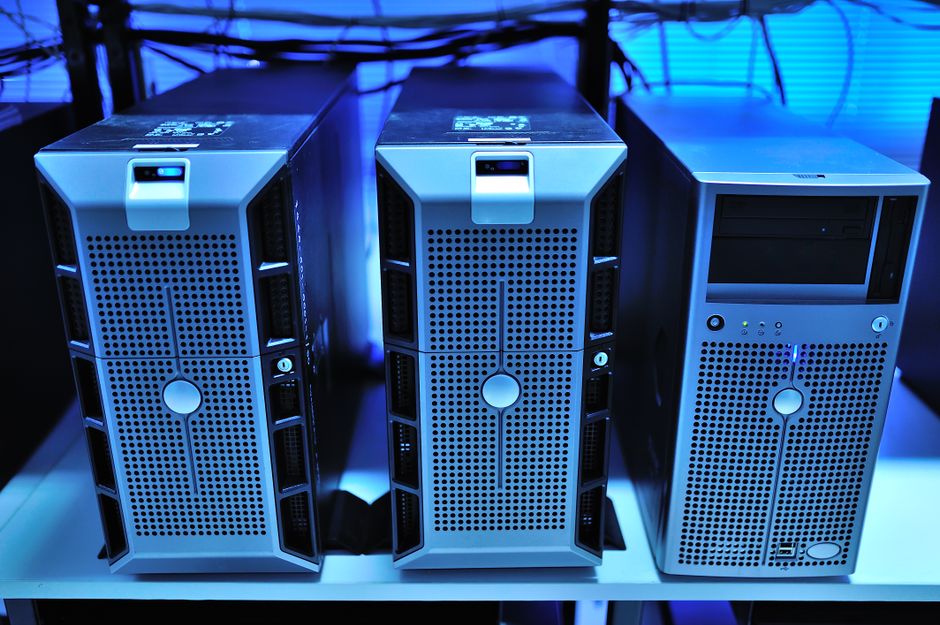
Alegeți un plan cu taxe inițiale minime și rate recurente predictibile; upgrade mai târziu pe măsură ce cerințele cresc.
- Costuri inițiale
- Înregistrare domeniu sau transfer: de obicei 10–15 USD pe an; unele promoții renunță la primul an.
- Migrare inițială sau configurare: 25–150 USD în funcție de complexitatea site-ului; bugetele partajate tind spre capătul inferior.
- Certificate SSL: mulți furnizori includ SSL de bază prin Cloudflare; SSL dedicat adaugă 15–50 USD dacă nu este inclus.
- Licențe panou de control și add-on-uri: licențele, copiile de rezervă sau monitorizarea pot adăuga 0–30 USD la înregistrare.
- Creștere resurse la înregistrare: selectarea unui nivel mai înalt ar putea ridica echivalentul lunar; tratați aceasta ca parte din primul ciclu.
- Costuri recurente
- Preț plan pe lună: de obicei 2–6 USD pentru nivel de intrare, 6–15 USD pentru intervalul mediu, 20+ USD pentru configurări mai grele.
- Reînnoire domeniu: 10–15 USD pe an (socotit anual); reducerile ar putea apărea atunci când combinați mai multe domenii.
- Copii de rezervă și securitate: incluse în unele planuri; opțiunile premium costă 2–10 USD lunar.
- CDN sau Cloudflare: nivelul gratuit acoperă multe site-uri; planurile plătite adaugă 8–20 USD lunar dacă este necesar.
- Upgrade-uri resurse: creșterea memoriei și CPU sunt facturate lunar pe măsură ce cererea crește; așteptarea creșterii ar putea declanșa o cale de upgrade.
- Suport și monitorizare: suportul de bază inclus; nivelurile mai înalte costă 0–12 USD lunar în funcție de SLA-uri.
- Economii din angajamente anuale: de obicei o reducere de 10–30% a încărcărilor lunare atunci când alegeți facturarea anuală, creând economii pe parcursul anului.
- Impact al sarcinilor de lucru: sarcini elementor grele ar putea împinge utilizarea memoriei; ați putea vedea timpuri mai lente dacă resursele sunt strânse, declanșând upgrade.
Caz: un proiect lean beneficiază de bugetare stil flatshare–începeți cu un plan lean, apoi scalați pe măsură ce traficul crește; ținuți o listă strictă de cerințe și adăugați doar ceea ce dă un beneficiu clar.
Sfaturi pentru a optimiza costurile rapid: caching Cloudflare, limitați plug-in-urile, monitorizați cererile cu analitics, și alocați o porțiune dedicată a bugetului pentru copii de rezervă și securitate.
Limite de resurse și cale de scalare
Începeți cu o linie de bază: dacă utilizarea CPU susținută depășește 75% sau RAM depășește 70% peste 48 de ore, mutați-vă la o instanță virtualizată privată cu mai multe resurse pentru a menține timpii de răspuns buni și a evita compromisul de performanță.
Linie de bază pe hosting-uri multi-tenant: 1 vCPU, 2 GB RAM, lățime de bandă susținută 40-80 Mbps; monitorizați cu hpanel; dacă sarcina Dumneavoastră crește, măriți la 2 vCPU și 4 GB RAM, și adăugați 50-100 Mbps mai multă lățime de bandă pentru a menține performanța bună.
Securitate și stabilitate: aplicați limite moi pentru a preveni blocajele; o apărare tipică este 1000 conexiuni baze de date simultane și 300-500 IOPS; monitorizarea acestora previne încetinirile la nivel rădăcină în timpul vârfurilor de trafic.
Cale de scalare: scalarea verticală adaugă CPU și RAM la aceeași instanță; dacă traficul continuă să crească dincolo de o singură cutie, scalarea orizontală prin adăugarea altei VM private după un echilibrator de încărcare este cea mai bună cale pentru a servi mulți clienți cu latență redusă pe rețea.
Conștientizarea costurilor: mențineți costurile sub control prin scalare dinamică; Dumneavoastră plătiți mai mult doar atunci când cererea crește; comparați nivelul curent cu configurații alternative în hpanel; adăugați stocare ca capacitate SSD sau NVMe suplimentară pentru a gestiona datele în creștere fără a încetini interogările; revizuiți backlog-ul și lungimea cozii pentru a evita experiența utilizatorului compromisă.
Metrici de urmărit: cereri pe secundă, rată de eroare, lungimea cozii, utilizare CPU/RAM, latență la p95; dacă orice metrică depășește o prag în timpul unui interval susținut, declanșați un upgrade la un nivel mai înalt; păstrați suficient margine pentru a gestiona vârfuri și a menține în continuare o experiență de utilizator confortabilă. Această abordare face calea între etape predictibilă și bună pentru oricine gestionează resurse ca client în medii în creștere. Orientările experților recomandă o cale de migrare în etape pentru a minimiza downtime-ul.
Teste de performanță și gestionarea încărcăturii
Alegeți medii private, scalabile atunci când vârfuri susținute și sarcini dinamice sunt așteptate; în caz contrar, un plan multi-tenant oferă costuri favorabile și partajare flexibilă a resurselor.
Performanță și gestionarea încărcăturii
Diferența practică se arată sub sarcină. Planurile partajate multi-tenant sunt rentabile și bune pentru site-uri mai statice sau cu trafic redus, dar performanța devine mai puțin predictibilă pe măsură ce concurența crește, deoarece partajați CPU, memorie și I/O cu alți utilizatori. Mediile private sau de stil VPS vă oferă resurse rezervate și limite mai predictibile, deci rezistă mai bine în vârfurile susținute și sarcinile dinamice și explozive, cum ar fi paginile conduse de CMS și fluxurile de plată. Ca regulă generală: alegeți hosting partajat pentru site-uri simple, cu concurență redusă și mutați-vă la VPS odată ce traficul este constant, dinamic sau critic pentru venit.
Tehnici cum ar fi caching-ul, CDN, HTTP/2 și pooling-ul asigură că performanța rămâne puternică; prin urmare, construirea unei strategii multi-straturi reduce riscurile în vârfurile bruște. Gândiți-vă în termeni de trei sarcini de bază–static, dinamic, checkout–pentru a mapa capacitatea la nevoi. Setarea în planificarea capacității ar trebui să reflecte încărcarea de vârf așteptată, deci configurații în etape cu un mediu privat mic în dezvoltare și un plan de scară privată mai mare în producție mențin răspunsul site-ului consistent. Aceasta gestionează și costurile deoarece plătiți pentru capacitate pe care o utilizați de fapt, nu resurse inactiv. Pentru oricine caută soluții de încredere, gata din punct de vedere digital, aceste practici oferă câștiguri vizibile.
Securitate, izolare și protecția datelor
Recomandare: optați pentru medii server virtual izolate cu controale de acces strict, actualizări de securitate automate și criptare încorporată; aceste opțiuni oferă protecție live mai bună și operare stabilă.
Pentru a decide pe baza dovezilor, comparați trei piloni: nivel de izolare, criptare în repaus și în tranzit, și controale perimetrului rețelei. Diferitele configurații de portofoliu de enterprise beneficiază de protecții scalabile pe perioade de creștere. Echipa poate ajuta la alegerea unei oferte care integrează securitatea edge Cloudflare și se aliniază cu practicile de securitate Google. Există teste concrete; rezultatele căutării devin mai clare atunci când vă aliniați cu toleranța la risc interna și strategia de portofoliu. Există avantaje și metrici care arată exact cât scade riscul cu controale mai strânse.
Oamenii și echipele mapează sarcini la controale de securitate; aceasta îmbunătățește pista de audit, răspunsul la incidente și responsabilitatea globală pe întreaga bază de active.
| Aspect | Server virtual izolat | Mediu multi-tenant |
|---|---|---|
| Izolare | Ridicată, pe bază de tenant | Moderată, containerizată cu sandbox |
| Funcții de securitate | RBAC, criptare în repaus, TLS | WAF, limitare rată, RBAC |
| Protecția datelor | Copii de rezervă, criptare în repaus, teste de recuperare | Copii de rezervă, criptare, recuperare după dezastru prin stocare centralizată |
| Scalabilitate | Scalare verticală, cost predictibil | Scalare orizontală, cost-eficace pe unitate |
| Sarcina operațională | Întreținere mai redusă dacă este gestionată de furnizor | Control mai mare, mai multă configurare necesară |
Concluzie: majoritatea echipelor beneficiază de opțiuni server virtual izolate, oferind o cale clară spre securitate și protecția datelor, ghidată de toleranța la risc și buget.
Overhead de management și cerințe de competență

Recomandare: Începeți cu opțiunea care minimizează gestionarea în curs; aceasta oferă capacitate predictibilă și reduce timpul rădăcinii. Dacă lățimea de bandă a echipei este limitată, alegeți un mediu care protejează operatorii de sarcini de rutină și poate oferi proprietarilor site-urilor mai mult timp pentru a se concentra asupra dinamicii portofoliului și îmbunătăților de performanță. Această abordare vă poate oferi spațiu pentru a vă concentra asupra portofoliului și evită over-commitment.
- decizia între opțiuni se bazează pe cadența evenimentului și nevoile de capacitate; un singur stack de automatizare de linie de bază ușurează onboarding-ul și reduce munca manuală.
- gestionarea sarcinilor și evenimentelor: actualizări de rutină, copii de rezervă și monitorizare conduc munca zilnică; un singur incident poate cascada dacă nu automatizarea gestionează rapid rădăcina cauzei.
- cerințe de competență: cunoștințe de linie de bază plus confort cu jurnalele și răspunsul la incidente; instruirea încrucișată susține reziliența portofoliului mai mare atunci când oamenii cheie sunt absenți.
- planificarea capacității: utilizează auto-scalare sau resurse rezervate pentru a menține performanța predictibilă în vârfuri; implementările mai mari beneficiază de controale mai strânse pentru a evita cheltuielile excesive.
- automatizare și overhead de management: instrumentele integrate plus proceduri de operare standard reduc munca manuală; standardizarea acestor proceduri ajută gestionarea pe întreaga echipă cu mai puțină eroare.
- limite de mediu: izolarea stil condo reduce razele de explozie; fiecare site acționează ca o unitate unică cu controale de acces clar și impact minim între site-uri.
- gestionarea portofoliului: un tablou de bord centralizat pe site-uri oferă o vizibilitate mai bună a utilizării și accelerează onboarding-ul site-urilor noi, ceea ce este mai ușor de aliniat cu obiectivele de afaceri.
- modele de utilizare: analizați traficul, frecvența evenimentelor și nevoile de caching pentru a stabili ținte de capacitate; evitarea over-provisioning-ului conservă cost și performanță.
- criterii de decizie: mapați obiectivele de afaceri la controale; aceasta este mai ușor de comunicat echipei și se aliniază cu toleranța la risc.
- guvernanță rădăcină: minimizați complexitatea rădăcinii; limitarea dependențelor scade riscul, deși ați putea schimba o oarecare flexibilitate pentru fiabilitate, totuși câștigați predictibilitate.
- ecosistem furnizor: examinați mediul utilizat de furnizori; un control cu panou unic, alerte fiabile și opțiuni de recuperare rapidă reduc overhead-ul și fac practicile adoptate mai durabile.
- guvernanță partajată: o abordare multi-tenant partajează resurse pe unități site; aceasta reduce riscul site-ului unic, dar necesită cote strânse pentru a evita contenția, ceea ce ține performanța predictibilă.
Trimite o solicitare scurtă
Descrie site-ul, obiectivele, publicul și bugetul pentru o propunere.


