AI videá produktov pre profesionálov v e-commerce – Prípady použitia, nástroje a najlepšie postupy
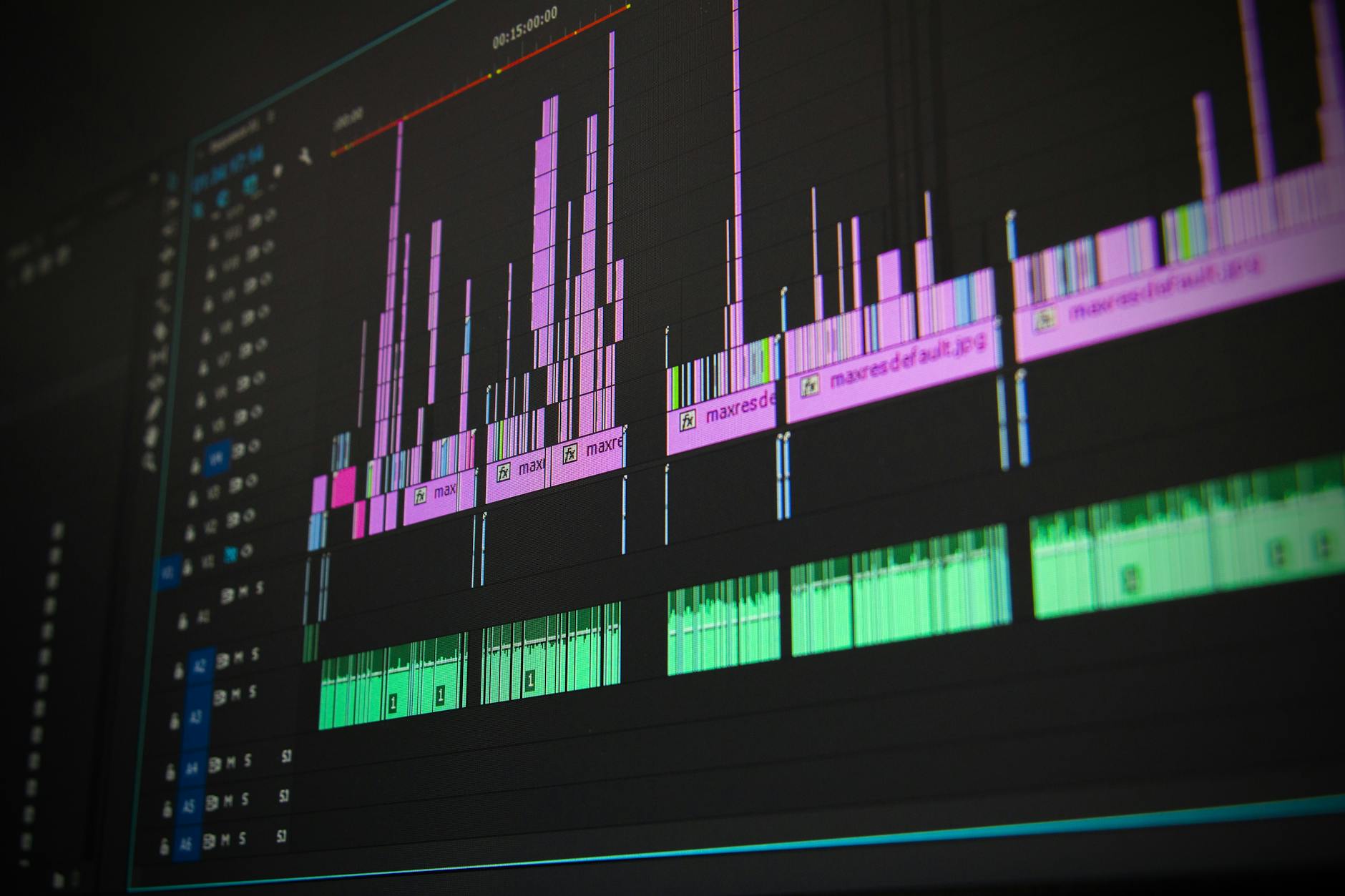
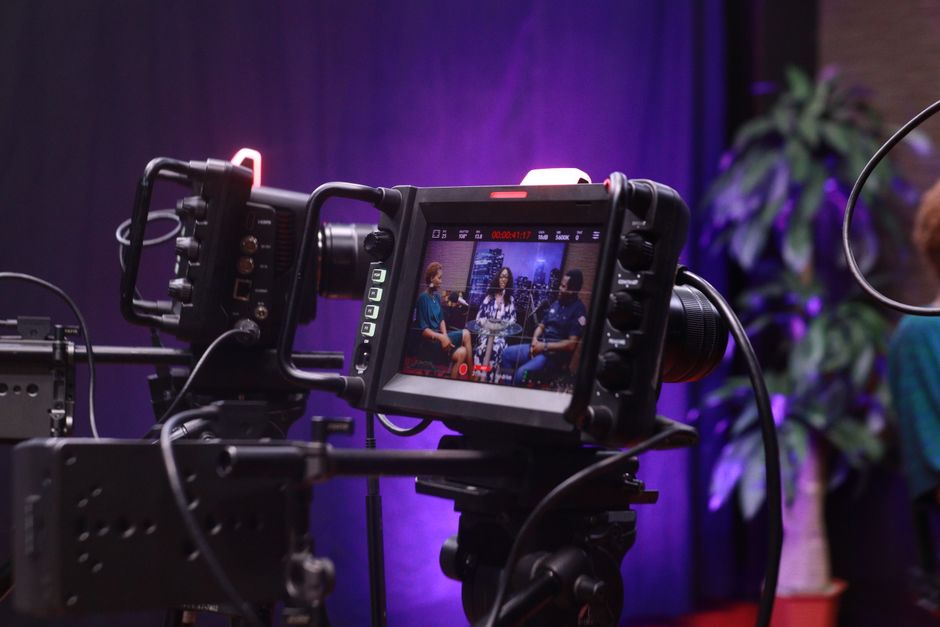
Vytvorte 30–60-sekundové AI produktové video pre vašich top 10 SKU v dávke dnes. Tento rýchly formát urýchľuje testovanie, objasňuje hodnotu a zvyšuje konverzie na produktových stránkach a v sociálnych kanáloch.
Prípady použitia zahŕňajú vytváranie pútavých vysvetľovačov, obrázkové detailné zábery pre farebné možnosti a sociálne klipy, ktoré ukazujú skutočné použitie. Pre komplexné produkty rozdeľte príbeh na scény: nastavenie, prevádzka, starostlivosť a riešenie problémov, aby ste pomohli zákazníkom vedieť, čo môžu očakávať, a znížiť požiadavky na podporu, ktoré poškodzujú retenciu.
Vyberte nástroje, ktoré podporujú základné pracovné postupy: AI šablóny skriptov, dávkové renderovanie, automatické titulky a obrázkové vrstvy. Vytvorte knižnicu opakovane použiteľných scén, aby ste mohli vybrať správne vizuály rýchlo, vytvoriť čerstvé videá bez začínania od nuly. Používajte šablóny na udržanie konzistentného tónu značky naprieč kanálmi.
Udržujte príbehy stručné, začnite s jasnou hodnotovou ponukou a zahŕňajte silné CTA. Pre zlepšenie retencie zahŕňajte rýchle tutoriály v videu alebo odkazujte na následné kroky. Merajte vplyv porovnaním konverzií z videí oproti reklamám len s obrázkami a upravte dávkovú veľkosť na základe výkonu. Ak video podáva slabý výkon, opakujte experiment s revidovanými vizuálmi; iterujte, kým neuvidíte nárast v konverziách a vplyve na značku.
Urobte videá pripravené pre landingové stránky zahŕňaním titulkov a prístupného textu; to pomáha pri uvedení značky do povedomia a retencii. Plánujte týždenný rytmus na udržanie prítomnosti značky, či už na sociálnych sieťach alebo vo výsledkoch vyhľadávania. Zabezpečte rýchle načítavanie a vyhnite sa pomalým úvodom, ktoré oneskoria zapojenie; zamierajte na silné otvorené momenty v prvých 3 sekundách. Tu je praktický kontrolný zoznam: skripty zarovnané s problémami používateľov, dávková produkcia, presné titulky a značky prístupnosti, ktoré uspokojujú zákazníkov aj členov tímu.
Krok 3: Vytvorte skript svojho produktu
Náčrtujte 30–45-sekundový skript s tromi blokmi: Háčik (0–5s), Hodnota (5–25s), CTA (25–40s). Urobte háčik odpoveďou na konkrétnu otázku alebo odvážnym výsledkom a použite pútavé vizuály, ktoré premenia záujem na akciu.
Zdôraznite hlavný prínos v prvých riadkoch, potom premeňte funkcie na hmatateľné výsledky. Zahŕňajte čísla, ako úspora času alebo zvýšené konverzie, aby ste urobili hodnotu jasnou pre publikum na trhovisku. Prispôsobte správu tejto generácii kupujúcich, ktorí prechádzajú a rozhodujú sa v sekundách, a používajte jazyk, ktorý zvyšuje zapojenie v každom snímku.
Používajte priamy, aktívny jazyk. Vyberte konzistentný tón, ktorý zodpovedá vašej značke, a udržujte ho stabilný naprieč scénami. Pripravte alternatívne vety pre otázky, ktoré by ste mohli položiť divákom, aby ste mali pripravené možnosti, ak budete musieť prispôsobiť počas produkcie alebo editácie. Táto hra o pozornosť odmeňuje stručné, konkrétne vyhlásenia. Plánujte, ako nahradíte placeholdery názvom vašej značky a aktívami, a ako môžete zmeniť farby alebo typografiu v post-produkcii.
V bloku Hodnota preložte funkcie na výsledky: rýchlejší checkout, jasnejšie pochopenie produktu, vyššie zapojenie. Dokumentujte merateľné výsledky: napr. „ušetriť 30 sekúnd na krok“ alebo „zvýšiť CTR o 12 %.“ To pomáha divákom sledovať pre relevantnosť a dôveru, pretože dáta porážajú generické tvrdenia.
CTA by malo viesť divákov k ďalšiemu kroku: nahrať video do vášho zoznamu na trhovisku alebo stiahnuť hotovú verziu pripravenú na publikovanie z vášho mediálneho centra. Povzbuďte ich vybrať plán, prispôsobiť farby a publikovať teraz. Skript by mal usmerňovať hercov alebo pohybové grafiky na jasné doručenie správy a mal by vysvetliť, ako urobiť zmeny podľa značky počas editácie.
Usmernenie storyboardu: použite tabuľku na mapovanie segmentov na časovanie a otázky, aby vaše edity zostali dynamické a rýchle. Tabuľka nižšie slúži ako kontrolný zoznam produkcie a pomáha editorom zarovnať sa s špecifikáciami platformy a formátmi médií.
| Segment | Dĺžka (s) | Akcia | Úryvok skriptu/Otázky | Vizuály |
|---|---|---|---|---|
| Háčik | 0–5 | Položte otázku alebo odvážny výsledok | „Strácate minúty každý deň čakaním na checkout?“ | Detailný záber, tučné zvýraznenie textu |
| Hodnota | 5–25 | Vysvetlite prínosy | „Ušetrite 30 sekúnd na krok; 12 % vyššia miera pridania do košíka“ | Produkt v použití, animácia UI |
| CTA | 25–40 | Usmernite k akcii | „Nahrajte teraz na trhovisko a začnite konvertovať“ | Farby značky, CTA tlačidlo, pohyb |
Definujte primárnu správu a cieľovú osobu kupujúceho pre skript
Odporúčanie: definujte jednu, merateľnú jadrovú správu, ktorá zdôrazňuje najrýchlejšiu cestu k nákupu s kvalitnými výsledkami, ukázanými prostredníctvom hmatateľných úspor. Integrujte túto správu naprieč pracovnými postupmi shopify pomocou productvideoai a postavte skript okolo tohto kotvy. To udržuje výstupy konzistentné a ľahko testovateľné naprieč SKU a sezónnymi kampaniami.
Rámovanie primárnej správy
- Zameranie na výsledky: uveďte nárast, ktorý diváci môžu očakávať v úmysle k nákupu alebo konverzii, a spojte ho s konkrétnymi kontextovými signálmi z vášho obchodu. Použite ostrú otvorenú riadku, ktorá nastavuje očakávania pre to, čo diváci naučia alebo uvidia.
- Kontext a relevantnosť: spojte správu so sezónnymi katalógmi, novými spusteniami a mixom SKU, o ktoré sa vašej audience stará. Udržte odkaz na SKU jasný a akčný.
- Dôkaz a dôveryhodnosť: ukážte rýchle, overiteľné indikátory kvality a úspor, ako krátky pred/po montáž, rýchly štítok so štatistikou alebo poznámku v pätičke, že „výstupy“ pochádzajú z productvideoai.
- Volanie k akcii: usmernite ďalšie kroky pre diváka, ako preskúmať krok-za-krokom onboardingový tok na shopify alebo začať pilot s malou sadou obrázkov a generátorov.
Kľúčové prvky na vloženie do každého segmentu skriptu
- To, čo je ukázané v otvorenom snímku: mikro-sľub rýchlejšieho nákupu a nižšieho úsilia.
- Pohyb a prechody: udržujte scény tesné s hladkými prechodmi, ktoré zdôrazňujú rýchlosť a jasnosť.
- Výstupy videa: odkazujte na ľahké výstupy, ktoré váš nástroj vytvára pre každé SKU, vrátane sad obrázkov a krátkych klipov.
- Signály kvality: zahŕňajte rýchlu poznámku na obrazovke o udržanej kvalite naprieč formátmi a zariadeniami.
- Obrázky a sady obrázkov: plánujte primárny obrázok plus 2–4 podporné varianty obrázkov na SKU.
- Čo sa oplatí testovať: aká je najlepšia kombinácia háčika, kontextu a dôkazu pre vašu kategóriu?
- Podpora: ukážte, ako jednoduché je integrovať s shopify, s krok-za-krokom vstupmi a šablónami.
Definícia osoby: cieľový kupujúci pre skript
- Rola: Manažér marketingu e-commerce alebo líder rastu v obchode založenom na shopify, zodpovedný za video aktíva a príbehy produktov.
- Ciele: skrátiť produkčnú dráhu, škálovať video aktíva naprieč desiatkami SKU a posilniť atribúciu pre sezónne kampane.
- Bolestivé body: dlhé produkčné cykly, nekonzistentná kvalita kreatívy a trenie pri aktualizácii katalógov s novými SKU.
- Kritériá rozhodovania: vplyv na ROI, jednoduchosť integrácie, čas onboarding, a jasná cesta k prispôsobeniu aktív bez ťažkej dizajnovej práce.
- Spúšťače nákupu: rýchly dôkaz vplyvu, predvídateľné výstupy v škále a kompatibilita s obrázkami, generátormi a existujúcimi pracovnými postupmi.
- Špecifické profily: riadi viacero kanálov, uprednostňuje rýchle víťazstvá a spolieha sa na dashboardy na monitorovanie výsledkov a úspor naprieč kampaniami.
Rámec skriptu a usmernenia produkcie
- Háčik (0–3s): predveďte relatable bolestivý bod alebo cieľ (najrýchlejšia cesta k nákupu) s odvážnym vizuálnym signálom a tesnou riadkou, ktorá predvádzajú odmenu.
- Kontext (3–8s): zarámujte problém v sezónnom katalógu vášho obchodu a zdôraznite potrebu škálovania SKU bez obetovania kvality.
- Riešenie (8–22s): predstavte productvideoai ako nástroj podporujúci, ukážte rýchlu demo generovania výstupov a odkazujte na krok-za-krokom proces, ktorý mapuje na pracovný postup Shopify.
- Dôkaz (22–30s): ukážte výsledky v pohybe – pred/po vizuály, rýchly štítok so štatistikou alebo zachytenie obrazovky, ako obrázky a generátory produkujú konzistentnú kvalitu naprieč SKU.
- CTA (30–40s): usmernite divákov k iniciácii pilota, prístupu k šablóne alebo spusteniu prehliadky na Shopify s stručným, akčným ďalším krokom.
Stratégia aktív a detaily produkcie
- Krok-za-krokom šablóny: poskytnite opakovane použiteľný skelet skriptu, ktorý tímy môžu prispôsobiť pre každé SKU, kampaň alebo sezónu.
- Prispôsobiteľné vizuály: plánujte obrázky a sady obrázkov, ktoré sa zhodujú s vašou značkou a kategóriami produktov, zabezpečujúc konzistentný pohyb a prechody naprieč aktívami.
- Sezónna adaptabilita: navrhnite snímky, ktoré sa dajú vymeniť za sezónne varianty pri zachovaní jadrovej správy a tónu.
- Výstupy a formáty: pripravte multi-formátové výstupy vhodné pre produktové stránky, reklamy a sociálne siete, zabezpečujúc rýchlu adaptáciu na rôzne kanály.
- Správa dráhy: udržujte krátku, jasnú produkčnú dráhu na umožnenie rýchlej iterácie a učenia z výsledkov.
- Integrácie: zdôraznite hladkú integráciu so shopify, vrátane označovania katalógu a automatizovaného nasadenia aktív.
- Využitie prispôsobenia: umožnite tímom prispôsobiť skripty podľa kategórie, s základňou, ktorá zachováva primárnu správu pri umožnení úprav špecifických pre kategóriu.
- Efektivita aktív: používajte generátory na vytváranie variácií z jadrovej banky aktív, znižujúc manuálny dizajnový čas a zachovávajúc kvalitu naprieč SKU.
Metriky a validácia
- Sledujte nárast v mierach nákupu a pridaní do košíka spojených s kampaňami riadenými videom.
- Monitorujte čas zdržania na stránke a prezeranie videa pre rôzne SKU a sezónne segmenty.
- Hodnoťte úspory v produkčnom čase a nákladoch na SKU v porovnaní s tradičnou produkciou videa.
- Merajte zlepšenia miery konverzie na produktových stránkach a najrýchlejšej ceste k checkoutu naprieč zariadeniami.
- Používajte kontrolovaný testovací plán na porovnanie základne s skriptami riadenými productvideoai, dokumentujte výsledky a iterujte jadrovú správu podľa potreby.
Namapujte 60- až 90-sekundový naratív s háčikom, problémom, riešením a dôkazom

Použite štvor-dobový skript: Háčik, Problém, Riešenie, Dôkaz, namapovaný na 60–90 sekúnd. Pridelte približne 12 sekúnd pre Háčik, 8–12 sekúnd pre Problém, 22–28 sekúnd pre Riešenie a 12–20 sekúnd pre Dôkaz; tento proces udržuje pozornosť ostrú a CTA jasné, a pomáha tímu dodržiavať usmernenia platformy.
Háčik (0–12s): otvorte pútavým vizuálom a jednoriadkovým prínosom. Napríklad ukážte prémiovú, butcherbox krabicu prichádzajúcu, šumiacu panvicu a prekrytý text ako „Urobte večerné jedlá bez námahy.“ Cieľom je perfektný, budujúci hybnosť štart, ktorý núti divákov nakloniť sa; používajte rýchle rezy, tučnú typografiu a kontext rýchlej výmeny hodnoty.
Problém (12–28s): znázornite trenie v konkrétnej scéne. Ukážte nakupujúceho žonglujúceho s možnosťami, nejasnými rezmi a chýbajúcimi detailmi, ktoré vytvárajú neistotu. Použite 2–3 rýchle titulky, ktoré vyzdvihujú skúsenosti ako „príliš veľa možností“, „ne jasná hodnota“ a „prekvapenia v dodaní.“ Rýchle pred/po porovnanie upevňuje bolesť a zakotvuje naratív v reálnej skúsenosti.
Riešenie (28–60s): predstavte opravu ako jasnú cestu. Demonštrujte výber kurátorského balíka, výber možností prispôsobenia a pohyb cez správny, rýchly checkout so shopovateľným prekrytím. Zdôraznite, ako technológia vedie rozhodnutia, znižuje kroky a zvyšuje hodnotu; zdôraznite, ako tento obsah pomáha zákazníkom nahradiť dohady pri dodržiavaní štandardov informácií o produkte.
Dôkaz (60–90s): zatvorte sociálnym dôkazom a dátami. Zahŕňajte krátke svedectvo alebo klip, plus pomerania ako čas sledovania k akcii a miera pridania do košíka. Sdielajte konkrétny nárast, napr. „1,8x dlhší pohľad-na-klik a 22 % nárast v konverziách“, na demonštráciu vplyvu. Udržujte vizuály tesné a končite jasným CTA na posilnenie dôvery a hybnosti.
Poznámky k produkcii a distribúcii: základnite naratív na jednom, koherentnom koncepte; postavenom okolo vášho katalógu a byť konzistentný naprieč scénami; založený na dátach a spätnej väzbe zákazníkov. Používajte Vimeo na hostenie a analytiku na meranie času sledovania a zapojenia. Nahraďte generické stock zábery detailnými zábermi produktu; vyberte správnu rovnováhu obsahu, kontextu a hudby; toto letné vydanie sa dá testovať na malom trhu najprv; čo viac, tento prístup sa škáluje naprieč kategóriami a umožňuje vám posilniť shopovateľné skúsenosti a konverzie.
Špecifikujte akcie na obrazovke, UI vizuály a hlasové pokyny na funkciu

Odporúčanie: Postavte blueprint na funkciu, ktorý spája akcie na obrazovke, UI vizuály a pokyny k narácii. To robí sekvenciu opakovateľnou, znižuje trenie pre ich produkčné tímy a podporuje prispôsobenie pre e-commerce značky dnes.
Produktový spotlight Akcie na obrazovke: priblíženie na produkt, panorámovanie cez kľúčové detaily a spustenie rýchleho CTA odhalenia (Pridať do košíka) s mäkkým svietením. UI vizuály: čistá produktová karta, tučná cenovka, stručné bodky funkcií a prémiový odznak, ktorý používa striedme osvetlenie a zvýšenú typografiu. Hlasové pokyny: krátka, sebavedomá narácia, ktorá vyzdvihuje hodnotu, napr. „prémiová konštrukcia, skvelá odolnosť“, a zdôrazňuje prínosy pod 20 sekúnd s priateľským tónom. Metriky: sledujte dĺžku pohľadu na funkciu, klepnutia na CTA a čas zdržania na karte na optimalizáciu skriptov a osvetlenia pre rýchlejšiu konverziu.
Nakupujúca skúsenosť Akcie na obrazovke: prechádzajú alebo klepnutím prepínať farebné varianty, posúvať cez varianty a ukazovať indikátory zásob/stavu v reálnom čase. UI vizuály: konzistentný systém farieb, jasná typografia a responzívny indikátor pokroku počas toku. Hlasové pokyny: stabilný rytmus, používajte hlasy, ktoré sa zhodujú s personou značky, a vložte rýchle pripomenutie o bezplatnej doprave, keď je relevantné. Rýchle víťazstvá: udržujte naráciu pod 15–20 sekúnd a zarovnajte skripty s tempom prechodov na obrazovke na udržanie vysokého zapojenia.
Sociálny dôkaz Akcie na obrazovke: automatické posúvanie recenzií, zdôraznenie hviezdnych hodnotení a odznakov, ukazovanie fotiek nakupujúcich, kde je to povolené, a blesknutie „zdroj“ riadkov ako zdroj pre dôveryhodnosť. UI vizuály: svedecké karty s dôrazom na autentické citáty, jemná animácia pre zmeny hodnotení a priehľadný pozadie, ktoré udržuje zameranie na obsah. Hlasové pokyny: používajte prirodzený, dôveryhodný rytmus s odlišnými hlasmi pre schválenia; zahŕňajte krátku, autentickú riadku od zákazníkov na posilnenie dôvery. Tento prístup pomáha metrikám ako signály dôvery zvyšovať mieru preklikov.
Generatívne a prispôsobiteľné vizuály Akcie na obrazovke: zobrazte generované vizuály vedľa seba s originálom na porovnanie, vystavte ovládacie prvky na prispôsobenie farby a osvetlenia v reálnom čase a ukážte „živý“ náhľad. UI vizuály: ľahký panel označený pidoai alebo generatívny, jasné ovládacie prvky a tlačidlo uložiť/použiť. Hlasové pokyny: krátka, informatívna narácia, ktorá vysvetľuje, čo sa generuje a prečo to zlepšuje jasnosť nakupovania. Používajte bezplatné štartovacie skripty na rýchle otočenie variácií a testovanie, ktoré vizuály konvertujú lepšie.
Etické a transparentné pokyny Akcie na obrazovke: ukážte disclosure bannery pri používaní generovaného alebo zdrojového obsahu a zahŕňajte značku zdroj blízko mediálnych blokov. UI vizuály: jemná vodoznaková autentizita, čitateľná veľkosť písma a prístupné kontrasty farieb. Hlasové pokyny: stručné poznámky o zdrojoch a súhlase, posilňujúce dôveru so zákazníkmi. To je obzvlášť dôležité pre syntetické vizuály a obsah generovaný používateľmi na udržanie etických štandardov.
Implementácia a zabezpečenie kvality Akcie na obrazovke: spustite rýchly, automatizovaný prechod storyboardu, overte zarovnanie časovania s hlasovou nadávkou a testujte naprieč scenármi osvetlenia na zabezpečenie čitateľnosti. UI vizuály: konzistentné mriežky rozloženia, responzívna typografia a konzistentná ikonografia. Hlasové pokyny: používajte rovnaký rytmus naprieč funkciami na vyhnutie sa kognitívnemu preťaženiu; udržujte naráciu kratšiu pre rýchlejší vplyv a ľahšiu lokalizáciu.
Bezplatné zdroje a tipy na prispôsobenie Používajte šablóny skriptov na urýchlenie produkcie, prispôsobte skripty na funkciu a testujte krátke bloky narácie s rôznymi hlasmi na nájdenie najlepšej zhody. Sledujte metriky ako miera dokončenia a zapojenie na iteráciu vizuálov, osvetlenia a akcií na obrazovke. Využitím skriptov a nastaviteľných vizuálov môžu tímy premeniť jediný blueprint na škálovateľnú radu prémiových videí pre nákupné kampane.
Náčrtujte variácie pre kategórie produktov a segmenty publika
Začnite modulárnym AI-riadeným rámcom: pre každú kategóriu produktu vytvorte tri odlišné video variácie a pripojte ich k cieľovým segmentom publika. Použite zdieľanú knižnicu aktív na urýchlenie nahrávania a iterácie. Vyberte tri uhly na kategóriu: prínos-orientovaný, sociálny dôkaz s rýchlymi recenziami a praktické použitie. Aplikujte kinematografické vizuály pre položky s vysokou maržou a jednoduché, rýchle rezy pre denné esencie. Spustite dvoj-týždňový test: dodajte všetky varianty, zbierajte dáta v týždňoch 1–2 a optimalizujte v týždni 2. Preskúmajte CTR, mieru dokončenia videa, pridaní do košíka, vrátenia a príjmy na pohľad na meranie rastu.
Variácie špecifické pre kategóriu: Móda/Oblečenie–Variácia A zdôrazňuje hodnoty značky, textúru a fit s poznámkami na obrazovke; Elektronika–Variácia B kladie dôraz na rýchlosť, spoľahlivosť a záruku; Domov & Život–Variácia C demonštruje použitie v miestnosti a nastavenie; Krása–Variácia D zdôrazňuje ingrediencie a bezpečnosť. Zabezpečte shopovateľné CTA a označenie produktu v poslednom snímku. Zamierajte na 15–30 sekúnd na variant na vyváženie zapojenia a vplyvu na predaj; používajte zdôraznenú rýchlosť pre rýchlo-otáčajúce sa položky a kinematografické rozprávanie pre prémiové linky. Tu uprednostnite jednoduchú konzumáciu a rýchlu iteráciu na dosiahnutie výhody v konkurenčnom e-commerce.
Segmenty publika: Nakupujúci Gen Z reagujú na rýchle vizuály, odvážne zvuky a stručné titulky; Mileniáli oceňujú recenzie a jasné hodnotové ponuky; Zaneprázdnení rodičia chcú jednoduché, krok-za-krokom demá a praktické výsledky. Vytvorte háčiky v prvých troch sekundách; prispôsobte správy každému segmentu; udržujte celkovú dĺžku jednoduchú na strávenie (15–20 sekúnd). Rozhodnutia by mali byť založené na dátach na maximalizáciu zapojenia a konverzií.
Meranie a optimalizácia: Nastavte dashboard na porovnanie variantov na úrovni kategórie a segmentu. Naplánujte preskúmania týždenne; cieľte na nárast CTR o 8–15 %, nárast CVR o 3–6 % a zisky v dokončení videa o 5–12 %. Sledujte úspory z rýchlejšej produkcie a rýchlejšej iterácie; monitorujte vrátenia na zabezpečenie, že správy sa zhodujú s očakávaniami. Používajte výsledky na poznanie toho, čo funguje, potom premeňte insights do nových shopovateľných aktív. Tieto premene poháňajú škálovanie naprieč kanálmi.
Pracovný postup a najlepšie praktiky: Postavte šablóny kategórie; zachovajte konzistentnosť značky; zarovnajte zvuky a titulky s hlasom značky. Nahrajte návrhy tu, potom preskúmajte s tímom a schváľte top varianty. Spustite rýchlo-otáčajúcu sa iteratívnu slučku počas týždňov na urýchlenie rastu a získanie výhody na konkurenčných trhoch e-commerce. Prístup je jednoduchý na škálovanie, najmä keď znovu používate kreatívne bloky naprieč kategóriami.
Inkorporujte hlas značky, volania k akcii a poznámky k dodržiavaniu
Začnite kompletným usmernením hlasu značky a 15–20-sekundovým skriptom, ktorý odráža vašu personu. Zarovnajte naráciu, text na obrazovke a správanie ukázané naprieč scénami, aby tón zostal konzistentný naprieč aktívami a kontaktnými bodmi. Používajte odvážny, ľudský jazyk a zabezpečte, aby hudba a zvuky zodpovedali nálade zo scény do scény na riešenie otázok divákov.
Vytvorte volania k akcii, ktoré sa cítia natívne pre video: sledovať okamžite, dozvedieť sa viac, kúpiť dnes a preskúmať možnosti. Umiesnite CTA v momentoch, keď záujem stúpa a po payoff problému-riešenia na vedenie divákov k najrýchlejšej ceste k nákupu. Urobte CTA jednoduché na akciu s jasnými slovesami a viditeľnými tlačidlami.
Zahŕňajte poznámky k dodržiavaniu s každým aktívom: licencie hudby, práva na obrázky, uvoľnenia modelov a zverejnenia manipulácie s dátami. Postavte rýchly kontrolný zoznam nahrávania, ktorý zaznamenáva práva, atribúciu, dĺžku a pôvod. Majte na mysli súkromie divákov a udržujte auditný chodník pre každý kúsok obsahu.
Kvalita sa počíta v každom klip: overte vysokokvalitné vizuály a audio; zabezpečte jasné obrázky, vyváženú hudbu a presné stupňovanie farieb. Používajte konzistentné písmo, typografiu a farby značky. Ukazujte aktíva, ktoré posilňujú dôveru, pomáhajú divákom stať sa oboznámenými so značkou a udržujú každý prvok zarovnaný s jadrovou správou.
Krok-za-krokom pracovný postup: pripravte skript, uzamknite vizuály, aplikujte hlas značky, potom nahrajte do vášho CMS. Skontrolujte dodržiavanie najprv, potom spustite rýchle interné preskúmanie pred publikovaním. Povolenie rýchlych cyklov spätnej väzby, proces používa zdieľané poznámky a jediný zdroj pravdy.
Optimalizácia pripravená na sociálne siete: prispôsobte rovnakú jadrovú správu pre sociálne kanály s kratšími rezmi, vertikálnymi formátmi a textom priateľským k titulkám. Kreatíva by sa mala cítiť inak na platforme, ale zostať podľa značky; okamžite rozpoznateľná naprieč kanálmi. Používajte rôznorodé aktíva a udržujte konzistentný tón na udržanie dôvery.
Tu je rýchly kontrolný zoznam na implementáciu teraz: brief hlasu značky, schválené aktíva, namapované CTA, balík dodržiavania, plán nahrávania, QA pre každé aktívum. Plus, monitorujte akcie a správanie na optimalizáciu budúcich videí a majte na mysli najrýchlejšiu cestu k nákupu.
📚 Viac o E-Commerce & Biznise
- SEO Produktovej Stránky - 10 Najlepších Praktík pre E-commerce
- Kompletný Kontrolný Zoznam Spustenia Produktu - Krok-za-Krokom Sprievodca pre Značky E-commerce
- AI-Zlepšené Vyhľadávanie Produktov pre Ecommerce - Posilnite Relevantnosť, Konverzie a Personalizáciu
- 10-Krokový SEO Audit pre E-commerce - Praktický Sprievodca (2026)
- Moderné Trendy E-Commerce 2026 a Ďalej - Stratégie Rastu
Odoslať stručný dopyt
Opíšte web, ciele, publikum a rozpočet na prípravu ponuky.


