SEO Başlık Etiketleri Nedir ve Neden Önemlidirler

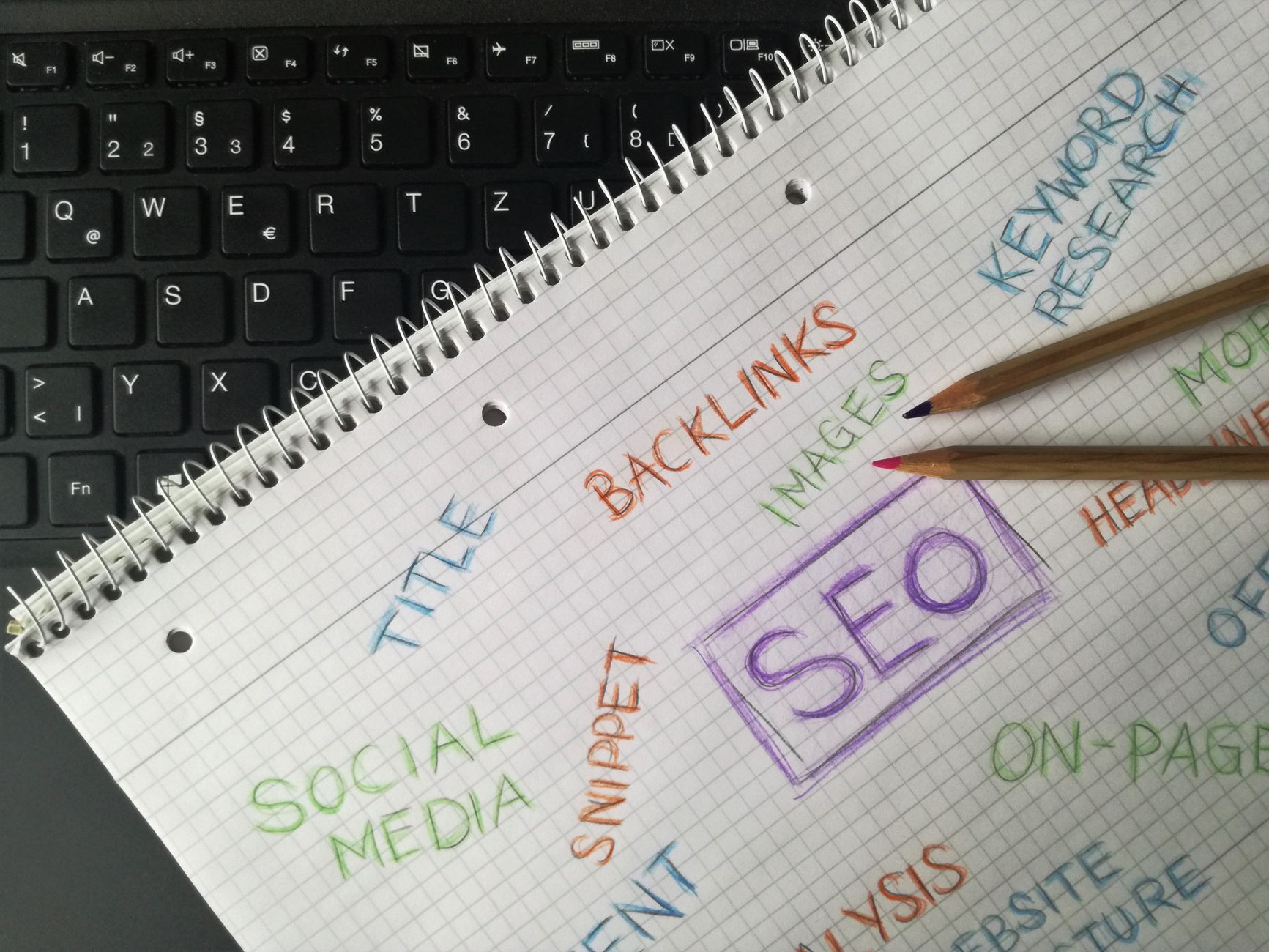
Her gönderi için uygun bir SEO başlık etiketi oluşturun ve karakter sayısını sıkı tutun. Mümkün olduğunda anahtar kelimeyi öne yerleştirin, ardından yazar veya marka adını yalnızca kullanıcı anlayışını iyileştiriyorsa ekleyin. Başlığın altında, arama motorları bu etiketi görüntüler; bu, kullanıcıların gönderinizi nasıl algıladığını şekillendirir ve tıklama oranlarını etkiler, bu yüzden onları gizleyen gereksiz ifadeler yerine netliğe odaklanın. Bu rehberlik sitedeki diğer gönderilere de uygulanır.
Pratik bir formül izleyin: anahtar kelimeleri doğal bir şekilde kullanın, ana terimi öne yerleştirin ve 50–60 karakter sınırı içinde kalın. Site ayarlarını kullanarak etiketin doğru şekilde görüntülendiğinden emin olun ve diğer terimlerin eklenmesini okunabilirliği korumak için sınırlayın. Makalelerinizde ve gönderilerinizde tutarlı sonuçlar için ipuçları burada.
Anahtar kelime doldurarak veya belirsiz ifadeler kullanarak spam sinyallerinden kaçının. Birden fazla başlıkta aynı terimi tekrarlamayın; her başlığı dürüst ve kesin tutun. Aynı konuda birkaç gönderi yayınlıyorsanız, okuyucuları ve arama motorlarını karıştırmadıkça kelimelerinizi çeşitlendirin.
Her etiketi geliştirmek için pratik bir kontrol listesi kullanın: başlık net ve özeldir, site adı yalnızca netlik kattığında dahil edilir, ikincil terimlerin eklenmesi sınırlıdır ve sayı görüntüleme sınırları içinde kalır. Değişiklikleri makalelerinizde ve gönderilerinizde uygulamak için ayarları kullanın.
Sonuçları izlemek muhtemeldir ve etiketleri kullanıcı niyetiyle uyumlu tutarsanız görünürlüğünüzde bir artış görebilirsiniz. Başlığınızın nerede göründüğünü, tıklama oranını ve sitenizdeki davranışı izleyerek gelecekteki makaleleri ve gönderileri geliştirin.
Sayfalar Genelinde Başlıkları Optimize Etmek İçin Tek Adımlı Plan
Bugün tüm sayfalarda tek kullanımlık bir başlık şablonu uygulayın ve CTR ile sıralamalardaki değişiklikleri izleyin.
Kısa bir şablon seçin: [birincil anahtar kelime] | [marka] | [kategori] ve bunu e-ticaret ürün sayfalarına, threadz koleksiyonlarına ve miras makalelerine uygulayın, sitede aynı başlık öğesini kullanın.
Şablonu temel anahtar kelime + öğe + değer teklifi + marka olarak tanımlayın, sayfalar genelinde tutarlılık sağlayın ve kategori sayfalarına uyarlamak için birkaç yol bırakın.
Her sayfayı eksik anahtar kelimeler için kontrol edin ve kullanıcıları karıştıran ifadelerden kaçının; başlığın temel anahtar kelimeyi içerdiğinden ve niyeti yansıttığından emin olun.
Kampanyaları organize ederken, sorguları sayfalara eşleştirin ve verileri karıştırmadan varyantları karşılaştırmak için tat2'yi test etiketi olarak kullanın.
Düzenleyicileri ve ürün sahiplerini motive edin: iyileştirilmiş başlıklar tıklama oranını, izlenimleri ve dönüşümleri artırırken kullanıcı deneyimini korur.
Tıklama oranı ve ortalama konum gibi oranlarla performansı kontrol edin; dahil edilen metrik kümesi sıralamaları, izlenimleri ve kullanıcı sorgularını kapsamalıdır.
Ek ipuçları: başlıkların mobilde çalıştığından emin olun, ilgili yerlerde miras markalaşmasını koruyun ve sunduğunuz hizmet değerlerini yansıtan bir ton kullanın.
Kısa bir eylem döngüsüyle bitirin: şablonu tüm sayfalara uygulayın, 4 hafta sonuçları izleyin ve sıralamaları ve deneyimi sürdürmek için verilere göre geliştirin.
Hedef Anahtar Kelimeleri Tanımlayın ve Bireysel URL'lere Eşleştirin
Öncelikle tekliflerinizle uyumlu 6-8 yüksek niyetli anahtar kelime seçerek başlayın, ardından her birini sitenizdeki tek bir URL'ye eşleştirin. Bu yaklaşım, arama başlığı ile sayfa görüntüsü arasında en iyi uyumu sağlar, tıklama süresini ve sonuçları artırır. Sinyalleri, bağlamı ve kullanıcı davranışını izlemek için Search Console ve analitik konsolunuzu kullanın, ardından veri fırsat gösterdiğinde eşleştirmeyi ayarlayın.
Eşleştirme kurallarını tanımlayın: her URL için tek bir birincil anahtar kelime seçin ve bunu URL yoluna, başlık etiketine ve sayfadaki başlığa dahil edin. Bağlamı desteklemek için gövde metninde ikincil anahtar kelimeler veya eş anlamlılar ekleyin. Bu uyum, optimizasyon sırasında kaynak sinyallerini tutarlı tutar ve sayfanın hangi sorgu için sıralanması gerektiğini netleştirir. Verilen anahtar kelime, iç bağlantılar ve hesap raporlaması için çapa olur.
Herkesi aynı sayfada tutmak için stratejiyi basit bir tabloda belgeleyin. Kanibalizasyondan kaçınmak ve güncellemeleri kolaylaştırmak için URL başına bir anahtar kelime yaklaşımı kullanın.
| Anahtar Kelime | URL | Notlar |
|---|---|---|
| en iyi ürün anahtar kelimesi | https://example.com/products/best-product | Niyet: ürün kategorisi; başlıkta görüntülemeyi destekler |
| widget fiyatı | https://example.com/products/widget-price | Alış sinyallerini destekler; sayfada kalma süresi önemlidir |
| widget nasıl kurulur | https://example.com/how-to/install-widget | Eğitim; rehberlerle bağlamı güçlendirin |
| widget incelemesi | https://example.com/reviews/widget | Sosyal kanıt ve dönüşüm sinyallerine yol açar |
| en iyi bakım ipuçları | https://example.com/blog/maintenance-tips | Uzun kuyruklu, bilgilendirici; erken aramalar için faydalı |
Yayınladıktan sonra sonuçları konsolda izleyin. Verilen bir URL düşük performans gösteriyorsa, eşleştirmeyi ayarlayabilir veya sayfa içeriğini anahtar kelime niyetiyle daha yakından eşleştirmek için kaynak ayırabilirsiniz. Uyum sıkı olduğunda tıklama oranında iyileşme ve sayfada daha uzun süre görecekler; devam eden optimizasyonu birinin üstlenmesi ve kaynak içeriği taze tutması gerekir.
Kullanıcı Niyetiyle Uyumlu Benzersiz, Tanımlayıcı Başlıklar Yazın
Kullanıcı niyeti ve beklentileriyle eşleşen benzersiz, tanımlayıcı bir sayfa içi başlık ile başlayın. Çözüm arayanlara hitap eden bir dil kullanın ve sayfayı net bir şekilde adlandırın ki okuyucular amacını tanısın ve Google konuyu tanısın.
Arama sonuçlarında kesilmekten kaçınmak için 60 karakterin altında tutun; temel anahtar kelimeyi öne yükleyin ki en önemli sinyaller gösterilen ilk karakterlerde görünsün. Yazılı sayfa, başlıkta verilen vaadi yansıtmalı ki okuyucular bekledikleri içeriği hissetsin.
Kural: başlığı sayfa içeriğiyle uyumlu hale getirin; ana anahtar kelimeyi öne yakın yerleştirin; kullanıcının niyetini yansıtan net bir alt başlık oluşturun; konuyu tanıyabilmeleri için tutarlı bir adlandırma şeması olarak kullanın; her belirli okuyucu için değeri sinyalleyen kesin bir dil ile güven oluşturun.
Yön arayanlar için örnekler: "Kullanıcı beklentilerini karşılayan sayfa içi SEO başlıkları nasıl oluşturulur" yaklaşımı gösterir. Herhangi bir jenerik şeyden kaçının; içeriği ve okuyucunun amacını yansıtan bir ad seçin ki doğru sinyallerle başkalarına ulaşın ve Google ilgili bir sonuç sunsun.
Mobil ve Masaüstü Önizlemeleri İçin Uzunluk ve Yapıyı Optimize Edin
Başlık etiketinizin başlangıcında tam ifadeyi tutun ve uzunluğu sınırlayın: mobil önizlemeler için 50–60 karakter, masaüstü için 60–70. Bu yaklaşım, en önemli mesajlaşmanın küçük ekranlarda görünür ve tıklanabilir kalmasını sağlar.
Etiketinizi markalı ifadeyle başlayacak şekilde yapılandırın, ardından sitenin bilgisini yansıtan kısa bir açıklama izlesin. Bazı aramalar için sıra daha önemlidir; çoğu için, ön tarafta güçlü, ilgili bir ifade motorları artırır. Görüntüleri temiz tutmak için net bir ayırıcı kullanın ve mobil ile masaüstünde nasıl göründüğünü gösteren sekmelerle test edin. İyi hazırlanmış bir etiket, kullanıcıların önemsediği alanları yansıtır ve büyüme hedefleri için bilgiyi faydalı tutar. Eğitici.
Örnek: Orcas Ayakkabıları – Günlük Antrenman İçin Hafif Koşu Ayakkabıları
Tıklama oranını maksimize etmek için, çekirdek mesajlaşmayı sayfa içeriğini yansıtan bir şekilde yansıtın. Öne yüklenmiş ifadenin, insanların aramalarda aradığı bilgiye ilgili olduğundan emin olun ve net niyeti ödüllendiren algoritmalarla uyumlu hale getirin. Markalı bir çizginiz varsa, en önemli bilginin sonuçlarda görünmesi için çekirdek ifadeden sonra yerleştirin. Değişiklikleri tıklama verilerini ve motorlardaki sıralamaları izleyerek takip edin ve etiketi kısa ve bilgilendirici tutun, bu tutarlı büyümenin anahtarıdır.
Performansa göre geliştirmeye devam edin: başlık etiketinin mobil önizleme penceresi içinde kaldığını ve sayfanın sunduğunu doğal bir şekilde ilettiğini doğrulayın. Seyircinizin önemsediği şeylere odaklanın ve etiketi, sıralamak istediğiniz sayfaya kullanıcıları yönlendirmek için kullanın.
Anahtar Kelime Doldurma Olmadan Marka ve CTA İpuçlarını Dahil Edin
Markanızı başlığın başına yerleştirin ve arama yapanları yönlendirmek için kısa bir CTA dahil edin.
İlk kural, başlığın başında marka. Verilen mobil SERP kısıtlamaları göz önüne alındığında, tam görüntü ve ilgili bağlam için toplam uzunluğu 50-60 karakter civarında tutun.
Louise not eder ki başlık seçimleriniz anahtar kelime yoğunluğu değil, kullanıcı niyeti ve marka sesini yansıtmalı. Başlıkları marka varlığı ile net bir CTA ipucu arasında dengeleyerek yeniden yazalım, niyeti belirgin hale getirelim.
- Marka-öncelikli yapı: marka adıyla başlayın, ardından tire, ardından kısa bir CTA veya fayda. Örnekler: "tat2 Performans Ayakkabıları - Şimdi Alışveriş Yap" veya "tat2 Akıllı Ev Aletleri - Teklifleri Gör".
- İlgililikle önde: sonuçları tararken, marka-öncelikli başlıklar öne çıkar, tanınırlığı ve etkileşimi artırır.
- Tıklama motive eden CTA ipuçları anahtar kelime doldurma olmadan: Alışveriş Yap, Teklifleri Gör, Daha Fazla Öğren veya Anlaşmalar Al gibi aktif fiiller kullanın. Başlık başına bir CTA ile sınırlayın ve ürün anahtar kelimelerini tekrarlamaktan kaçının.
- Sayfa ile ilgili: yeniden yazım, iniş sayfası konusunu ve kullanıcı tarama niyetini eşleştirmelidir. Ürün veya kategori yalnızca sayfada görünüyorsa dahil edin.
- Ayarlar ve test: mobil ve masaüstünde A/B testleri çalıştırın; CTR ve ortalama konumu karşılaştırın; CTR temel seviyenin altına düşerse, farklı bir CTA veya yerleşimle yeniden yazın. Örnekler: "tat2 Koşu Ayakkabıları - Şimdi Alışveriş Yap" vs "tat2 Koşu Ayakkabıları - Teklifleri Gör".
- Marka sesi ve tutarlılık: Louise tonu yönlendirsin; marka sesiniz varsa, netliği korurken başlıkta yansıtın. Sayfalar ve arama sonuçları genelinde tutarlılık hedefliyorsunuz.
Başlık Etiketleri İçin Tekrarlanabilir Denetim ve Güncelleme İş Akışı Kurun
Sabit bir ritim ve tek bir gerçek kaynağıyla başlayın: sitenizi aylık olarak tarayın, her sayfanın başlık etiketini bir öğe olarak yakalayın, görüntüleme uzunluğunu kaydedin ve SERP'lerde kesilmeyi işaretleyin. Alanlar: URL, mevcut başlık, uzunluk (sayım), durum ve hedef başlık ile bir CSV dışa aktarın. Bu hesaplanabilir temel, döngüleri karşılaştırmanıza ve zamanla ilerlemeyi fark etmenize olanak tanır; ölçeklenebilir bir tekrarlanabilir iş akışınız var.
Net bir hedef politika tanımlayın: markalı sayfalarda markalı önekleri önceliklendirin, markasız sayfalarda birincil anahtar kelimeyi başlangıca yakın tutun ve mümkünse toplam uzunluğu yaklaşık 60 karakterin altında tutun. Sayfanın amacının kısa, tanımlayıcı bir versiyonuyla alanları doldurun, ardından her URL'yi belirli bir hedef başlığa eşleştirin.
Denetim sırasında, mevcut başlıkları hedef ile karşılaştırın, farklılıkları sayın ve SERP'lerin mavi başlıklarında görüntülemenün üç nokta gösterecek olup olmadığını not edin. Bir başlık kesilmişse veya anahtar kelimeyi kaçırıyorsa, güncelleme için işaretleyin ve ilgili içerik sahibine atayın.
Güncelleme iş akışı: onaylanmış değişiklikleri CMS'ye yayınlayın, ardından değişikliklerin mobil ve masaüstünde doğru görüntülendiğini doğrulamak için kısa bir aralık sonra yeniden tarayın. Ne'den ne'ye geçtiğini günlüğe almak için basit bir değişiklik günlüğü kullanın; hesap veya sahibi ve tarihi dahil edin.
Ritim ve yönetişim: mevcut ve hedef başlıklar arasındaki farklılıkları vurgulayan hafif bir gösterge paneli oluşturun; bu arada, sorunları alanlara göre gruplandırmak için mavi başlıkları kullanın ve yüksek öncelikli öğeler için güçlü vurgu uygulayın. Bu, herkesi uyumlu tutar ve sapmayı azaltır.
Ölçüm: sayfa başına tıklama oranı iyileşmelerini izleyin, SERP görüntülemesini sayın ve hedef artış belirleyin (örneğin +%3 CTR) olarak yükseltme sinyali ayarlayın. Desenleri izlemek ve tekrarlanabilir kazanımlar için (markalı vs markasız) başlık türleri günlüğünü tutun.
📚 SEO ve Dijital Pazarlama Hakkında Daha Fazlası
- Başlık Etiketleri - SEO İçin Neden Önemli ve Nasıl Test Edilir (2026)
- 6 SEO Sayfa Başlığı En İyi Uygulama Örnekleri - Tıklama ve Sıralamaları Maksimize Etmek İçin Gerçek Dünya İpuçları
- Web Tarayıcıları Nedir ve SEO İçin Neden Önemlidir
- SEO'da Nofollow Bağlantılarının Rolü - Neden Önemli ve Nasıl Kullanılır
- 2026'da SEO Analitiği - En Önemli Metrikler Nelerdir
Ready to leverage AI for your business?
Book a free strategy call — no strings attached.


