Begin vandaag met dropshipping op Shopify - De volledige gids


Begin vandaag met een concrete aanbeveling: lanceer een Shopify-winkel in 90 minuten, kies een niche met hoog potentieel en regel twee betrouwbare leveranciers. Deze gids bevat praktische stappen, sjablonen en metrics om je snel van idee naar eerste verkoop te brengen.
Werk samen met geverifieerde leveranciers om een betrouwbare beschrijving van producten op te bouwen, nauwkeurige levertijden en transparante prijzen. Je productbeschrijvingen, afbeeldingen en recensies beïnvloeden zichtbaarheid en conversies; gebruik een consistente aanpak over kanalen heen.
Jouw markt is een strategisch segment, en je plan moet dat segment targeten met duidelijke doelen. Een strategische aanpak helpt je te identificeren welke producten je eerst moet testen en hoe je ze moet prijzen over segmenten heen.
Deze voordelen omvatten lage opstartkosten en schaalbare systemen. Het potentiële rendement kan hoog zijn als je gunstige voorwaarden onderhandelt met leveranciers en je productbundels kunt aanpassen om waarde te verhogen. Deze strategie levert potentieel marges op tussen 20% en 30% na kosten. Gebruik een enkele link hub om klanten van advertenties naar afrekening te leiden terwijl je een coherente merkervaring behoudt.
Zichtbaarheid groeit wanneer je een data-gedreven aanpak uitvoert met duidelijke beschrijvingen en afbeeldingen. Maak een beschrijving die voordelen, specificaties en garanties communiceert, en test titels, opsommingstekens en prijzen. Het plan omvat SEO-vriendelijke productpagina's, snel ladende afbeeldingen en betrouwbare voorraadgegevens om zichtbaarheid te verbeteren en verrassingen in uitvoering te verminderen.
Om momentum te behouden, implementeer een praktische tijdlijn: configureer je Shopify-thema voor snelheid, stel betaalmethoden in en verbind twee of drie betrouwbare leveranciers. Maak een kalender: week 1 nicheselectie, week 2 storefrontopzet en apps, week 3 een kleine testcampagne, week 4 optimalisatie op basis van data. Deze gedisciplineerde aanpak houdt momentum in een felle markt en helpt je snel te itereren.
Houd vertrouwen hoog en retourbeleid duidelijk: verifieer voorraad, stel verwachtingen voor verzending en bied eenvoudige terugbetalingen. Voeg een prominente link toe naar beleids pagina's en contactopties op elke productpagina om vertrouwen op te bouwen en wrijving bij afrekening te verminderen.
Handmatig Importeren voor Shopify Dropshipping
Importeer een schone leveranciers-CSV en map velden in Shopify in minder dan 20 minuten om tijd te besparen en fouten te verminderen. Deze aanpak geeft je directe controle over productgegevens voordat ze live gaan, en vermijdt mismatches tussen producttitels, SKU's en afbeeldingen. Werk met vertrouwde leveranciers om gegevenskwaliteit vanaf het begin te garanderen.
Verzamel eerst de essentiële gegevens van je groothandelaar of fabrikant: producttitels, beschrijvingen, handles, varianten, prijzen, voorraad, afbeeldingen en gewichten. Als je met meerdere magazijnen werkt, noteer voorraad op elke locatie en gebruik Shopify's locatietracking om hoeveelheden af te stemmen. Maak een enkel sjabloon-CSV dat past bij Shopify's vereiste velden en de gegevens van je leverancier, zodat je elke keer een schoon bestand kunt versturen.
Bouw de CSV op met kernkolommen: Handle, Title, Body (HTML), Vendor, Type, Tags, Published, Option1 Name, Option1 Value, Option2 Name, Option2 Value, Option3 Name, Option3 Value, Variant SKU, Variant Price, Variant Compare At Price, Variant Grams, Variant Inventory Qty, Variant Inventory Policy, Variant Fulfillment Service, Variant Requires Shipping, Variant Taxable, Image Src, Image Position, Image Alt Text. Voeg veel velden toe om varianten en afbeeldingen te dekken, en test of de gegevens correct worden weergegeven op productpagina's.
Bepaal wat je publiceert en houd een nichefocus. Gebruik groothandelvoorwaarden, stel een solide marge in en publiceer alleen de producten die je kunt ondersteunen met duidelijke beschrijvingen en foto's. Plan updates zodat je prijzen en beschrijvingen kunt vernieuwen aan het begin van elk nieuw seizoen.
Afbeeldingen en beschrijvingen: Zorg voor 1–3 hoogwaardige productfoto's, alt-tekst en een beknopte beschrijving die sleutelspecificaties benadrukt. Houd beschrijvingen scanbaar met opsommingstekens en korte alinea's om conversie te verbeteren.
Voorraad en magazijnen: Schakel multi-locatie-ondersteuning in en map elk magazijn aan een Shopify-locatie. Tijdens import, wijs Variant Inventory Qty per locatie toe en stel je voorkeur fulfillment service in. Dit vermindert oversells en maakt je fulfillment stromen voorspelbaar.
Validatie en testen: Voer een testimport uit met 5–10 SKU's eerst, bekijk dan productpagina's op titelnauwkeurigheid, optie-mapping en prijsafstemming. Valideer belastingen, verzendgewicht en valuta. Na fixes, herupload en herhaal de test met een grotere batch voordat je live gaat.
Ga live en monitor: Na de live import, bekijk bestellingen, controleer of regelitems overeenkomen met SKU's en let op retour signaals. Als je mismatches ziet, pas de CSV aan en herimporteer de getroffen rijen. Een schone initiële import bespaart weken aan post-lancering fixes.
Post-import verbeteringen en apps: Handmatige import houdt je in controle, maar je kunt updates naar leveranciers sturen of later apps gebruiken om besteldoorsturing en voorraad synchronisatie te automatiseren. Deze stappen komen nadat je gegevenskwaliteit hebt gevalideerd en een betrouwbare workflow hebt opgezet. Met nieuwere leveranciers data feeds wordt de workflow soepeler, en je vermindert heen-en-weer communicatie aanzienlijk.
Community en mindset: Tik op groothandel communities en niche groepen om sjablonen, CSV-mappings en best practices te leren. Het opbouwen van een mindset voor data-discipline begint met consistente routines en bereidheid om je bestandsformaten te verfijnen. De inspanning loont als je schaalt; je zult snellere verwerking en verbeterde marges zien.
Eindnoot: Deze methode creëert een solide basis voor je Shopify dropshipping winkel, ondersteunt multi-locatie logistiek en positioneert je om snel te reageren op veranderingen in de grote industrie. Het vermindert risico, verbetert retour tracking en schaalt met maanden van gedisciplineerde praktijk.
Maak een schone CSV-sjabloon voor Shopify productimport
Begin met een vaste CSV-sjabloon die Shopify's importvelden weerspiegelt, valideer dan met een testvermelding om problemen vroeg te vangen. Gebruik UTF-8-encoding, komma-scheidingsteken en kopnamen precies zoals Shopify verwacht om importfouten te verminderen.
-
Sjabloonstructuur en encoding
Gebruik een enkel CSV-bestand, gecodeerd in UTF-8 (geen BOM), met een komma-scheidingsteken. Houd kopnamen exact en vermijd verdwaalde tekens.
Plaats een koprij die de onderstaande velden in een stabiele volgorde lijst, zodat mapping consistent blijft tijdens herhaalde imports.
-
Kernvelden en kopmapping
Handle – uniek per vermelding. Title – productnaam. Body (HTML) – beschrijving met basisformattering. Vendor – leveranciersnaam. Type – productcategorie. Tags – komma-gescheiden trefwoorden. Published – TRUE of FALSE.
Option1 Name, Option1 Value; Option2 Name, Option2 Value; Option3 Name, Option3 Value – voor varianten. Dit ondersteunt multi-variant vermeldingen en houdt verkoopstatus duidelijk.
Variant SKU, Variant Grams; Variant Inventory Tracker; Variant Inventory Qty; Variant Inventory Policy; Variant Price; Variant Compare At Price – controleer voorraad en prijzen voor elke vermelding.
Image Src, Image Position, Image Alt Text – voeg media toe in de juiste volgorde.
Gift Card, SEO Title, SEO Description – optionele velden om vindbaarheid te verbeteren.
-
Varianten, opties en gegevensconsistentie
Voor producten met meerdere opties, vul Option1/2/3 velden alleen in waar nodig. Als een veld niet gebruikt wordt, laat het leeg om mengen van gegevens over vermeldingen te vermijden.
Houd SKU's uniek over varianten heen om misattributie in de catalogus te voorkomen.
Vermijd speciale tekens in handles en tags die imports of zoekindexering kunnen breken.
-
Afbeeldingen en media afhandeling
Plaats elke afbeelding op zijn eigen rij met dezelfde handle en een hogere Image Position om een galerij te creëren. Een enkele vermelding kan beginnen met Image Position 1.
Zorg ervoor dat Image Src URL's toegankelijk zijn en geen authenticatie vereisen. Als een afbeelding ontbreekt, laat die rij weg of markeer het in een vervolgimport.
-
Kwaliteitscontroles en validatie
Voer een snelle gegevenscontrole uit: numerieke velden (Variant Price, Variant Compare At Price, Variant Inventory Qty, Variant Grams) moeten nummers zijn. Published moet TRUE/FALSE zijn. De handle moet uniek zijn per product.
Test import met 1-2 voorbeeldproducten eerst om mappingproblemen te vangen voordat je schaalt. Die kleine inspanning bespaart aanzienlijke tijd later en verbetert conversies.
Vertrouw op validatieregels om problemen automatisch te signaleren, waardoor handmatige reviewtijd vermindert.
-
Planning, achtergrond en vereisten
Gebruik een planner om vermeldingsattributen aan velden te mappen en een achtergrondnoot om leveranciersvoorwaarden en interne referenties bij te houden. Dit helpt wanneer vraag verschuift en je prijzen of beschikbaarheid moet aanpassen.
Er zijn verschillende bestandsvereisten van Shopify: UTF-8, komma-scheidingsteken, juiste kopnamen en geldige URL-velden. Post-check zorgt voor geen gebroken links of ontbrekende media.
Behoud een professioneel sjabloon dat je planner en teamleden kunnen hergebruiken, met duidelijke notities over gegevensbronnen en updateprocedures.
Houd een apart document voor voorwaarden en retourbeleid dat aan elk product gekoppeld is. Dit vermijdt mismatches wanneer klanten vermeldingen beoordelen of retouren aanvragen.
Achtergrondgegevens zoals leveranciersvoorwaarden en gerelateerde productattributen ondersteunen planning voor lanceringen en aanpassingen gekoppeld aan vragensignalen.
-
Installatie, import workflow en follow-up
Er is een eenvoudige workflow: sla het bestand op als CSV, ga naar Shopify Admin > Products > Import, upload en bekijk veldmapping. Start dan de import en monitor het resultaat.
Na import, verifieer dat de status van elke vermelding correct is (actief, concept of gearchiveerd). Controleer of gerelateerde varianten verschijnen zoals verwacht en dat afbeeldingsvolgorde past bij je plan.
Als problemen ontstaan, pas het sjabloon aan, heropslaan en herimporteer. Dit geeft je vertrouwen dat de gegevens aansluiten bij je verkoopstrategie en retourbeleid.
-
Post-import review en optimalisatie
Bekijk de live productpagina's op nauwkeurige inhoud en media. Bevestig dat recensie links of referenties correct weergegeven worden en dat de vermelding geplande upsells en gerelateerde producten ondersteunt.
Gebruik de gegevens van dit sjabloon om promoties en aanbodtests te informeren. Hoe schoner je feed, hoe makkelijker het is om conversies te optimaliseren en te reageren op vraagtrends.
Vul titel, beschrijving, varianten, prijzen en SKU's in
Vul elk product aan met een precieze titel, een voordeelgerichte beschrijving, een volledige set varianten en unieke SKU's, stel dan prijzen in die gezonde marges garanderen.
Titelstrategie: neem producttype, sleutelattribuut en een relevant collectiesignaal op; beperk lengte tot 60-70 tekens; vergelijk met concurrentvermeldingen om trefwoordgaten te spotten.
Beschrijvingsstructuur: Open met een duidelijk gebruiksgeval, volg met 3-4 zinnen over voordelen, materialen en verzorging, noteer dan print-on-demand opties en aanpassingsmogelijkheden. Als iemand de vermelding beoordeelt, zorg ervoor dat de kopie accuraat blijft.
Varianten: Lijst kleur, maat en materiaalopties op; voor print-on-demand, bied een strakke set kleurvarianten en maten; gebruik een naamconventie om SKU's te groeperen; selectie van attributen helpt shoppers filteren.
SKU's: Definieer een SKU-patroon zoals PROD-CTG-ATTR-KLEUR-MAT; houd codes kort, gebruik koppeltekens, vermijd spaties; zorg ervoor dat SKU's uniek blijven over Shopify, woocommerce en ebay.
Prijzen: Bepaal basiseenheidskosten, voeg fulfillment, verzending, verpakking en platformkosten toe; stel prijsbanden in die passen bij je totale margedoel; houd wat flexibiliteit voor promoties; voorbeeld: kosten 4.50, verzending 2.00, kosten 15%, resulterende prijs 12.99. Dit vereist geen extra stappen als je een sjabloon gebruikt.
Automatisering en consistentie: Gebruik autodss om variantgegevens automatisch in te vullen en help consistente naamgeving over thema's heen te ontwikkelen; bespreek setup om misalignments te vermijden.
Kanaaluitrol: Publiceer naar Shopify, synchroniseer met woocommerce en ebay, gebruik bulkacties voor efficiëntie; controleer concurrentprijzen en pas aan om concurrerend te blijven zonder marge te eroderen.
Monitoring en leren: Volg uitgaven, verkopen en vermeldingsperformance; bewaar records in bankklaar formaat; vang leren op uit performance om toekomstige vermeldingen te informeren, met grote retail en online kanalen in het vizier.
Bereid afbeeldingen en alt-tekst voor voor import
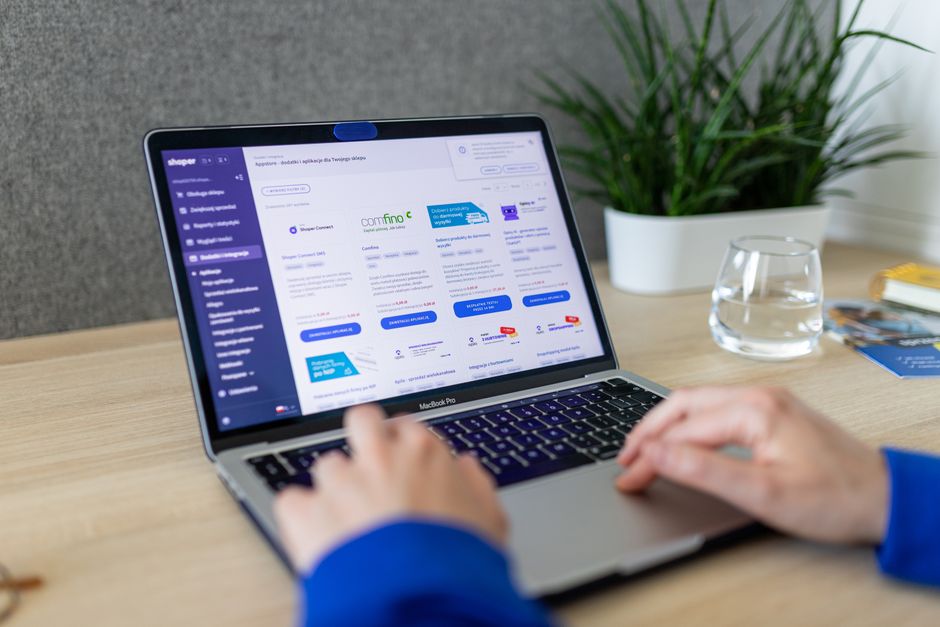
Comprimeer afbeeldingen tot onder 200 KB en sla op als WebP of geoptimaliseerde JPEG om productpagina's te versnellen, aankopen te stimuleren en prijzen betaalbaar te houden. Deze aanpak verlaagt hostingkosten en vermindert laadtijden, verbetert de shopperervaring over pagina's heen; daarom doet een consistente media workflow ertoe. Een consistente mediaset vermindert herwerk en ondersteunt leren terwijl je itereert met leveranciers en ontwerpers, en dit geeft je vermeldingen een stabiele basis. Duidelijke media helpt ook bankafrekeningsstromen soepel te houden, wrijving te verminderen op het moment van aankoop.
Stel een lean exportworkflow in die uren bespaart: resize naar een standaard breedte (2048 px max), pas een enkel kwaliteitsniveau toe en batch export voor alle varianten. Deze consolidatie brengt voorspelbare resultaten, helpt je performance te monitoren en houdt snelheid hoog op elke vermelding. Het vermindert ook vaak het aantal revisies nodig van teams, wat tijd vrijmaakt voor prijstesten en andere marketinginspanningen.
Alt-tekst en titelrichtlijnen: Schrijf beschrijvende alt-tekst voor elke afbeelding, noem het product, kleur en sleutelkenmerken. Voeg een beknopt titelattribuut toe dat past bij het doel van de afbeelding, met een duidelijk label onder thema's voor consistentie. Het schrijven van alt-tekst moet beknopt en informatief zijn; mik op 5-12 woorden om duidelijkheid en toegankelijkheid in balans te houden. Dat is een eenvoudige schrijfpraktijk die toegang verbetert voor gebruikers met assistieve technologie en leren ondersteunt over pagina's heen.
Naming en asset management: Noem bestanden met product-id-variant en bewaar ze in een enkele map om import te vereenvoudigen. Een eenvoudige tag-systeem ondersteunt toegang voor teamleden, vermindert discussie over assets en versterkt partnerschappen met leveranciers. Schone mediaorganisatie verhoogt vaak paginapopulariteit en biedt een soepeler pad naar prijzen en campagnes.
| Aspect | Aanbeveling | Voorbeeld |
|---|---|---|
| Bestandstype | Voorkeur WebP; fallback naar JPEG of PNG | hoodie-01.webp |
| Grootte | 2048 px max breedte; mik onder 200 KB | 1024x1024, 180 KB |
| Alt-tekst | Beschrijf inhoud; neem productnaam en hoofdfunctie op | Blauwe hoodie, 50% katoen, front view |
| Titel | Beknopt toegankelijkheidslabel | Blauwe Hoodie - Front View |
| Naming | product-id-variant; consistent over assets | hoodie-01-blue-variantA.jpg |
Voer een testimport uit in Shopify en fix veelvoorkomende fouten
Open Shopify Admin, ga naar Apps en start een ingebouwde, stapsgewijze testimport van Zendrop om gegevensmapping direct te verifiëren voordat je producten vermeldt. Zendrop kan een ingebouwde testimport bieden om mapping te bevestigen met nul risico voor live aankopen.
Installeer Zendrop en verbind je winkel. Als de app niet geïnstalleerd is, voeg het toe, authenticeer de verbinding en schakel de testimportoptie in. Dit vereist zorgvuldige controles; de app biedt een gebruiksvriendelijke manier om problemen vroeg te spotten.
Kies een paar producten voor testen. Kies items met varianten (maat/kleur), meerdere afbeeldingen en redelijke prijzen om de juiste mappings te verifiëren. Dit toont hoe mappings vertalen naar live productpagina's en aankopen beïnvloeden.
Voer de import uit en inspecteer de resultaten in Shopify: controleer productnamen, beschrijvingen, afbeeldings-URL's, prijsafstemming, variantopties en voorraadniveaus. Als je een probleem spot, fix het direct in Shopify of pas de brongegevens aan en herimporteer. Dit helpt de grootste gegevensmismatches te vermijden en mogelijke fouten te verminderen voordat je live gaat.
Afbeeldingsassets: Controleer afbeeldingsassets om te zorgen dat elke afbeelding laadt, alt-tekst aanwezig is en bestandsformaten passen bij je responsive thema. Als een afbeelding ontbreekt, herupload in Zendrop of wissel URL's, herstart dan de testimport.
Behandel prijsafwijking: map het juiste prijsveld in Zendrop en bevestig dat Shopify-prijs de brongegevens weerspiegelt. Als je afwijking ziet, corrigeer in de bron of overschrijf in Shopify, her-sync dan.
Fix variant en SKU-afstemming: zorg ervoor dat variantopties (maat, kleur) en SKU's overeenkomen tussen Zendrop en Shopify; indien nodig, pas handmatig aan in Shopify en herimporteer de getroffen items.
Synchroniseer voorraad nauwkeurig: schakel auto-sync in in Zendrop en stel Shopify in om voorraad te tracken; als voorraadniveaus verschillen, pas aan zoals nodig en voer een snelle herimport uit.
Vul ontbrekende beschrijvingen en kenmerken aan: voeg beknopte beschrijvingen, opsommingstekens en specificaties toe; zorg ervoor dat sleutelkenmerken zijn opgenomen om aankopen te ondersteunen, herimporteer dan.
Maak SEO-gegevens en handles schoon: update URL-handles, meta-titels en alt-tekst; zorg voor een nette structuur, herimporteer indien nodig om vermeldingen toegankelijk te houden.
Open communicatie met support: Meestal neem contact op met Zendrop of je leverancier als problemen aanhouden. Ze bieden typisch debug-stappen of een CSV-fix; houd een eenvoudig record van fixes voor toekomstige imports.
Voer een finale test uit: voer 2-3 afrekeningssimulaties uit met een testbetaalmethode om te verifiëren dat de ervaring eenvoudig blijft en aankopen zonder wrijving voltooien. Wanneer alle checks slagen, kun je je winkel openen voor echte klanten.
Documenteer uitkomsten en maak een snelle playbook: noteer welke stappen welke fouten fixen, wie updates afhandelt en hoe vaak je herimporteert. Dit open proces versterkt je strategie voor aankomende lanceringen en houdt de winkel responsief voor kopers.
Organiseer geïmporteerde producten in collecties en stel SEO-gegevens in

Bouw drie kerncollecties eerst: Best Sellers, New Arrivals en Under $50. Gebruik geautomatiseerde regels om producten te plaatsen op basis van tag, prijs en voorraad, en tag elk item met kleur, maat, materiaal en vendor zodat je items tussen collecties kunt verplaatsen met één regel. Deze aanpak bouwt duidelijkheid op voor klanten en vermindert handmatige bewerking, wat belangrijk is voor het behouden van een efficiënte workflow in zendrops. Navigeer naar Products > Collections, pas regels toe en verifieer dat elk product is toegewezen met of zonder handmatige override indien nodig.
Voor elke collectie, pas een op maat gemaakte SEO-blok toe: stel een meta-titel, meta-beschrijving en een schone URL-handle in. Houd de meta-titel onder 70 tekens en de beschrijving onder 160 om click-through rates te verbeteren. Zulke optimalisatie moet de collectienaam nabij het begin plaatsen en één primair trefwoord opnemen dat het doelpubliek zou zoeken. Voorbeeld: Titel: Wireless Earbuds Collection | Zendrops; Beschrijving: Shop de nieuwste wireless earbuds met snelle verzending en een gecureerde selectie voor elk budget. Pas unieke inhoud toe om duplicaten over collecties te vermijden en zorg ervoor dat elke URL kort en leesbaar is.
Toegankelijkheid en mobiel-gereedheid komen eerst in presentatie: gebruik beschrijvende alt-tekst voor elke afbeelding, zorg ervoor dat tekstcontrasten voldoen aan toegankelijkheidsnormen en behoud een logische kopvolgorde op collectiepagina's. Schakel mobiele filters in en zorg ervoor dat de lay-out navigeerbaar blijft op kleine schermen zodat gebruikers zonder wrijving kunnen bladeren. Over het algemeen verhoogt een mobiel-gereed ontwerp responstarieven terwijl shoppers van ontdekking naar add-to-cart gaan met vertrouwen.
Belastingafhandeling en prijszichtbaarheid doen ertoe: configureer belastingen per regio en beslis of prijzen met of zonder belasting worden weergegeven in je storefront. Onder lokale vereisten, toon belasting-inclusieve prijzen waar vereist en weerspiegel nauwkeurige belastingen bij afrekening. Deze duidelijkheid vermindert aankoopaarzeling en ondersteunt een soepele verkoopstroom voor bedrijven van alle groottes.
Eenmalige SEO en collectie-audit taken lonen: na import, voer een eenmalige sweep uit om collectienamen, tags en SEO-velden op te ruimen, plan dan kwartaalreviews. Directe updates naar product- en collectie-SEO-gegevens voorkomen duplicatie-inhoud en misafgestemde trefwoorden. Bested tijd aan het opbouwen van consistente metadata over alle collecties om algehele vindbaarheid te verbeteren en afstemming met je merkm stem, wat je helpt het juiste publiek sneller te bereiken. Zulke organisatie maakt het ook makkelijker om nieuwe leveranciers en catalogusitems toe te voegen zonder bestaande SEO-signalen te verstoren. Door duidelijke collecties en geoptimaliseerde SEO-gegevens te behouden, creëer je een schaalbare basis die doelgerichte groei ondersteunt en duidelijkere navigatie voor shoppers.
📚 Meer over E-Commerce & Bedrijfsvoering
- Shopify Canonical URL Gids - Hoe Duplicate Inhoud te Fixen en SEO te Verbeteren
- Shopify SEO Checklist - De Gids voor Beginners (2026)
- Ecommerce Dropshipping Bedrijf - Hoe te Starten en Schalen
- Shopify SEO Apps - Zijn Ze het Waard? Een Praktische Gids om de Zichtbaarheid van Je Winkel te Verbeteren
- Hoe een Ecommerce Bedrijf te Starten in 2026 - Een Praktische Stapsgewijze Gids
Stuur een korte aanvraag
Beschrijf website, doelen, doelgroep en budget voor een voorstel.


