How to Build the Perfect Service Website Structure for SEO

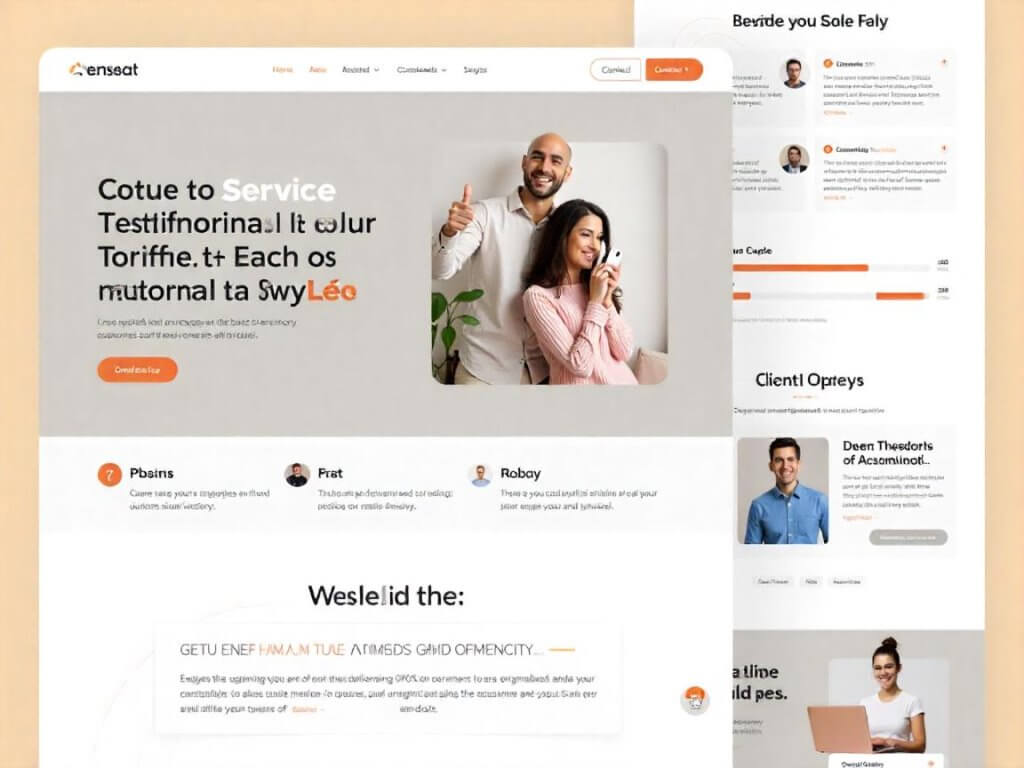
How to Build a Proper Service Website Structure: Technical Essentials and Real Examples
Understanding the Importance of a Service Website Structure
In the world of SEO, the structure of a website is more than just an aesthetic decision—it's a vital element that impacts visibility, user experience, and conversion. For service-based websites, building a technically sound structure that supports SEO and user intent is critical. The right structure helps search engines understand the content hierarchy, ensures better crawlability, and improves user interaction. In this article, we explore how to properly design a service website’s structure with technical insight and real-world examples.
The Concept of Website Structure for Services
A service website differs from an eCommerce platform in terms of user interaction and informational depth. Users typically look for answers, benefits, and service-related solutions rather than product catalogs. This requires a carefully planned navigation system that matches how users think and search.
A strong site structure consists of:
- Clear hierarchy
- Logical URL paths
- Effective internal linking
- Optimized breadcrumbs
- Proper canonicalization
- Regional strategy if needed
The end goal is a site that both users and search engines can navigate intuitively.
Why Structure Affects SEO Performance
Website structure directly influences indexing, crawling efficiency, and keyword ranking. When search engines can easily identify the purpose and context of each page, your site is more likely to appear in relevant search results. Poor structure leads to indexing errors, duplicate content, and missed SEO opportunities.
From the user perspective, a clean layout improves dwell time and lowers bounce rates. Every aspect of structure contributes to overall SEO health, particularly for service pages that may not benefit from product-based keyword density.
Building the First Level of the Site: The Homepage
The homepage is the core entry point for most service sites. It should present the main categories of services in a clear, hierarchical manner.
Key elements of a homepage structure:
- Headings (H1, H2) focused on main service groups
- Short descriptions and calls to action
- Clear navigation to main categories
- Regional or segmentation blocks if applicable
It’s important to avoid overwhelming users with too much information. Use design and UX best practices to balance SEO requirements with readability.
Creating Main Service Categories
Each primary service should have a dedicated landing page. For example, a digital agency might create category pages for:
- SEO Optimization
- Web Design
- PPC Advertising
- Content Marketing
Each of these pages acts as a gateway to deeper subcategories or individual service pages. The category page should include:
- A clear H1 that reflects the service category
- Introductory text with relevant keywords
- Internal links to sub-services
- Call-to-action buttons
- Visual elements (icons, images)
These pages are essential for targeting mid- and long-tail keywords and serve as anchor points for internal linking.
Creating Subcategory and Service Pages
Subcategory pages address specific services within each main category. For example, under “Web Design,” subcategories might include:
- Landing Page Design
- E-Commerce Website Design
- UX/UI Audits
Each service page should include:
- Clear H1 with the name of the service
- Informational content (what, why, how)
- Benefits and value propositions
- Client results or case studies
- CTA buttons
It's important not to treat these pages as sales-only tools. Informative and optimized content improves ranking and builds user trust.
Implementing SEO-Friendly URL Structure
URLs should follow a logical hierarchy and avoid unnecessary parameters or numeric identifiers. A typical URL might look like:
example.com/web-design/landing-pages/
Avoid:
- Auto-generated IDs:
/page?id=123 - Mixed case URLs:
/WebDesign/ - Redundant folders:
/services/web-design/web-design/
Consistency in URL naming not only improves SEO but also helps with user comprehension and sharing.
The Role of Breadcrumb Navigation
Breadcrumbs play an essential role in helping users understand where they are on the site. They also enhance search snippets in SERPs.
For example:
Home > Web Design > Landing Pages
Breadcrumbs should:
- Reflect the actual path
- Use clickable anchor text
- Include schema markup for enhanced SEO
- Be placed above the content on each page
This system improves UX and supports the overall site hierarchy.
Internal Linking Strategy for Services
Internal links distribute authority throughout the site and help search engines understand contextual relationships between pages.
Best practices include:
- Linking from blog content to relevant service pages
- Cross-linking related services
- Including links in headers, footers, and body text
- Using descriptive anchor text
Every service page should link back to its category and homepage, creating a circular structure that enhances crawlability.
How to Handle Regional Structure
If your services are offered in multiple cities or regions, you can implement a geo-structure:
Option 1: Subfolders
example.com/moscow/web-design/
example.com/saint-petersburg/web-design/
Option 2: Subdomains
moscow.example.com/web-design/
spb.example.com/web-design/
In both cases, make sure each regional page has unique content, local keywords, and properly set canonical tags to avoid duplication.
Using Canonical Tags to Prevent Duplicate Content
Canonical tags tell search engines which version of a page is the primary one. This is especially important when:
- Regional pages are similar
- Pagination is used
- Content is accessible through multiple paths
For example, if multiple pages serve the same service with small variations, canonical tags can consolidate ranking signals.
Implementing Technical Requirements
Every service website structure must support a technically sound environment. Key considerations:
- XML sitemap that includes all important service pages
- Robots.txt that blocks unnecessary content
- Meta tags with clear titles and descriptions
- Structured data (schema) for services and breadcrumbs
- Mobile responsiveness
This ensures better communication with search engines and improves indexation quality.
Optimizing the Site Structure for Conversion
A good structure isn't only about SEO—it should guide users toward conversion. Each layer of the site should include:
- Clear value propositions
- Trust signals (testimonials, certifications)
- Easy-to-find CTAs (buttons, forms, contact links)
- Short forms or lead magnets
Reduce the number of clicks between the homepage and key service pages. Use heatmaps and analytics to test and refine user journeys.
Structuring Blog and Information Pages
The blog section should not be isolated. Integrate it with service pages by linking related posts to service content and vice versa.
Blog structure example:
example.com/blog/
example.com/blog/seo-strategy/
example.com/blog/ppc-vs-seo/
Each post should:
- Target informational keywords
- Answer user questions
- Include links to services
- Use tags and categories
This helps capture top-of-funnel traffic and push users deeper into the site.
Common Mistakes in Service Website Structures
Avoid these pitfalls:
- Flat structure with all services listed on one page
- No subcategories or hierarchy
- Inconsistent internal linking
- Orphaned pages not linked from anywhere
- Overuse of filters or dynamic URLs
A chaotic structure confuses crawlers and users alike, hurting SEO performance and lead generation.
Example of a Proper Structure
Let’s consider a simple example of a marketing agency site:
Homepage: example.com
Main categories:
example.com/seo/example.com/web-design/example.com/ppc/
Subcategories:
example.com/seo/audit/example.com/web-design/ecommerce/example.com/ppc/google-ads/
Blog:
example.com/blog/example.com/blog/seo-case-study/
Regionally:
example.com/moscow/seo/example.com/spb/seo/
Each section supports both SEO targeting and logical user navigation.
Tools to Build and Monitor Website Structure
Several tools can help analyze and optimize site structure:
- Screaming Frog: crawl structure and find issues
- Ahrefs/Semrush: identify orphaned pages and link gaps
- Netpeak Spider: analyze internal linking
- Google Search Console: detect indexing errors
- Miro/XMind: visualize structural diagrams
Use these to conduct regular audits and guide technical adjustments.
Final Thoughts: Structure Is a Long-Term Investment
Creating the perfect site structure for a service website is not a one-time task. It’s a living framework that evolves with your services, user behavior, and algorithm updates. Invest time in planning, use the right tools, follow technical guidelines, and always design with the user journey in mind.
📚 More on SEO & Digital Marketing
Send a brief enquiry
Describe your website, goals, audience and budget so we can discuss a proposal.


